


AI-powered apps have come a long way over the past few months. Today, we are no longer limited to AI chatbots, as we can now use AI Video Generator apps to generate realistic and professional-looking videos in just a few seconds.
These AI-powered video generator tools are capable of turning your ideas into videos that can be shared on social media or used in online campaigns.
Invideo AI: AI Video Generator
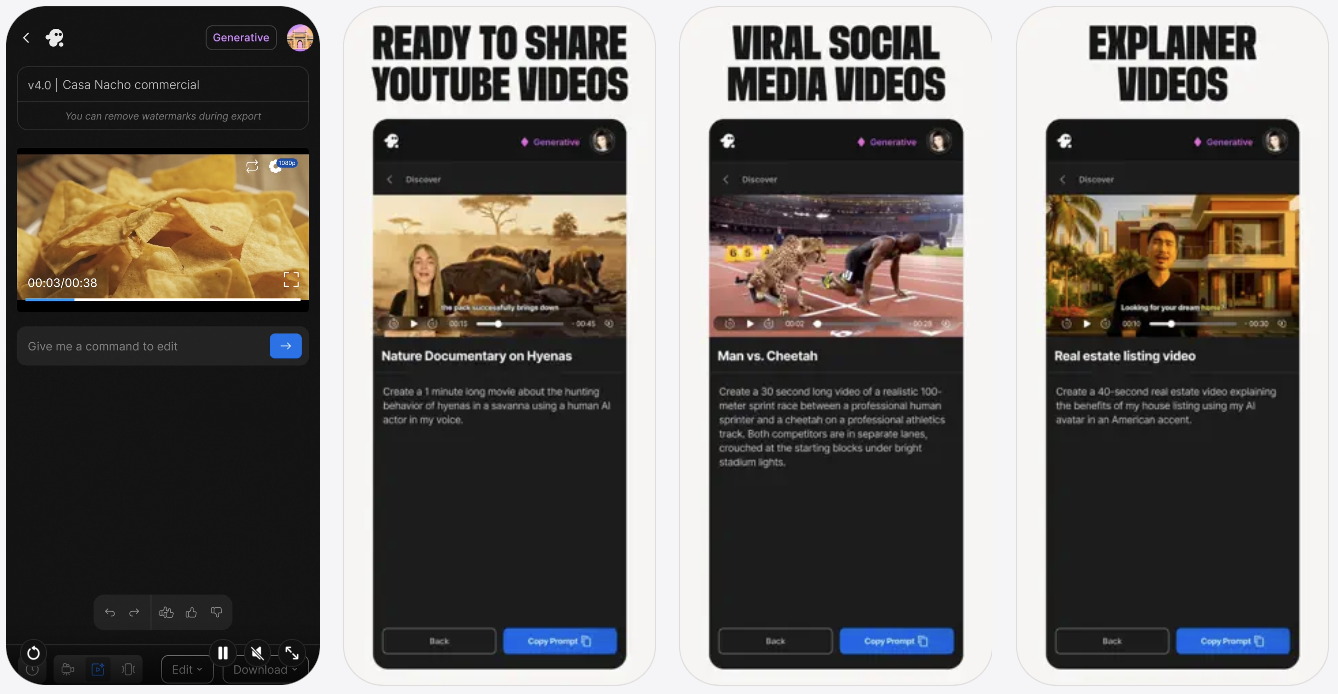
With Invideo AI: AI Video Generator tool, you can quickly generate high-quality videos with just a prompt. Simply type in your command, and Invideo AI will use advanced technologies to generate a professional video with script, media, and even VoiceOver.
This is a great tool that can be used by content creators, marketers, and businesses alike. Using the Invideo AI is super easy. Just prompt your video and explain to the AI what you would like to see in your generator video. Then choose your audience and platform where you will be sharing the video, and hit the Generate button. The app takes about 5 minutes to generate the video and allows the user to edit the video with text commands. So you can tell the AI to make the video longer, change VoiceOver to a different language, add subtitles, etc.
You can download the Invideo AI: AI Video Generator app from the App Store for free. The premium features of the app can be unlocked with a starting price of $9.99.
VideoGPT – AI Video Generator
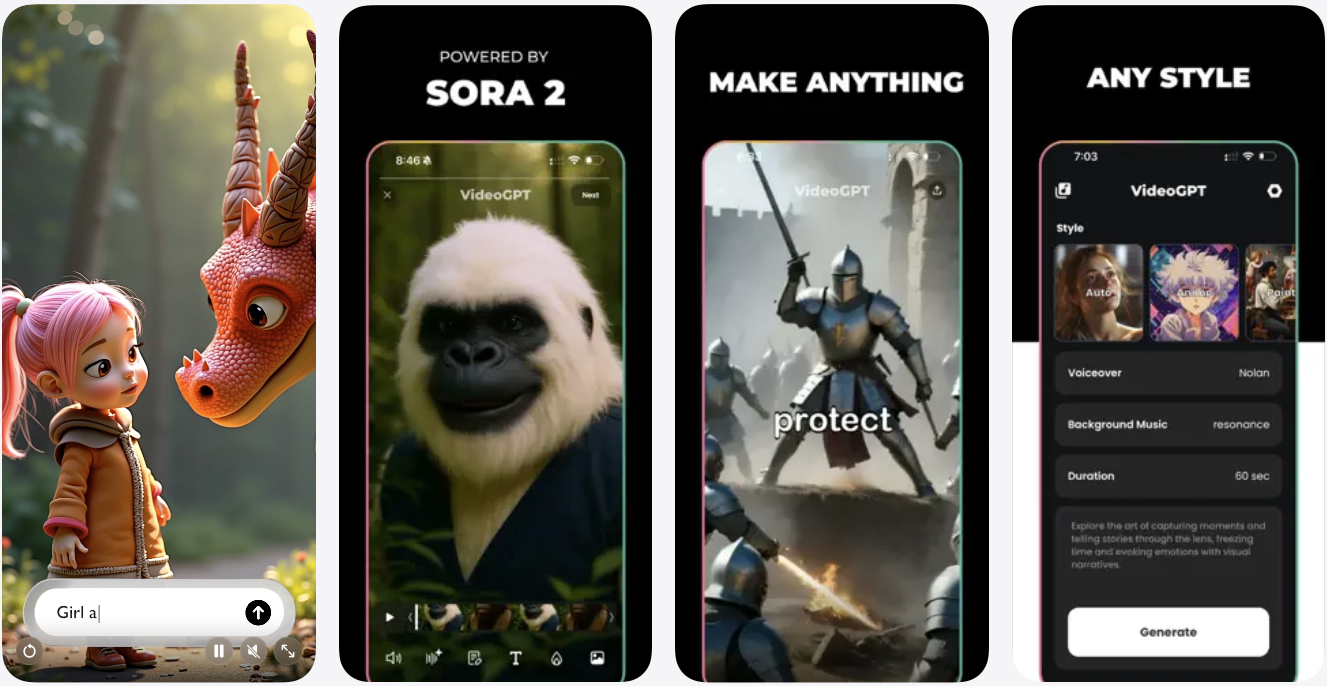
If you had to download one prompt-based text-to-video app on iPhone, then I would recommend you download VideoGPT. This AI-powered app lets you bring your ideas to reality and can generate a video in any style. Be it animation, anime, or cinematic, you can rely on this app to create the perfect video for you.
This app works great, no matter if you are a storyteller, content creator, or animator. The attention to detail you get with this app is top-notch, as it uses different animation aesthetics to best match your prompt’s intent.
The best thing about the VideoGPT app is that it is super easy to use and comes with an intuitive interface. This means you don’t have to deal with complex tools and settings and can focus on what matters the most – the art of storytelling.
You can download the VideoGPT app on your iPhone from the App Store, where it is available as a free download. The paid version of the app costs $6.99 per week with unlimited access.
AI Video Generator – VideoMax
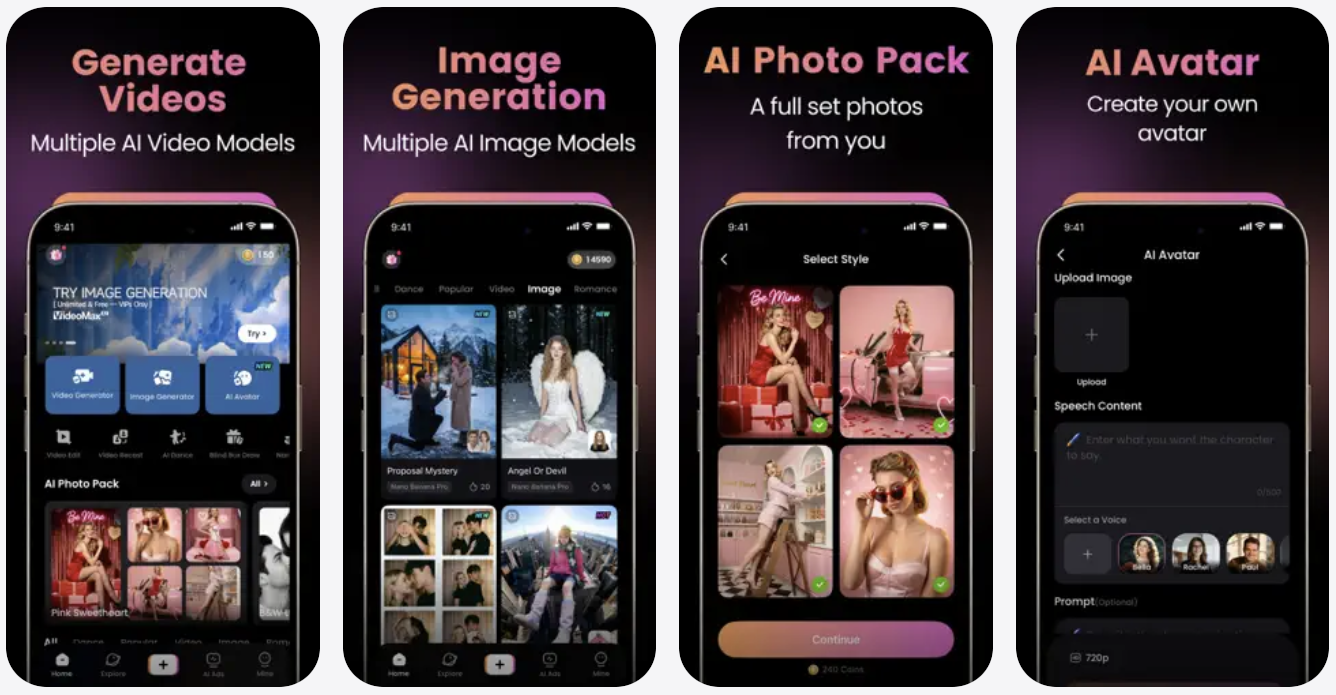
VideoMax claims to turn your visions into reality with its powerful AI Model that is capable of turning your ideas into a video with its text-to-video features. You can use this app to turn text into video and even transform your photos by converting them into videos complete with fireworks, muscle growth effect, explosions, and much more.
The app also has a fun AI Dance Maker feature, which can create fun dance videos for you in just a few taps. The app comes with weekly subscriptions that cost $8.99. You can also purchase in-app coins and use them to generate content.
You can download the AI Video Generator – VideoMax app for free from the App Store link below.
AI Video – AI Video Generator
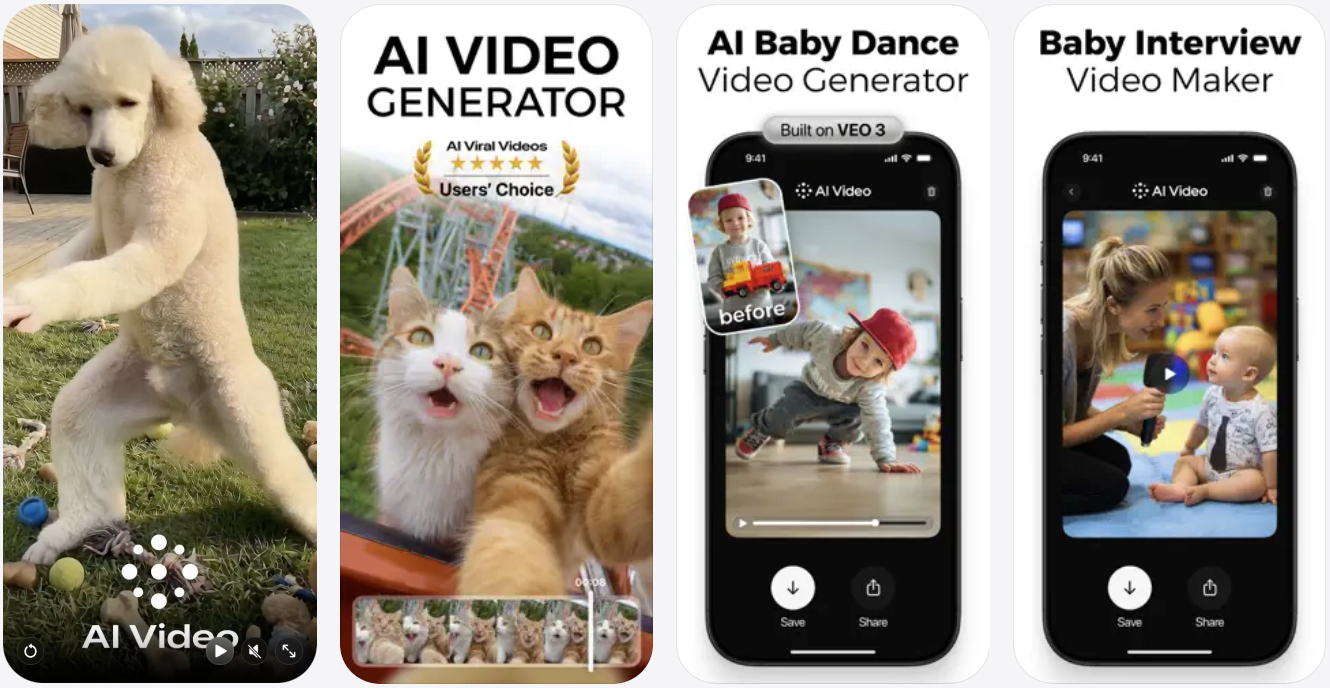
Whether you are a marketer, content creator, or storyteller, the AI Video – AI Video Generator app for iPhone is a must-have tool for you. This video generator leverages the power of AI to create high-quality videos from text, images, and character actions in just a few taps.
Just enter a descriptive prompt, and the app will turn it into a video complete with animations, sound, and text. You can also upload your photos and have them animate to fun effects. What makes this AI Video generator tool great is its easy-to-use interface and ability to export generated content in HD for all social platforms and different video formats.
You can download the AI Video – AI Video Generator app from the App Store, where it can be installed for free. The app comes with weekly subscriptions starting from $4.99.
Zoomerang – AI Video Maker
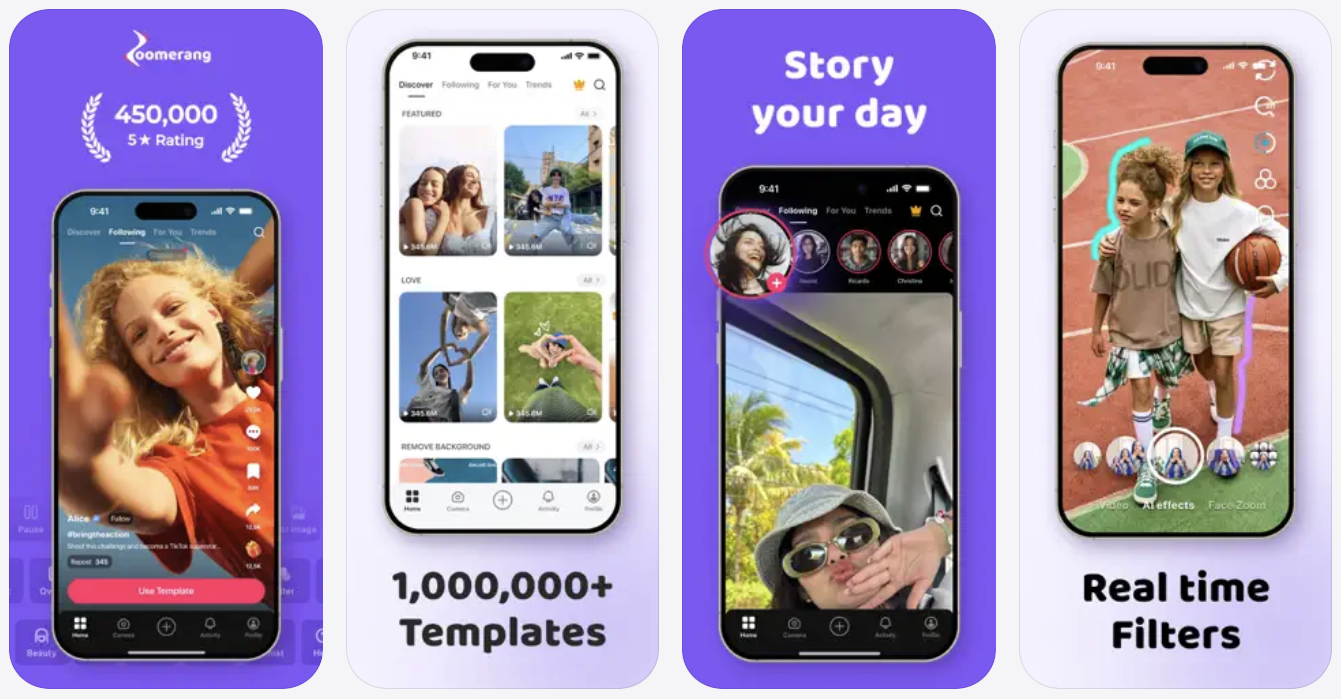
If you are looking for a template-based AI video generator app, then Zoomerang is the way to go. This app gives you access to over thousands of templates that you can use to shoot amazing videos. The app even features step-by-step tutorials that help you with the video generation based on the featured templates.
Features of Zoomerang include the ability to create animated videos, revamp an existing video’s style, the ability to generate images based on user prompts, the ability to edit videos with generative fill, and more. You also get access to over 30 fonts that you can use in your content, along with app-generated music and stickers.
You can download the Zoomerang app for iPhone for free. It costs $39.99 per month with premium access.
PixVerse: AI Video Generator
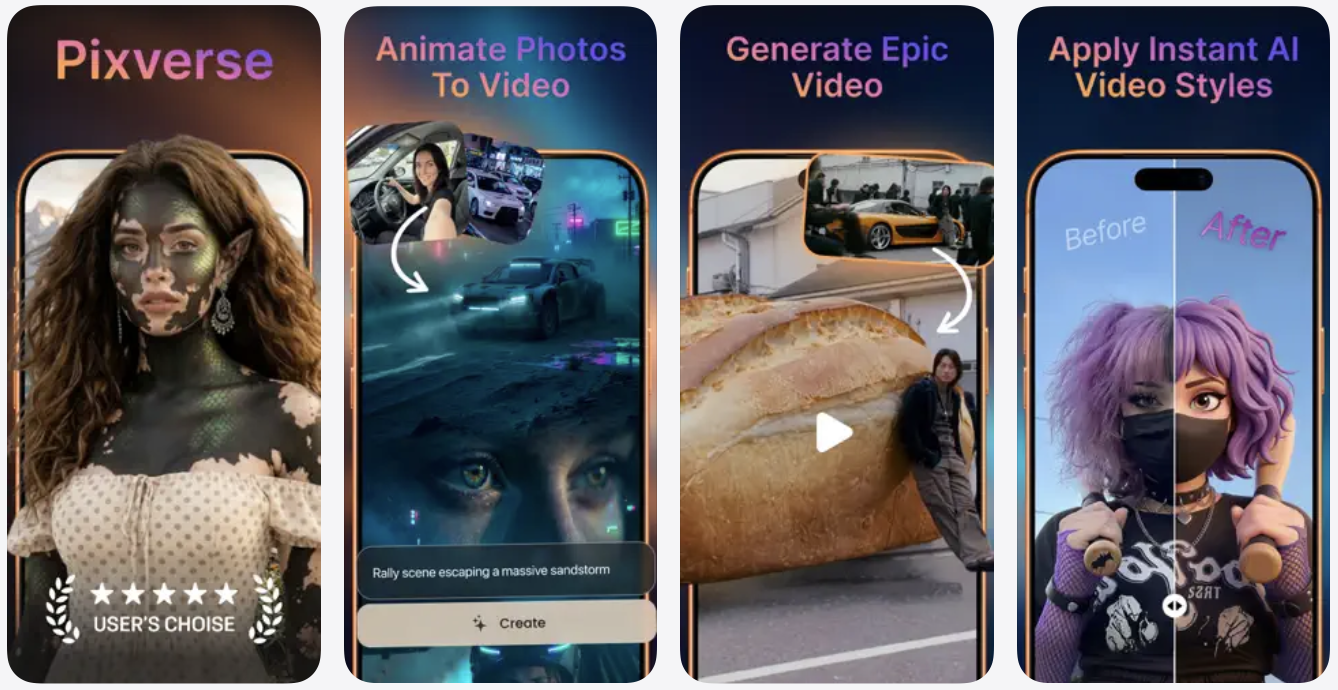
Got 5 seconds? Then use the PixVerse AI Video Generator app to turn your text, photos, and videos into amazing AI-generated content. The app’s AI video creation suite has been upgraded and now features next-level features. This includes the ability to turn an image into a video, create a video from text prompts, and use AI to increase the length of existing videos.
PixVerse comes with fun AI effects such as Muscle Surge, dance effect, and suit effect that let you create perfect and viral videos from photos. The content created by the app is in HD, making it suitable for any social media platform and device.
You can download the PixVerse app for free, while you will have to purchase a credit package to use its premium features, starting with a price tag of $5.99.
Conclusion
There you have it, folks, these are some of the most powerful AI video generator apps on iPhone that allow you to create stunning animations and realistic videos with AI effects right on your iPhone. You can use these apps to create beautiful AI videos that you can share on any platform and save hours that would have otherwise been spent working on animations.


