


Having a reliable translation app on your iPhone can be a game changer. No matter if you are traveling abroad, trying to communicate with someone who speaks a different language, or trying to understand text written in an unfamiliar language, these apps can help you understand the context.
In this guide, we have rounded up some of the best translation apps for the iPhone. These apps help you translate hundreds of languages with features like real-time voice translation, camera translation, offline language support, and text translation.
Free Translation Apps for iPhone
1. Google Translate
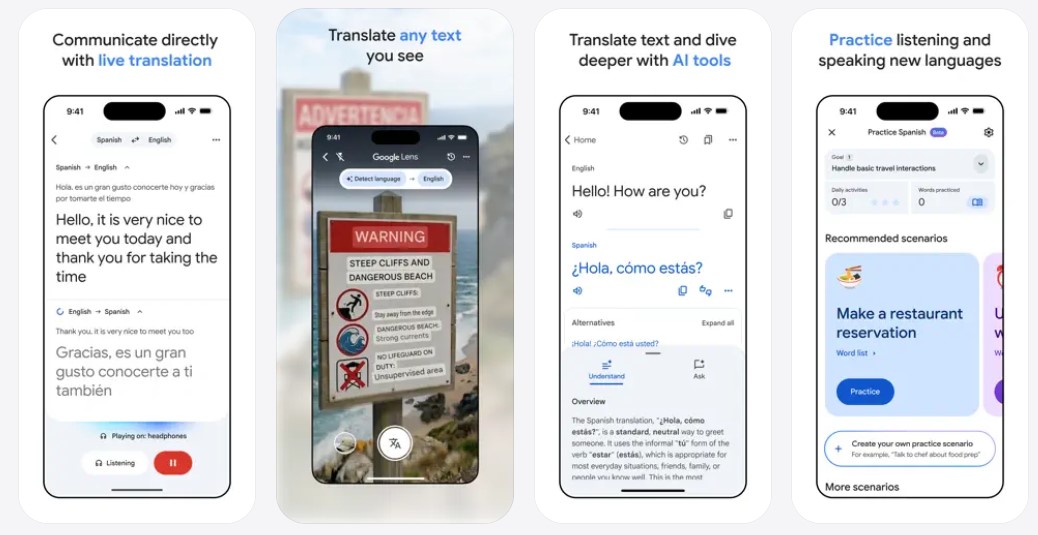
Google Translate makes it easier to understand and communicate across language barriers, whether you are travelling, studying, or talking with someone who speaks another language. You can translate text by typing or use voice input to convert spoken words and phrases. With support for up to 249 languages, it covers a wide range of everyday translation needs.
The app offers several tools that go beyond text translation, including instant camera translation, photo translation, and handwriting input. Point your camera at a sign, menu, or printed text to see its translation, or import a photo from your gallery.
The conversation feature also lets two people communicate in different languages, while transcription can translate ongoing speech in near real time.
If you are exploring the best translation apps, Google Translate offers useful features for situations where an internet connection is not always available.
You can download languages for offline use and access translations without relying on mobile data or Wi-Fi. The app also includes a phrasebook where you can star and save frequently used words and expressions for quick access later.
2. iTranslate Translator
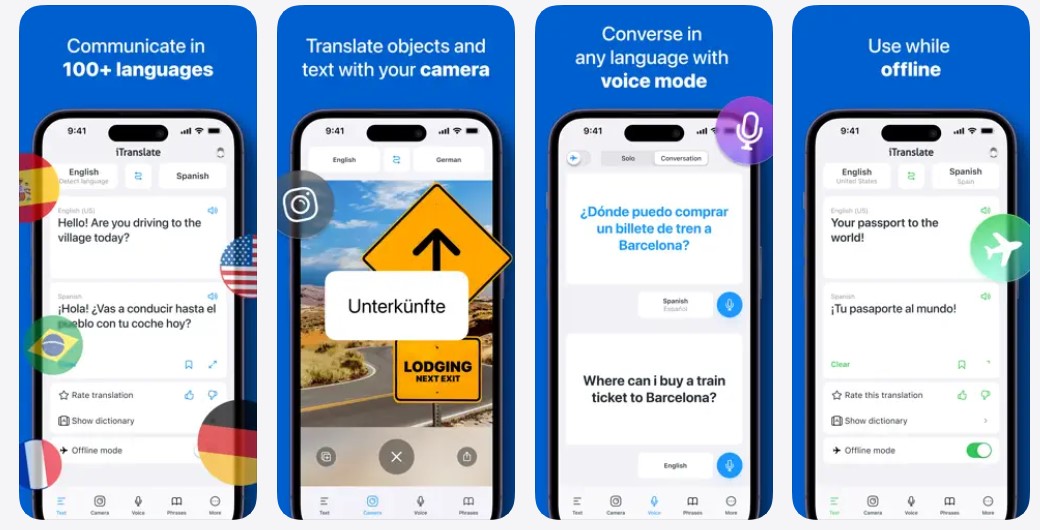
iTranslate Translator brings together several useful tools for everyday communication, making it a handy addition to iPhone translator apps. It supports text translations in over 100 languages, along with voice-to-voice conversations, website translation, and camera-based translation.
You can also switch between different dialects to get translations that better match the language you are using. The app includes a built-in dictionary with synonyms and different word meanings, helping you understand more than just a direct translation.
You can listen to pronunciations in male or female voices, save frequently used expressions, and browse a phrasebook with over 250 predefined phrases for different situations.
For language learning, iTranslate offers widgets and flashcards that introduce a new word or phrase each day. Some additional features are available with iTranslate Pro, including offline translation, voice conversations, camera translation through Lens, and website translation.
3. Microsoft Translator
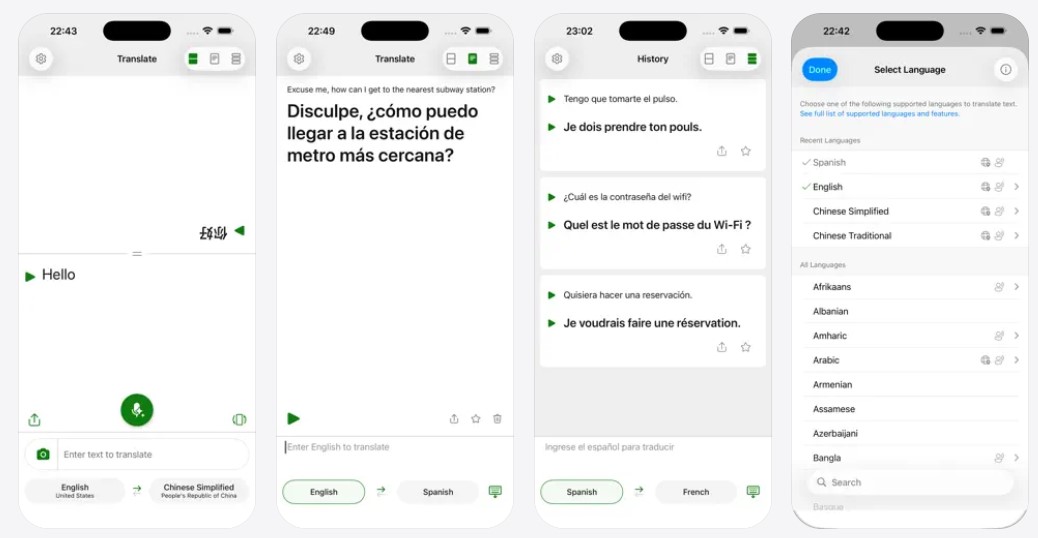
Microsoft Translator offers text, speech, and image translation across more than 100 languages. Whether you are travelling, learning a new language, or communicating with someone who speaks differently, the app gives you several ways to understand and translate information directly from your iPhone.
The speech translation feature is particularly useful when you need to translate speech on iPhone during a conversation. Select two languages and speak into the microphone to see the translated text. For supported language pairs, automatic language identification can recognise which of the two languages is being spoken, making back-and-forth conversations easier.
You can also translate text by typing or copy and paste content from other apps. The image translation feature lets you capture text with your camera or use an existing picture to understand signs, menus, and other written information.
Translations can also be played aloud in supported languages, with pronunciation options available for certain language pairs.
4. Translate Now – AI Translator
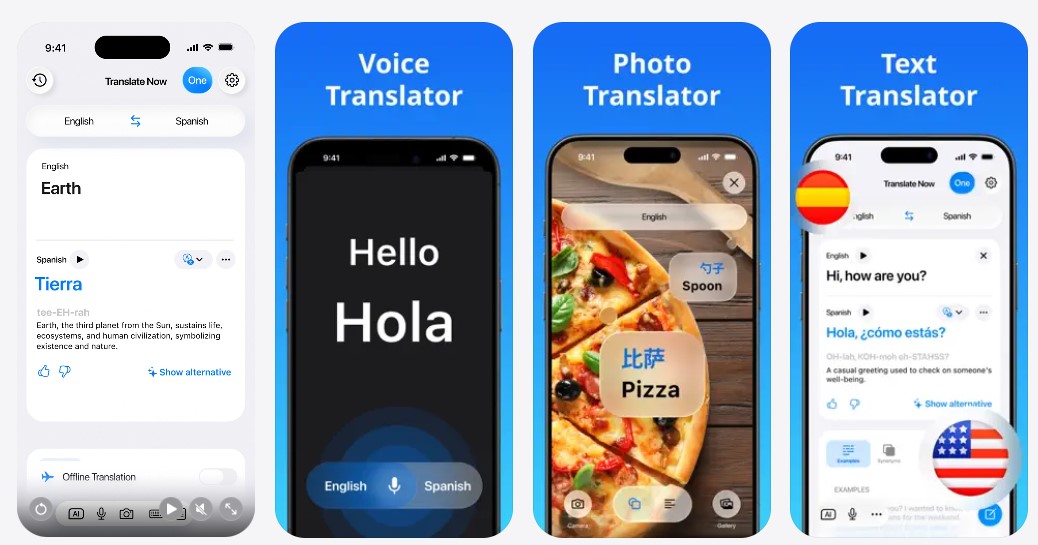
Translate Now offers a range of translation tools for everyday communication, travel, and language learning. It supports over 320 languages and lets you translate text, voice recordings, live conversations, and photos.
The hands-free AI voice translator makes two-way conversations easier by translating spoken words in real time without requiring you to type.
For written content, the photo translator can scan menus, signs, and documents, while the AR camera feature provides translations through your camera view. You can also use the translator keyboard to send translated messages in over 60 languages directly from your favourite apps.
You can save frequently used translations in your favourites, revisit previous searches through translation history, and organise useful expressions in a phrasebook. The app also offers offline translation, Siri Shortcuts, interactive widgets, and an Apple Watch app.
5. Dialog – Translate Speech
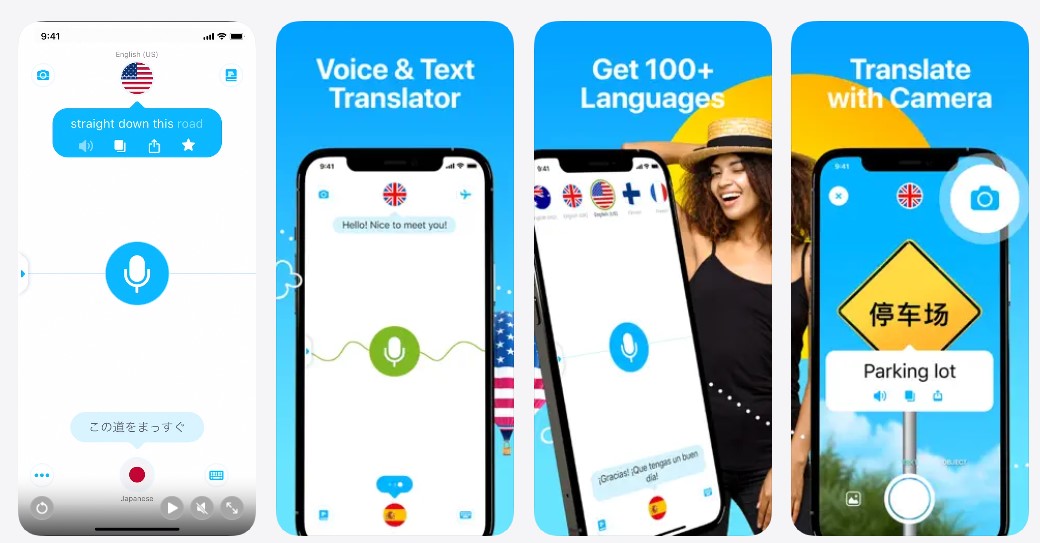
Dialog is a voice, text, and photo translation app designed to make communication across languages easier. It supports translations in over 175 languages, with voice-to-voice conversations, text input, and camera translation available from one screen. Simply select your languages, tap the microphone, and speak to hear the translated response.
Its speech recognition feature can handle conversations in noisy environments such as busy streets, stations, and crowded places. The app also detects which of the selected languages is being spoken, allowing two people to communicate without manually switching languages after every turn.
Translations are delivered in real time, making it useful when travelling or speaking with someone who does not share your language.
If you need to translate text on iPhone, Dialog also offers a simple text translation interface, an offline mode for translating text without an internet connection, and AI tools to adjust tone, check grammar, or change the length of a translation. You can save frequently used phrases in your favourites for quick reference.
Conclusion
These are some of the best translation apps for the iPhone. These are the perfect apps for travelers, those learning new languages, or those trying to translate a book or text written on a piece of paper. If you travel abroad frequently, having a translation app on your iPhone with voice and offline translation capabilities can be especially helpful.

