


Want to know what your iPhone model is or if it’s a genuine iPhone or a copy? Then this guide is for you. Here we will show you how you can find the iPhone model of the device you are currently holding.
In addition to this, you will find useful tips that will help you verify if an iPhone is real or a clone. The great thing is you can check this yourself in just a few seconds.
So, without any further delay, let’s dive right in.
Check iPhone model
You can check the model of an iPhone that is in your hands by following the simple steps below.
- On your iPhone, open the Settings app.
- Here, tap on General and then tap on About.
- On this page, you will find the Model Name, such as iPhone 16 Pro Max.
- Right below the model name, you will see the Model Number of your device. Such as A3296.
You can copy the model number and verify the model on Apple’s official model list on the website here.
Check if iPhone is authentic
To check if your iPhone is real and not a fake copy or a knockoff, you can follow the steps below.
- Open Settings and go to General.
- Tap on About and find the device’s Serial Number.
- Copy the serial number and open checkcoverage.apple.com in any web browser.
- Enter the Serial number on this page and hit the submit button.
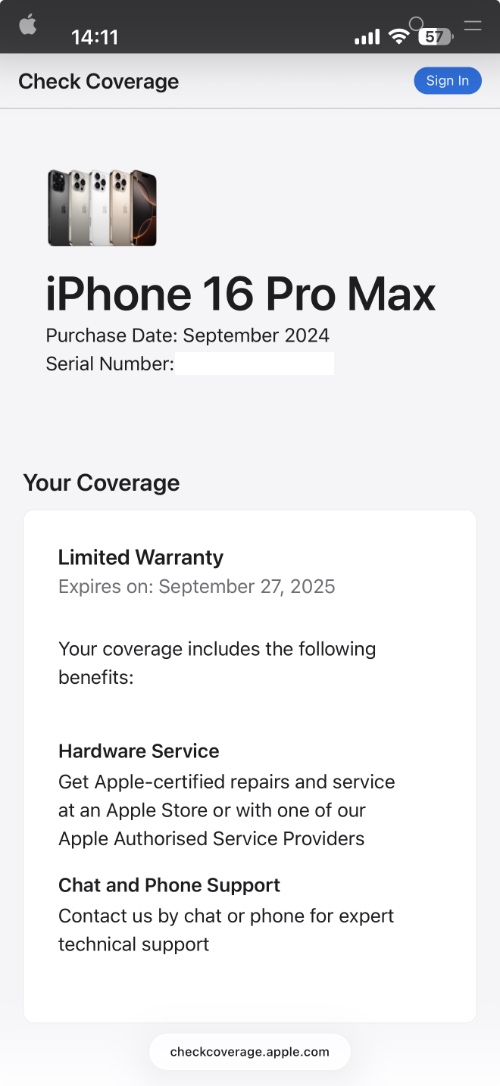
If the iPhone is genuine and not a fake, then its information will be displayed along with its warranty status and support coverage. If it doesn’t show up or gives an error, then there’s a good chance your device is not authentic.
Here are a few red flags that you should watch for when checking if an iPhone is real or fake.
- iPhone is running Android with an iOS-like skin, then it’s fake.
- If the device’s build quality feels cheap or has weird names, then it’s fake.
- If you are unable to access App Store or iCloud services, then the device is not authentic.
- If the serial number does not work on Apple’s check coverage website, then the device is fake.
That’s it, this is how you can find out the model of your iPhone and verify if it is a fake iPhone or a real one. If you have any questions related to this guide, then share them with us in the comments below.


