


Are you are freelancer, hourly worker, or contractor who wants to track working hours anywhere on iPhone. Then we have the perfect hour tracking apps for you that allow you to log and calculate your hourly earnings with ease.
These iPhone apps give you full control over your time and help you accurately log your time with features like clock in and clock out, graphs for work hours, export features, and more.
Best Hour Tracking Apps for iPhone
1. WorkingHours • Time Tracking
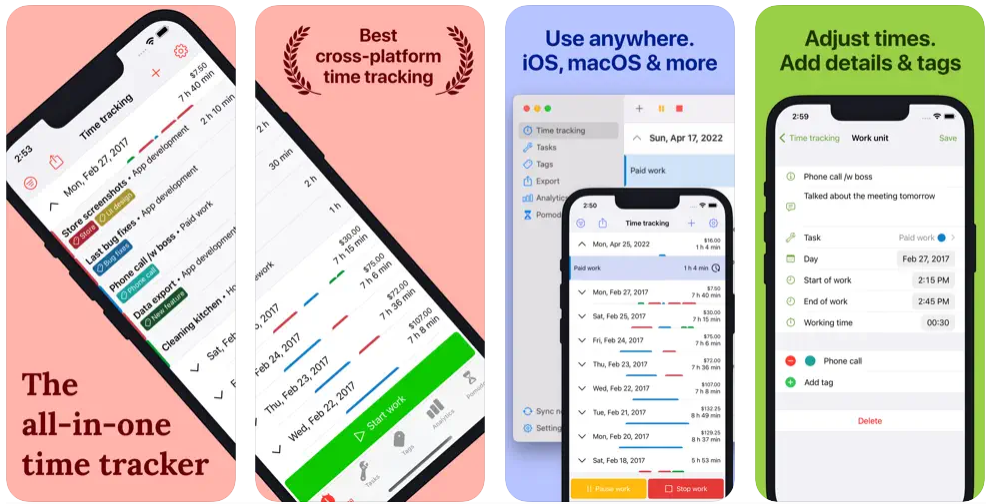
WorkingHours is a flexible and feature-rich app designed to help freelancers, hourly workers, and employees track their work time with precision. Ideal for anyone looking to organize, analyze, and export time logs, it offers a completely ad-free experience without requiring a subscription.
This app makes time tracking incredibly simple. Start, pause, or stop the timer from widgets, notifications, or even through GPS geofencing. You can later edit any work sessions to correct mistakes or add notes. It also supports tagging and task assignment, letting you categorize time entries for better organization.
For freelancers, especially, WorkingHours stands out among hour tracking apps for freelancers due to its professional reporting features. You can export your data as Excel sheets, CSV files, or even create PDF invoices directly from the app. Visual graphs help you analyze your work patterns and earnings, while the integrated Pomodoro timer boosts productivity.
2. Clock In: Work Hours Tracker
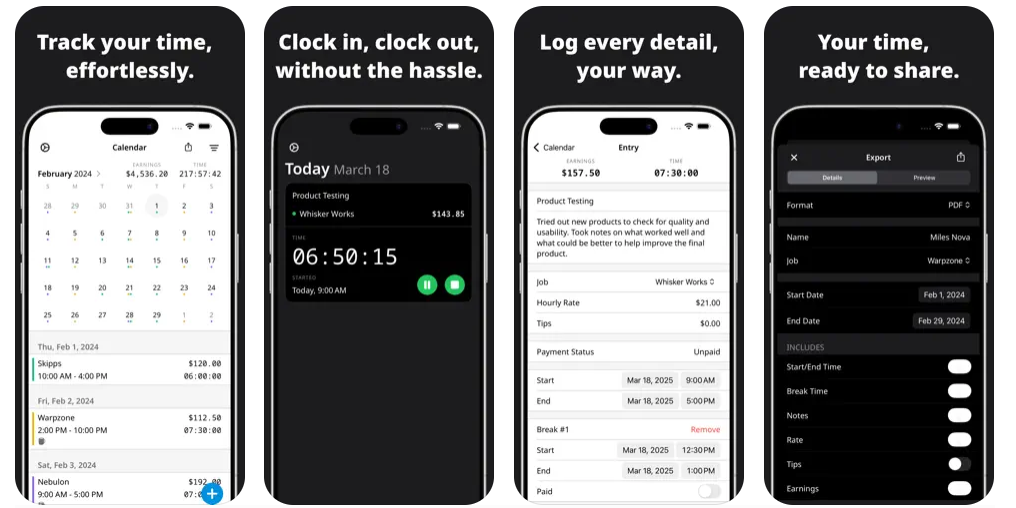
If you’re a contractor who bills by the hour, Clock In: Work Hours Tracker is one of the best time tracking apps for contractors you’ll find. It helps you stay organized and in control of your time and earnings, whether you’re clocking in live or entering hours manually.
You can add details like your hourly rate, job name, breaks, tips, and notes. The app automatically calculates your total hours and pay, giving you a clear overview of your work. With support for multiple jobs, customizable pay periods, and both calendar and list views, tracking your schedule becomes quick and stress-free.
Exporting your timesheets is simple, too. Choose from PDF, CSV, HTML, or plain text and share through email, messaging, or cloud storage. Clock In also lets you customize themes, time formats, and even app icons. With a convenient home screen widget, staying on top of your time has never been easier or more satisfying.
3. ATracker Time Tracker
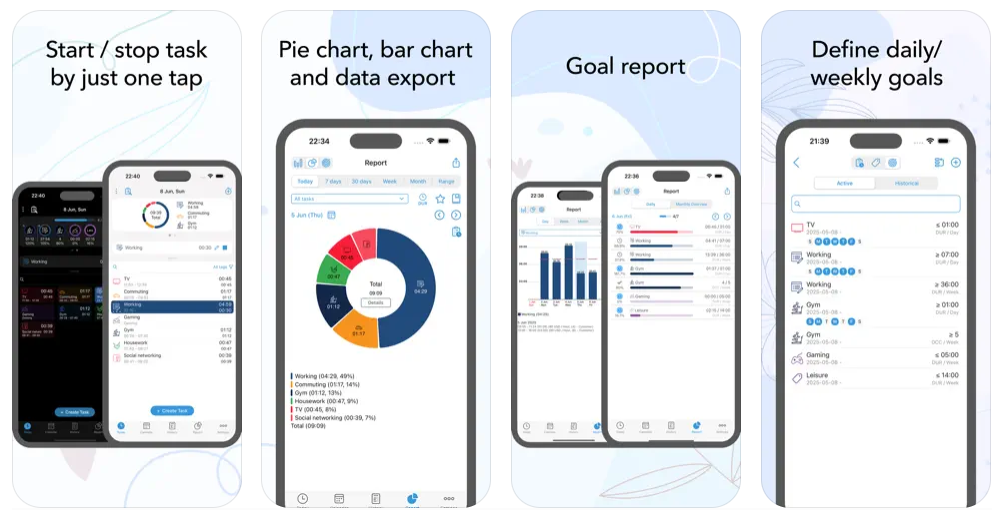
If you’re ready to take charge of your schedule and boost your productivity, ATracker Time Tracker is the perfect tool for you. As one of the most effective free hour time tracking apps, ATracker helps you monitor your time with ease and intention. With just a single tap, you can start or stop tracking any task without any complicated setup or learning curve.
With this app, you’ll get clear visual breakdowns with pie and bar charts showing exactly where your time is going. The fully customizable interface lets you make this tracker your own, and you can categorize tasks with tags to stay even more organized.
Plus, ATracker supports syncing across multiple devices, so you can stay on track no matter where you are. It’s not just about tracking hours; it’s about making every hour count.
4. Hours Time Tracking
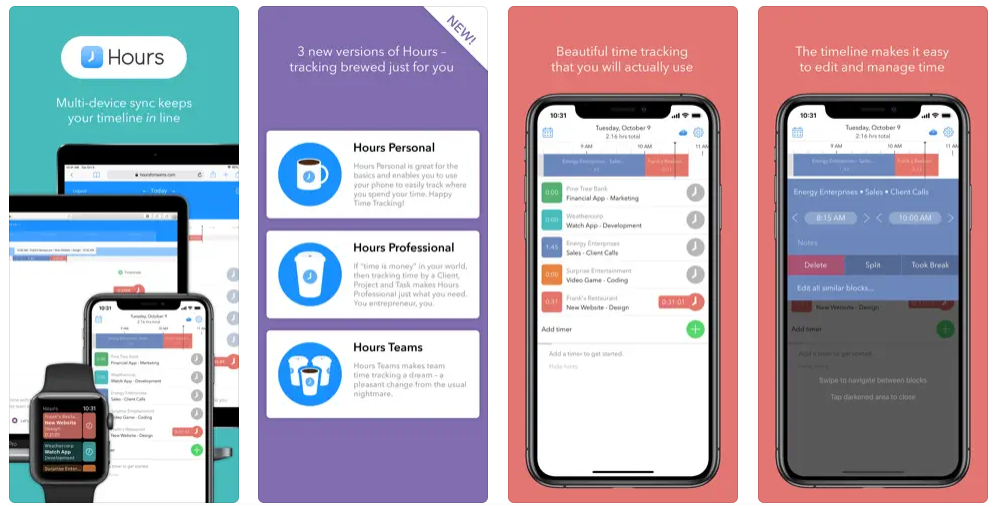
Hours Time Tracking is one of the most efficient and user-friendly hour tracking apps for freelancers, contractors, and teams. Whether you’re managing personal time or tracking billable hours, this app makes the process quick and flexible. You can start a timer with one tap, use the visual timeline to correct any mistakes, or input hours manually using the timesheet option.
Freelancers and professionals can track project time accurately and generate invoices directly within the app. Team members can collaborate on shared tasks, while individuals benefit from simple timers and reminders that keep productivity on track. The app supports syncing across devices, including Apple Watch and Hours Web, making it convenient for users on the go.
Praised by top tech platforms and designed by an Apple Design Award-winning team, Hours combines simplicity with powerful features. You can switch between tasks easily, edit your timeline to reflect real work, and even use Siri for voice-controlled time tracking.
5. Toggl Track: Hours & Time Log
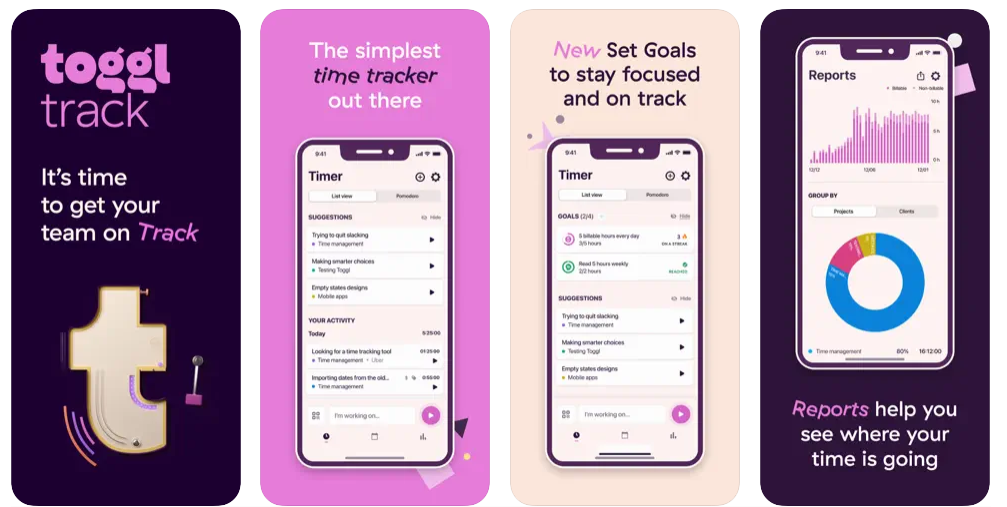
Lost track of time again? Toggl Track is here to help you take control of your day without breaking a sweat. With one simple tap, you can start tracking your hours and let the app do the rest. Whether you’re working on your Mac, switching over to your phone, or checking updates on your Apple Watch, Toggl Track keeps everything in sync across your devices so you never miss a beat. Best of all, Toggl Track on macOS is absolutely free, making it one of the best tools to manage your time effortlessly.
From organizing your entries by project, client, or tag, to using auto-complete and manual modes for full control, Toggl Track ensures that every second of your work is accurately recorded. Features like idle detection, Pomodoro mode, and timeline tracking help you stay focused and understand exactly where your time is going.
You can even connect your calendar to create entries instantly and get reminders so you never forget to clock in. Toggl Track is more than a timer. It’s your digital assistant for productivity, syncing everything automatically and working perfectly offline too. With seamless syncing, intuitive shortcuts, and advanced features, this app turns time tracking into a smooth and rewarding experience.
6. Tyme | Time Tracking
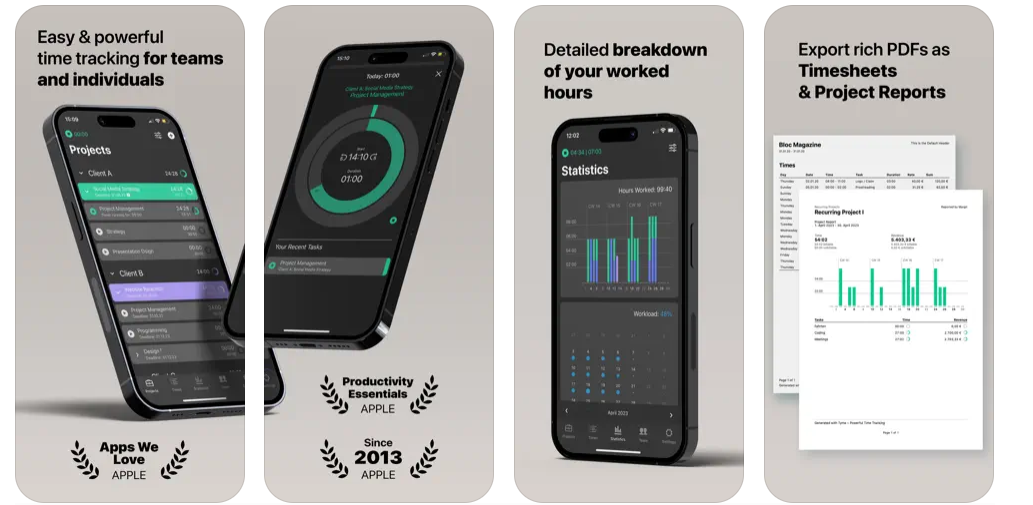
Tyme is one of the smartest apps to track billable hours, perfect for freelancers, contractors, and teams who want a clean and efficient way to manage work time. This app gives you a clear overview of your projects, deadlines, and workload, right from your Mac, iPhone, iPad, or Apple Watch.
Its visual interface makes tracking hours feel seamless. Timers are easy to start and stop, even with shortcuts, so your workflow isn’t interrupted. Tyme syncs automatically across all devices and even integrates with your calendar for real-time updates. You can visualize your workload with detailed statistics, including revenue, booked hours, and breaks.
Tyme supports task types like travel, fixed costs, or holidays. With reminders for breaks and deadlines, you stay on track without stress. Plus, it offers export options and automation via shortcuts.
Conclusion
With these hour-tracking apps for iPhone, you can effectively log your work hours and calculate your earnings. With easy sharing features, you can also share your logged data with your client or employer. Most of these apps also offer apps on Mac and Apple Watch, along with iPhone, so you can log hours no matter which device you are working on.


