


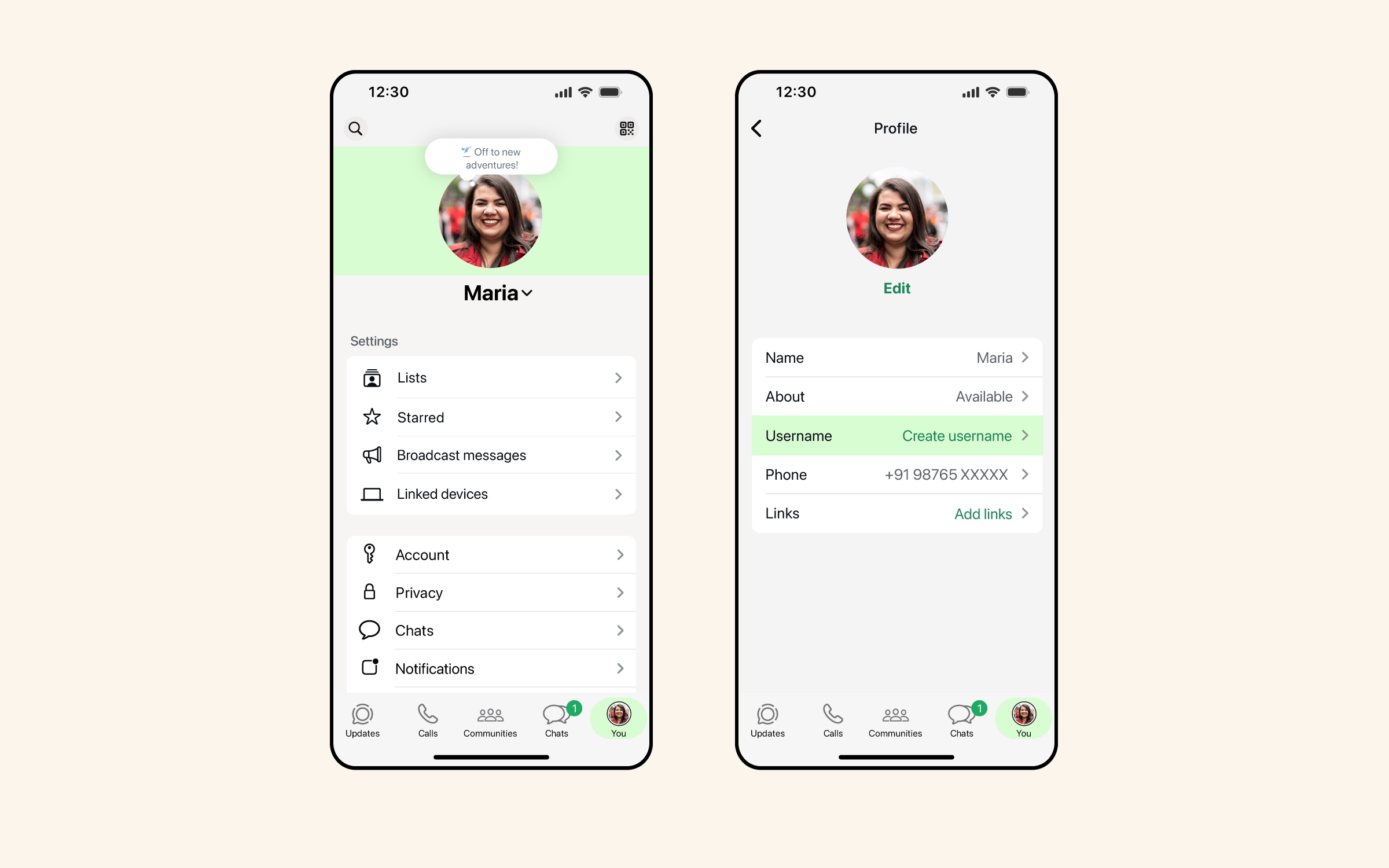
WhatsApp has recently launched WhatsApp Username feature, which allows users to set a username for their WhatsApp account. With WhatsApp Username you can keep your phone number private.
Once you have selected a username for your account, others will be able to contact you by your username. The feature is gradually rolling out to users over the next few months. While the feature is not available yet, WhatsApp is allowing users to reserve their username.
How to Create WhatsApp Username
You can reserve your WhatsApp username by following these steps. Before you begin, make sure you are running the latest version of WhatsApp on your device.
- Launch WhatsApp.
- Tap on the You tab from the bottom.
- Tap on your profile picture.
- Here tap on Create Username and then on Create Username. If this feature is still rolling out in your area, then you might have to tap on Reserve Username instead.
- Type your desired username. If its not available then type something else or choose from the generated suggestions.
- Tap on Save and then on Done.
After you have reserved your username, it will become active when the feature launches in your region.
WhatsApp will send you an alert when the username is ready to use.
How to Change WhatsApp Username
If you want to change your WhatsApp username on iPhone, then you can follow these steps.
- Launch WhatsApp.
- Tap on You from the bottom bar.
- Tap on Username and then tap on Edit.
- Now tap on Change Username.
- Enter your desired username.
- Tap on Save and then tap on Done.
This is how you can choose a WhatsApp Username, and change WhatsApp username on iPhone. The feature will be rolling out to all users in the coming months. Until then make sure to reserve your desired username before it is taken by someone else.


