


Have you got a promo code for an app, game, or subscription and want to redeem it on your iPhone? If yes, then this tutorial is for you. Here we will show you how you can redeem a promo code on your iPhone or iPad in just a few simple steps.
- Open the App Store.
- Tap your profile picture in the top-right corner.
- Here, tap on the Redeem Code button.
- On the next page either tap on Enter Code Manully or Use Camera.
- If you want to enter code manually type or paste the promo code here.
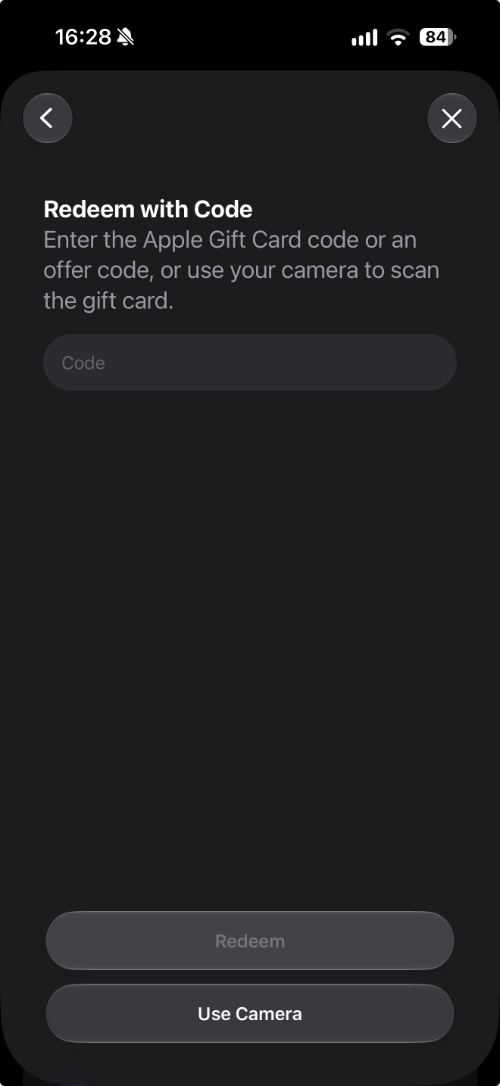
If the code is valid and eligible for your account, Apple will apply the associated content or credit to yoru account.
If you’re getting an error, make sure:
- The code hasn’t already been redeemed.
- The code hasn’t expired.
- You’re signed into the correct Apple Account.
- The promo code is valid in your country or region.
- You’re entering the characters correctly.
Disclosure: iOSHacker may receive a commission if you purchase products through our affiliate links. For more visit our privacy policy page.


