


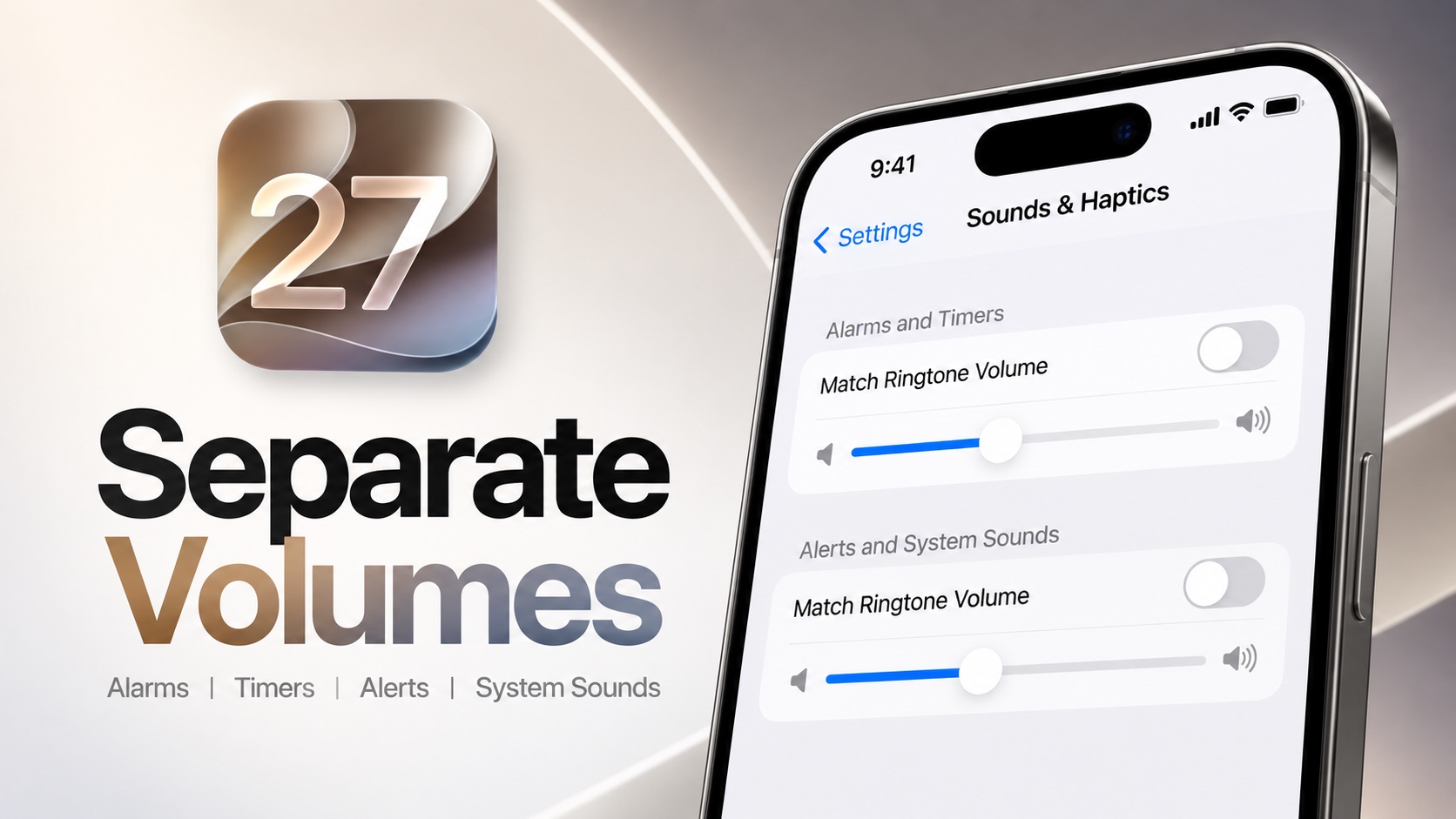
iOS 27 adds a super useful new feature that makes it possible for iPhone users to separate their device’s ringtone volume from alarms, timers, alerts, and system sounds.
Previously, changing the ringer volume also changed the volume for other system services like alarms. This used to get frustrating, as you might want your alarms or timers to be louder than your ringtone or alerts. But you can now separate these volume controls.
Separate Ringtone Volume from Alarms, Timers, and Alerts
- Open the Settings app.
- Go to Sounds & Haptics.
- Here, turn off the toggle for Match Ringtone Volume under Alarms and Timers.
- Move the slider to set the volume for alarms and timers.
- Now turn off the toggle found under Alerts and System Sounds.
- Again, move the slider to adjust the volume for alerts and system sounds.

This is a small change but its very useful for those who wantt their ringtone to be loud while keeping the volume of notifications or alarms quieter.
This feature is availabe on devices running iOS 27 or later.
Disclosure: iOSHacker may receive a commission if you purchase products through our affiliate links. For more visit our privacy policy page.


