


The new MacBook Neo is sleek and powerful, but it is limited by its port selection. If you want to expand its functionality and add more USB-C ports along with USB-A, HDMI, SD Card Slot, and even Ethernet to your MacBook Neo, then we have got the best dongles for you.
These MacBook Neo dongles connect to your device’s USB-C port and transform it into a fully connected workstation.
Here we have rounded up the best USB-C dongles for MacBook Neo that offer great reliability, port selection, performance, and are a great value for money.
USB-C Dongles for MacBook Neo
These are some of the best USB-C dongles that you can get for your MacBook Neo in 2026.
1. Anker Laptop Docking Station Dual Monitor
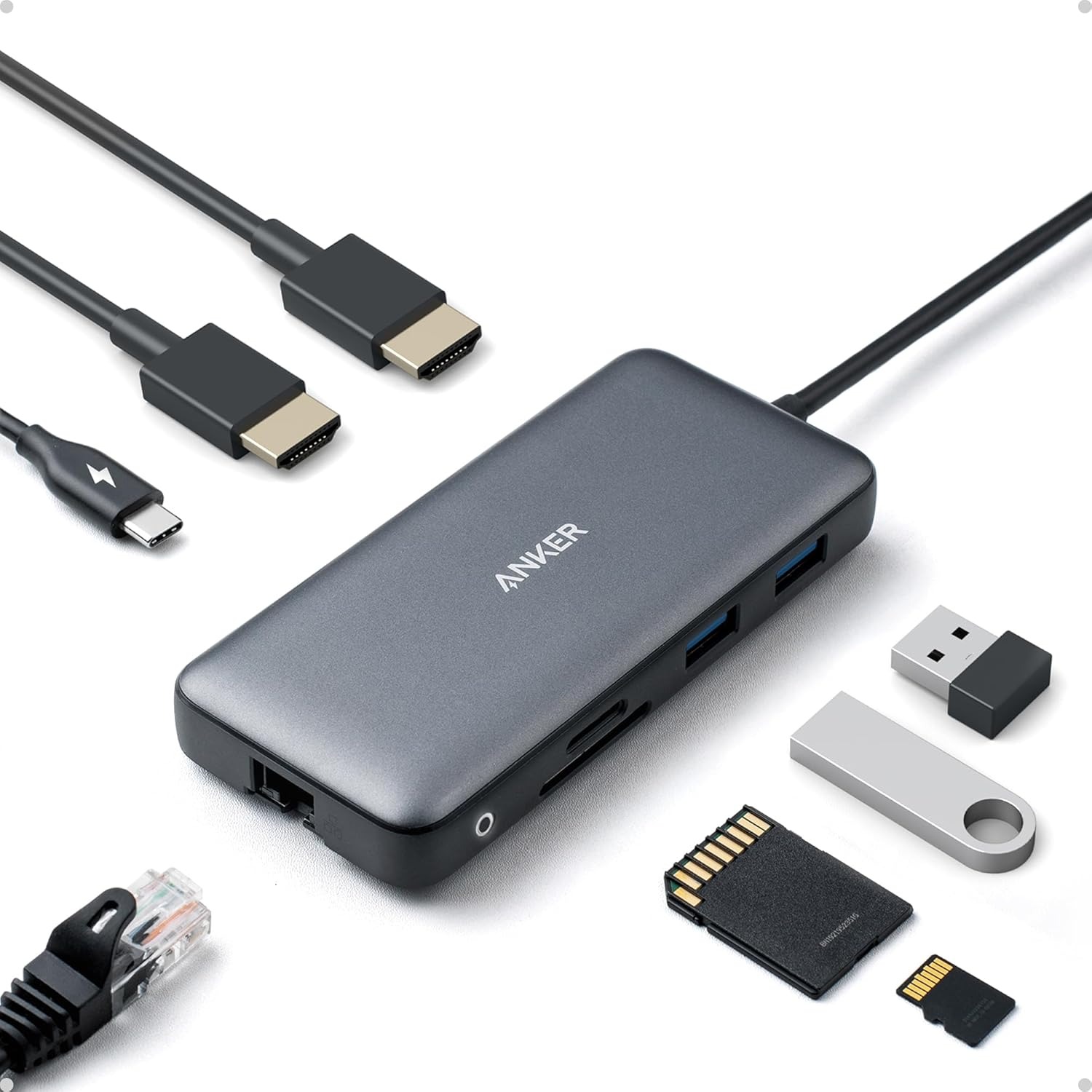
The Anker Laptop Docking Station Dual Monitor turns a single USB-C port into something far more capable, opening up a workspace that feels organized and ready for anything. With multiple ports built into a single compact hub, it’s easy to connect displays, storage devices, and accessories without constantly plugging and unplugging cables.
With power delivery support, it can pass through high-speed charging while still running all connected devices, which keeps everything powered without needing extra adapters scattered across the desk. HDMI, USB-A, Ethernet, and SD card slots make it easy to plug in almost anything, from external drives to memory cards, without searching for additional accessories.
For those exploring MacBook Neo dongles, this kind of docking station shifts the experience from limited to flexible. It creates a setup where everything connects through one point, making daily use feel more streamlined and far less cluttered.
2. UGREEN Revodok Pro 9-in-1 USB-C Hub
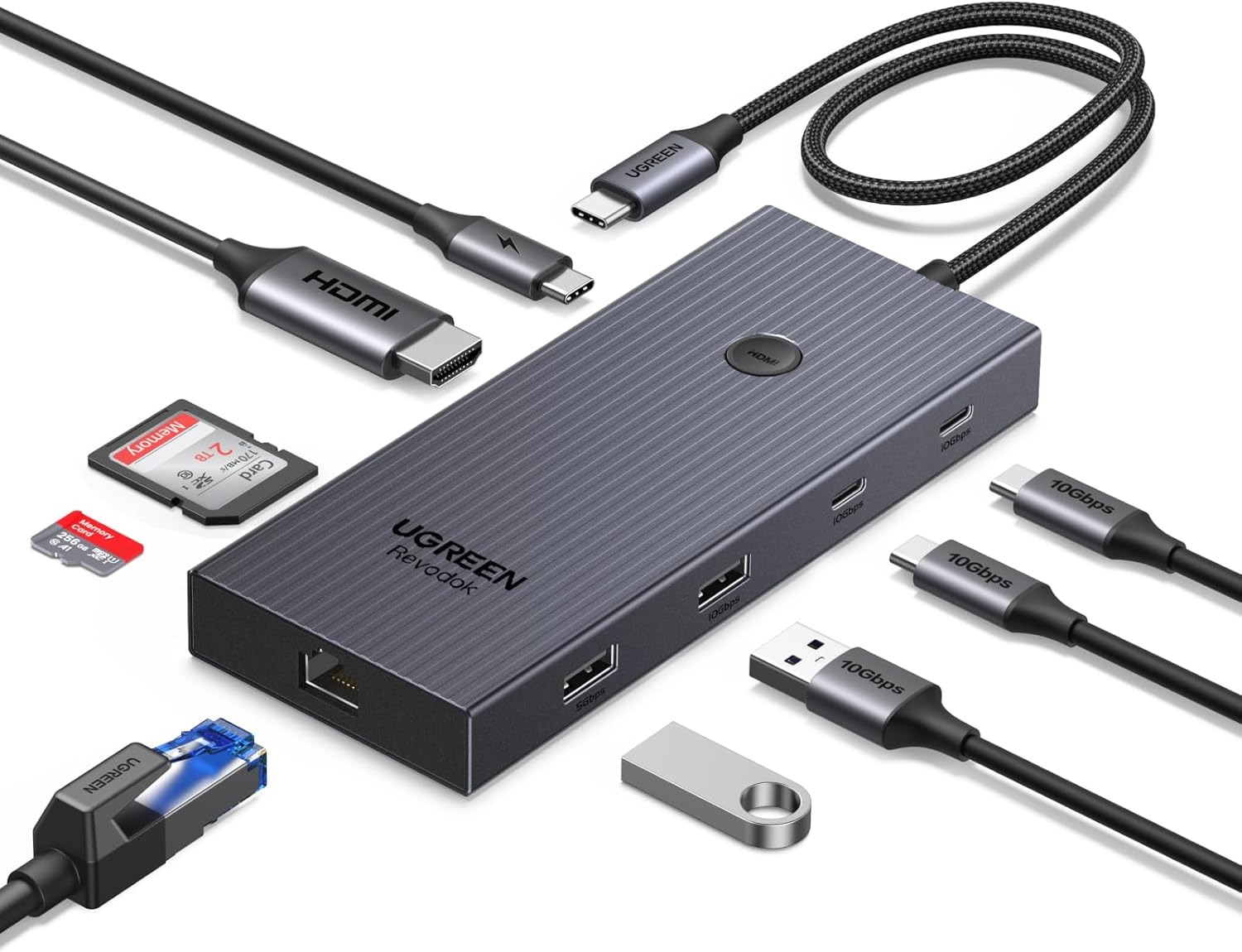
USB-C hub for MacBook Neo setups often need something that feels effortless yet capable, and the UGREEN Revodok Pro 9-in-1 USB-C Hub fits right into that space. It takes a single port and quietly expands it into a full workstation, making everyday connections feel less like a limitation and more like an upgrade.
With support for 4K at 60Hz through HDMI, everything from presentations to movies appears sharp and smooth. It is the kind of clarity that makes external displays feel like a natural extension rather than an add-on. The extra ports bring everything together in a practical way. USB A, USB C, and card readers make it easy to connect drives, accessories, or transfer files without reaching for additional adapters. It creates a setup that feels complete without being complicated.
3. Satechi 8-in-1 USB-C Hub Multiport Adapter V2
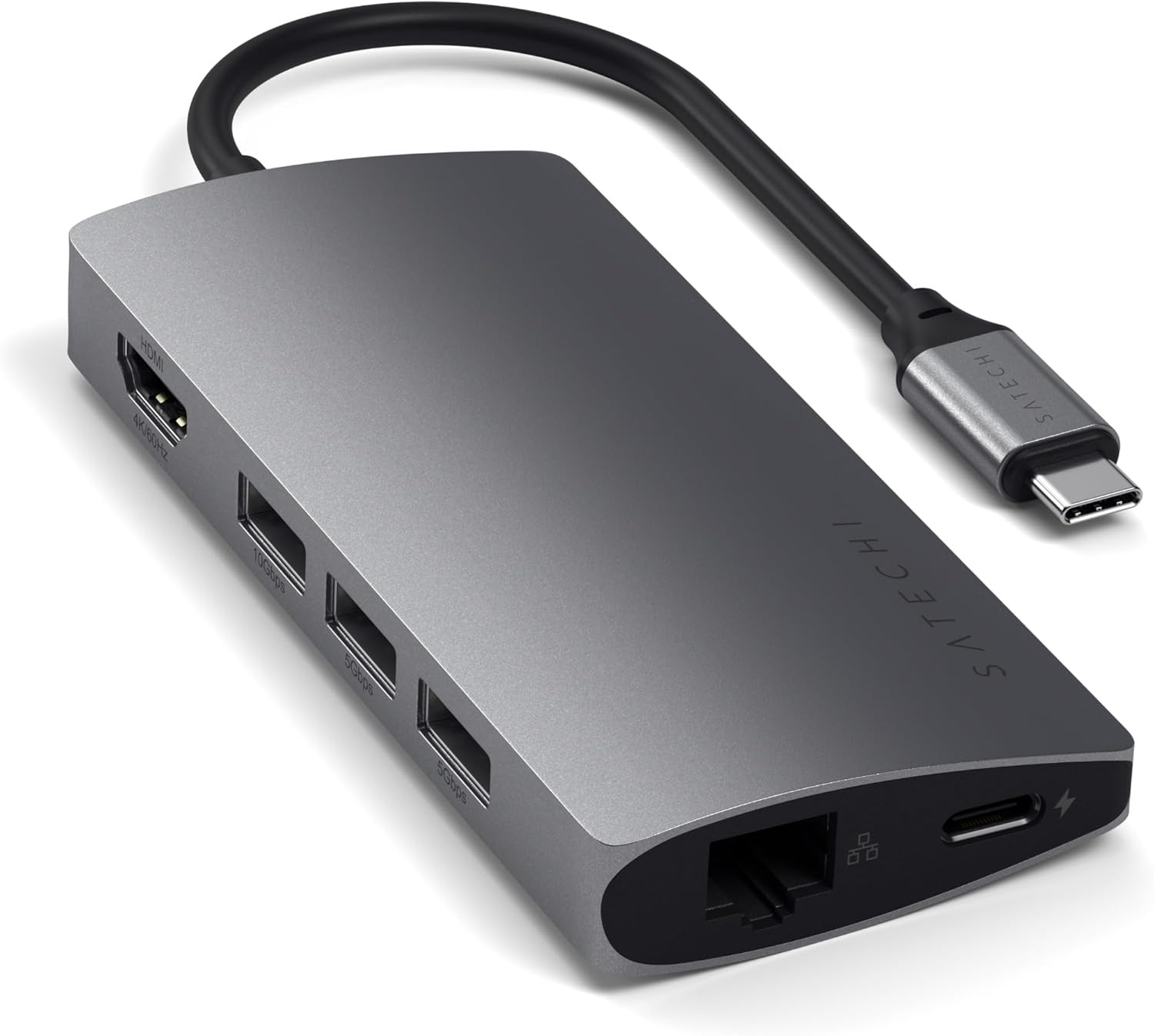
The Satechi 8-in-1 USB-C Hub Multiport Adapter V2 feels like the kind of tool that quietly upgrades how everything connects and flows. Compact enough to carry around without thinking twice, yet powerful enough to turn a simple setup into something far more capable, it fits naturally into both desk and travel routines.
There is a clear focus on versatility here. With multiple ports including HDMI, Ethernet, USB, and card readers, it becomes easy to connect displays, transfer files, and plug in accessories without constantly swapping cables. It brings a sense of order to setups that usually feel limited by a single port.
Performance extends beyond just visuals. Fast data transfer speeds and reliable Ethernet keep workflows steady, especially when dealing with large files or needing a stable internet connection. It is built to keep up without slowing things down. A MacBook Neo dongle like this turns a minimal laptop setup into something far more flexible. It creates a space where everything connects seamlessly, making daily tasks feel smoother and more organized without adding extra bulk.
4. Baseus 7-in-1 USB-C to HDMI Adapter
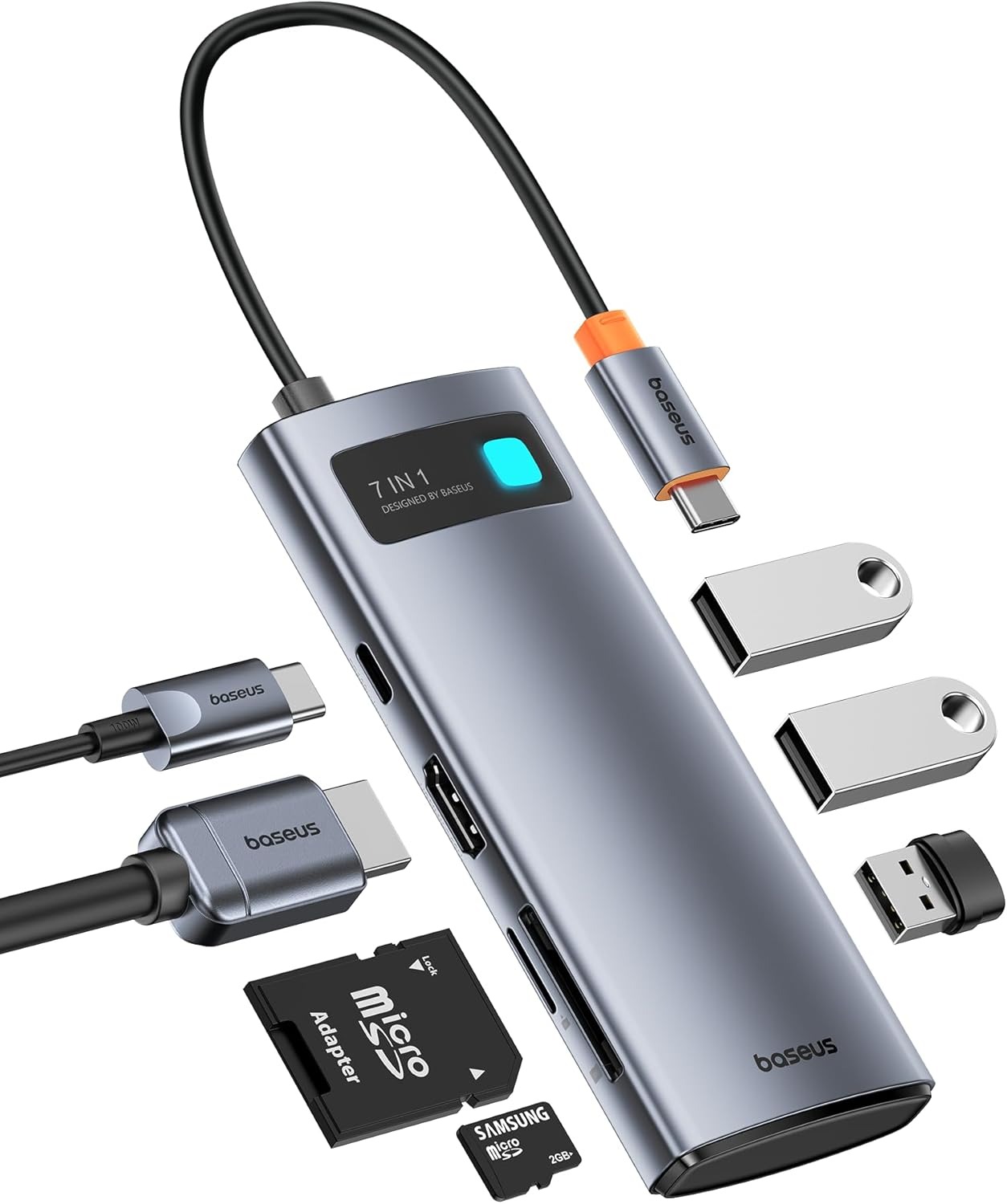
The Baseus USB-C to HDMI Adapter keeps things simple while still offering the kind of flexibility that makes a real difference in everyday use. It takes a single USB-C port and expands it into something far more useful, letting multiple devices connect at once without turning the desk into a mess of cables.
A docking station for MacBook Neo does not always need to be bulky to be effective, and this is a good example of that approach. It brings together the essentials in a compact form, making everyday connections smoother without overcomplicating the setup. With strong power delivery support, it keeps a laptop powered while handling other connections at the same time. It is one of those details that makes the entire setup feel more dependable, especially during long sessions when everything needs to stay running.
Data transfer stays quick and efficient. The USB 3.0 ports handle large files with ease, while the built-in card reader makes it simple to access photos and videos without extra accessories. It adds a layer of convenience that feels natural once it becomes part of the routine.
5. Acer 11-in-1 USB-C HUB Multiport Adapter
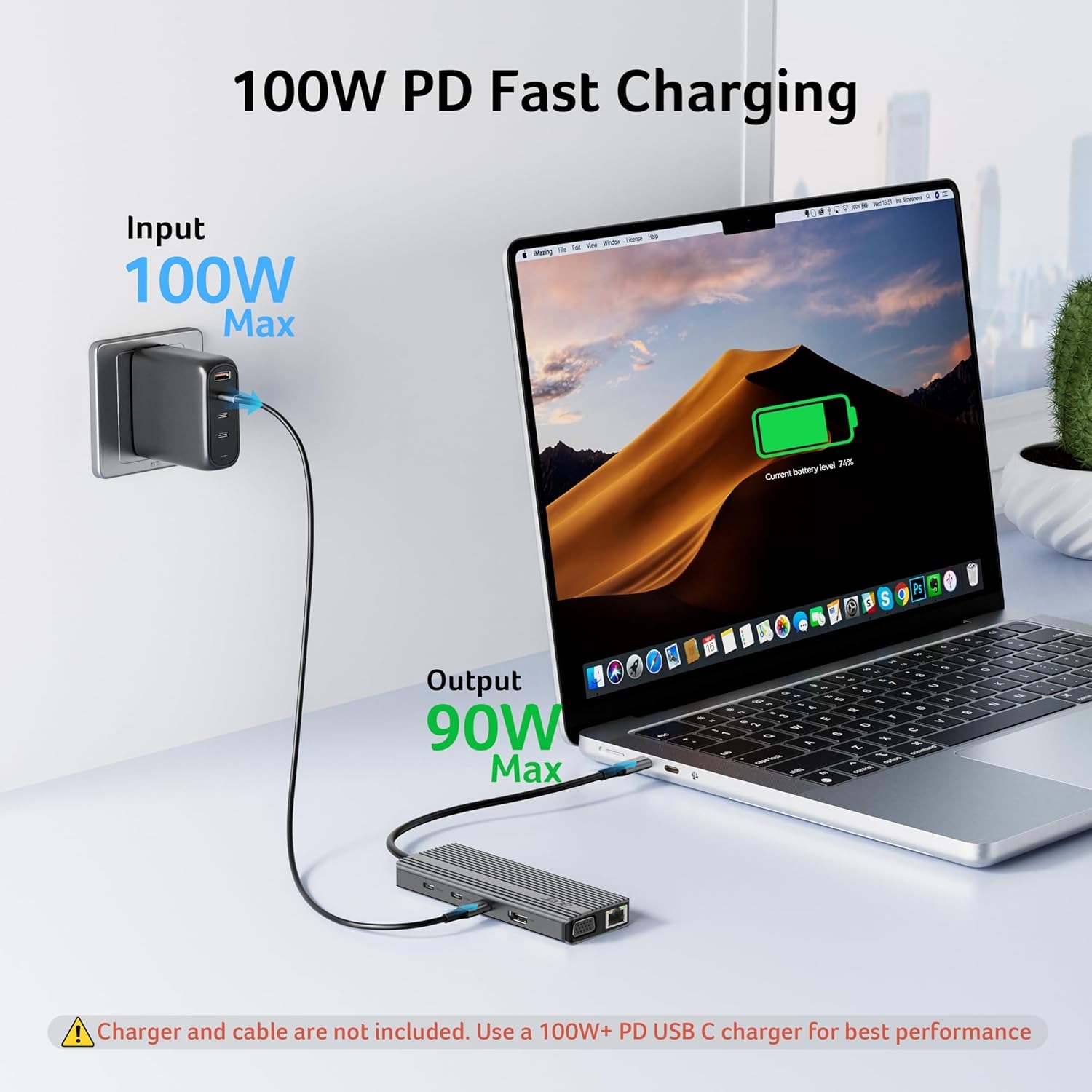
The Acer 11-in-1 USB-C HUB Multiport Adapter feels like the kind of upgrade that quietly removes everyday limitations. It takes a single port and turns it into a full range of connections, making it easier to handle work, storage, and accessories without constantly switching cables.
With support for ultra-fast data transfers, large files transfer in seconds rather than minutes, making a noticeable difference for anyone dealing with photos, videos, or heavy documents. The additional USB ports and dual card readers add even more flexibility, especially for workflows that rely on quick access to external storage.
The high-power delivery support keeps a MacBook running while everything else is connected, so there is no slowdown or interruption during long sessions. The Ethernet connection adds another layer of stability. With consistent high-speed performance, online meetings, uploads, and streaming feel smoother and more dependable compared to relying on wireless connections alone.
6. Acodot 9-in-1 USB C Hub
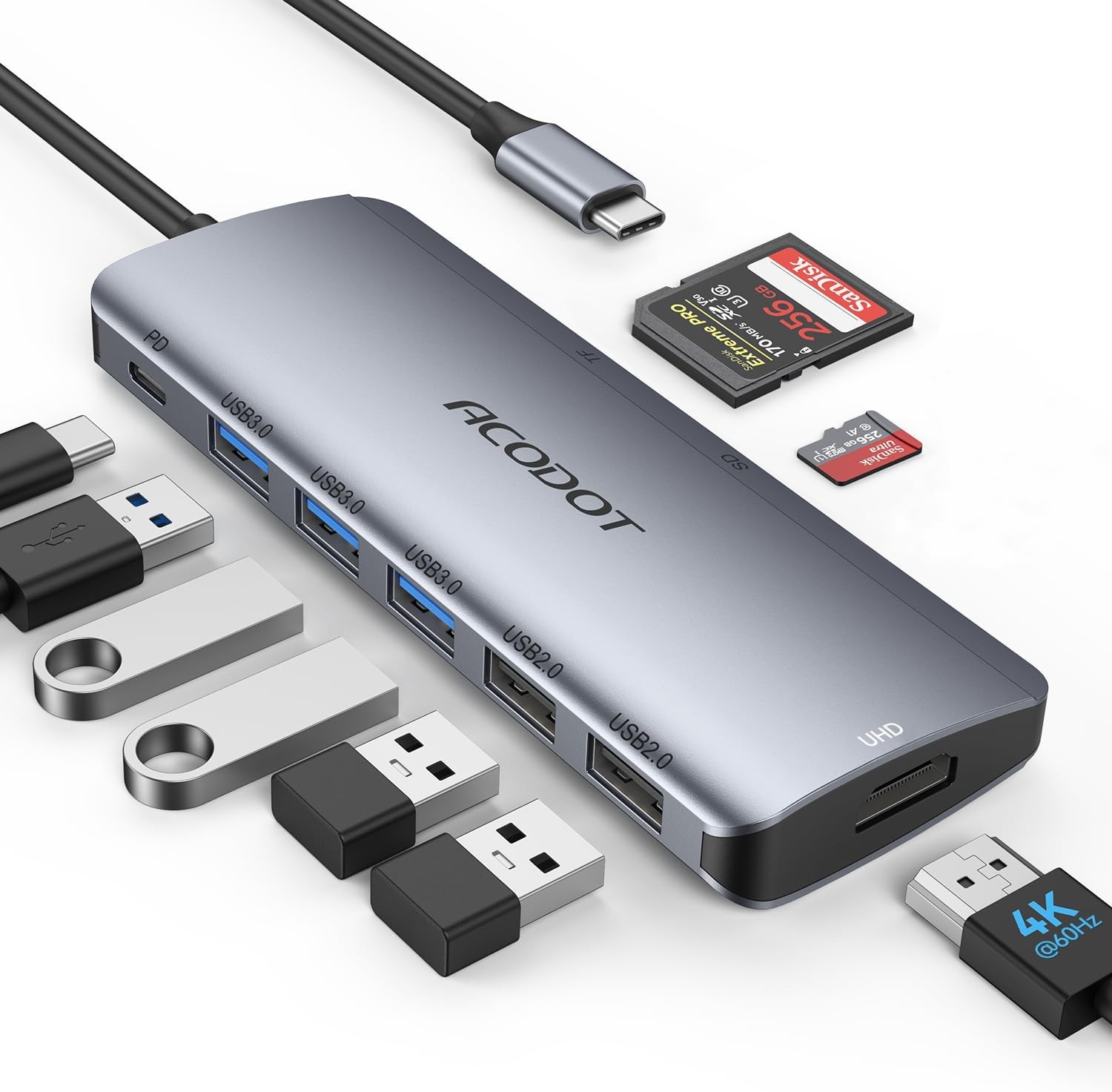
The Acodot 9-in-1 USB-C Hub brings a practical kind of flexibility that fits easily into everyday use. It lets a single USB-C port handle multiple connections at once, making it simple to link up a monitor, transfer files, or connect accessories without constantly switching cables.
It starts to feel like a high-speed dock for MacBook Neo when everything runs together without friction. Multiple USB ports support fast data transfers, while the SD and TF card readers make it easy to transfer photos and videos in seconds. It creates a setup where tasks flow naturally instead of slowing down with constant plugging and unplugging. It works with a wide range of USB-C devices, which means it can shift between setups without needing adjustments.
Conclusion
Choosing the right USB-C dongle for your MacBook Neo ultimately comes down to your connectivity needs. Some might value portability over feature-packed hubs, while others might prefer a dongle that offers tons of ports. No matter which group you belong to, these high-quality dongles will ensure your productivity is improved, and you can connect all sorts of devices to your MacBook Neo.


