


The recent advancements in AI have made it easier than ever to enhance your appearance, experiment with different looks and create polished photos directly from your iPhone. This is made possible thanks to the amazing AI-powered photo editing apps that are available in the App Store.
From subtle facial touch-ups, skin enhancements and reshaping body porpotions, you can use these AI editing apps to transform photos and do a lot more than traditional photo editors.
In this guide, we have rounded up the best AI face and body editor apps for iPhone to help you choose the right tool for your photo editing needs. Whether you want quick enhancements for social media or more advanced AI-powered edits, there’s an option here worth trying.
iPhone Apps for AI Face Editing
1. Retake AI Face & Selfie Editor
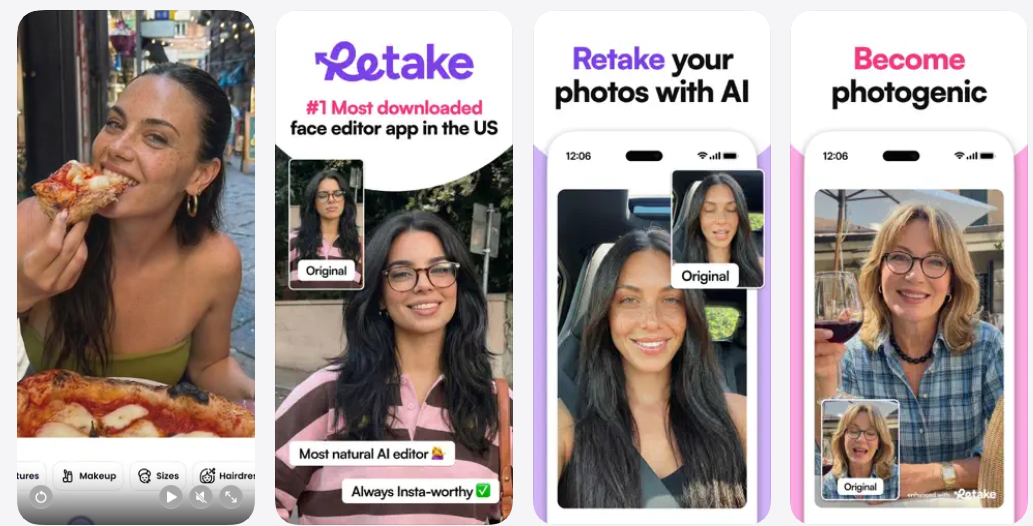
If you are looking for the best AI face editor apps for natural-looking results, Retake AI takes a different approach from traditional filters. Instead of simply smoothing or reshaping your features, it uses AI to reimagine selfies and other photos while keeping your appearance recognizable.
To get started, you upload a selection of your favorite photos so the app can create a personalized AI face and photo model. You can then use it to improve less-than-perfect shots with a single tap, giving you several versions to choose from without having to take the same photo repeatedly.
Retake is particularly useful for selfies and candid photos where the lighting, expression, or angle did not quite work. The app is designed to produce natural retouches rather than heavily filtered results, making edited photos suitable for sharing on platforms such as Instagram and TikTok.
Retake also goes beyond everyday photo fixes with its Magic Retakes feature, which lets you experiment with different characters, styles, and locations. This gives you a more creative way to use your AI-generated face, whether you want to create something playful or try out a completely different look.
2. Facelab: Face & Body Editor
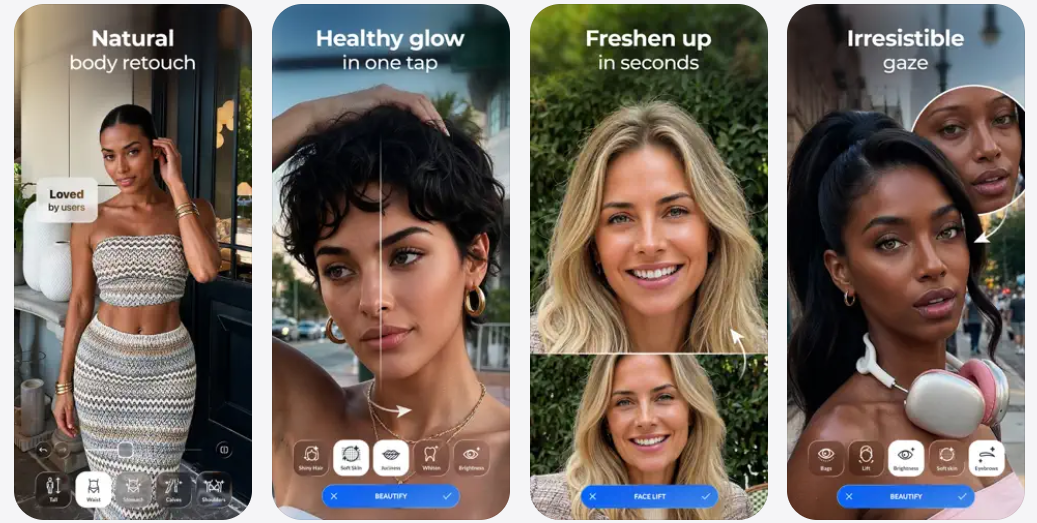
Facelab brings facial retouching and body reshaping tools together in one editor, so you can make targeted adjustments without switching between different apps. Its face editing tools let you refine features such as the jawline, nose, eyes, lips, and smile.
The app also includes skin retouching tools for smoothing blemishes and imperfections, along with makeup effects and filters for changing the overall look. You can keep edits subtle or experiment with more noticeable changes depending on the result you want. For anyone comparing the best face & body editor apps, Facelab stands out for including dedicated body editing tools alongside its facial features. You can reshape your figure, adjust proportions, and make changes to specific areas while working on the same photo.
For more creative edits, the app includes AI Removal for objects, people, and other unwanted details, along with tools for replacing photo backgrounds. You can also choose from more than 200 filters, use auto adjustment, experiment with different outfits, and edit videos with face, body, and ambience adjustments.
3. Reface: AI Photo & Face Editor
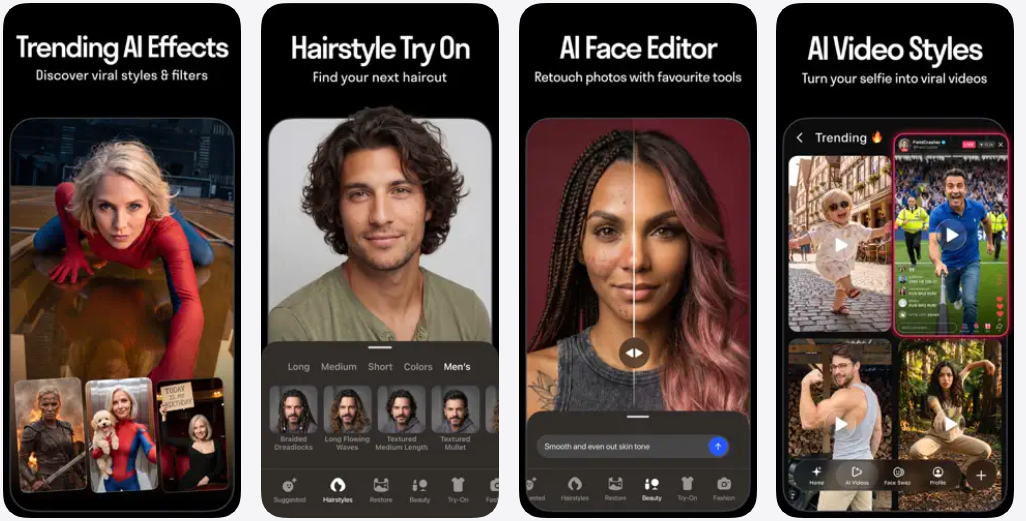
Reface makes photo editing easy to experiment with, offering AI-powered tools that can transform selfies and photos with just a few taps. The app is particularly known for its face swap features, letting you place your face into different photos, videos, and creative scenarios.
Beyond face swaps, Reface includes AI-powered photo effects and editing tools that can give your images a more stylized look. You can experiment with different transformations without needing advanced editing skills or spending time working through complicated controls.
Its combination of face swaps, AI-generated avatars, and creative effects makes AI face editing on iPhone particularly easy to explore. The app also offers a library of templates, giving you different looks and formats to try with your photos.
Reface also has tools for AI animations, gender swaps, age changes, human-to-pet transformations, and AI singing that can animate a photo to lip-sync with a song. Premium features include custom AI avatars, additional AI photo and video generation, hairstyle editing, and an ad-free experience.
4. Peachy – AI Face & Body Editor
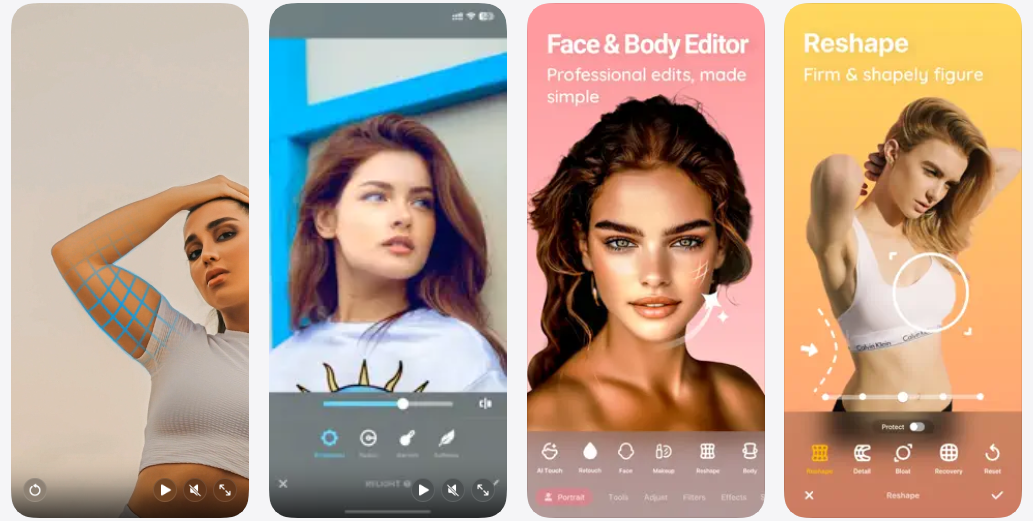
Peachy combines face retouching, body reshaping, and AI-powered editing tools in one app, giving you plenty of options for refining selfies and portraits. Its interface is designed for quick edits, so you can make adjustments without working through complicated editing controls. You can also use its AI tools to enhance your photos automatically when you want a faster way to make several adjustments at once.
The app includes tools for reshaping facial features, smoothing skin, whitening teeth, enhancing eyes, and refining other details. You can also use makeup effects, filters, and other retouching options to change the overall appearance of your photos.
Its combination of quick retouching and AI-powered adjustments makes free AI face editing apps like Peachy useful when you want to refine a selfie without reaching for a desktop editor. You can also adjust body proportions and reshape specific areas, giving you more control over the final image. For more detailed edits, you can fine-tune individual areas instead of applying the same effect across the entire photo.
5. Retouch – AI Face Editor
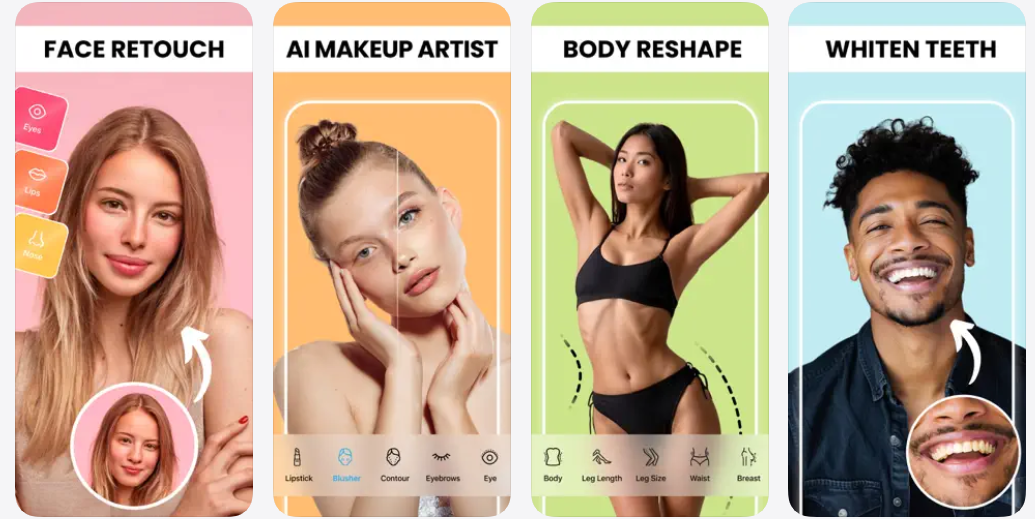
Retouch is an AI-powered photo editor focused on enhancing faces and refining portraits with quick, automated adjustments. It is designed for simple edits, so you can improve your photos without needing advanced editing skills or complicated tools.
The app can help refine facial features and improve the overall appearance of selfies and portraits. Its AI-based editing makes it easier to make subtle changes while keeping the editing process straightforward. You can also use the app to make quick adjustments to individual facial details, giving you more control over how subtle or noticeable the final result looks.
Retouch is available for iPhone and iPad and offers a free download with optional in app purchases. It is a convenient option for quick facial edits when you want to make changes directly from your phone. Its mobile-focused design also makes it easy to edit photos immediately after taking them, without moving them to another device.
6. BeautyUp – AI Face & Body Editor
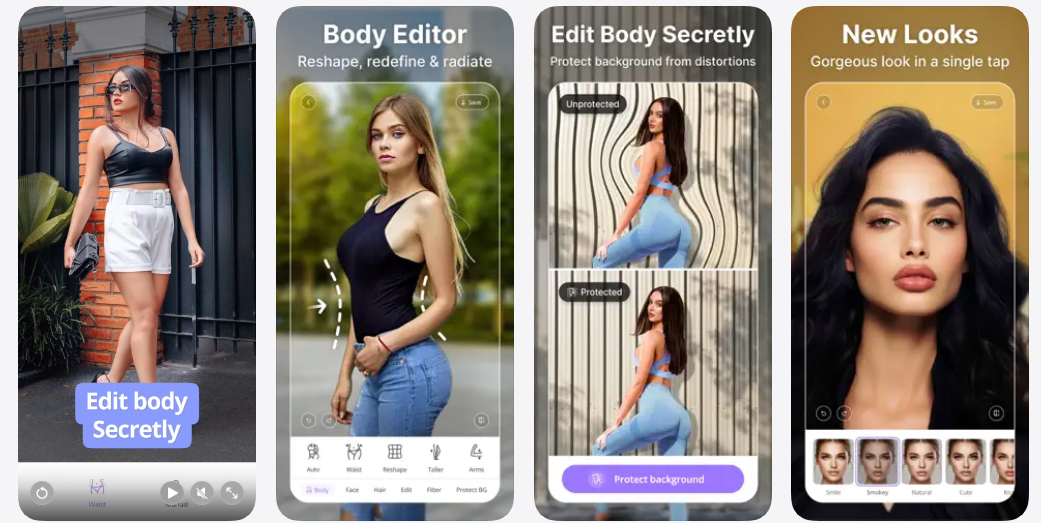
BeautyUp combines AI-powered face and body editing tools with a range of beauty and retouching features, making it easy to refine selfies and portraits directly from your phone. You can make quick adjustments without needing to work through complicated editing controls.
Its face editing tools let you enhance features, smooth skin, whiten teeth, adjust facial proportions, and experiment with different makeup effects. The app also includes filters and other creative tools for changing the overall look of your photos.
If you are comparing Best AI editing apps for more than basic facial retouching, BeautyUp offers a broader set of tools that also covers body reshaping and proportion adjustments. This gives you the flexibility to work on different parts of a photo within the same editor.
Conclusion
AI face and body editor apps have come a long way and are now allow users to perform powerful edits to their photos that previously required professional skills and hours of photo editing. These apps offer features like facial feature enhancements, body proportion adjustments, creative AI effects, and much more. Try a few of the apps featured in this guide to see which one produces the results and editing experience you like best.


