


Now that AI is ready to take over our planet, it is about time you let it take over your classroom, meetings, and general note-taking activities. To help you, we have gathered a list of the best AI-powered note-taking apps for iPhone and iPad that you can download right now.
These apps help you keep up with ideas, take notes during meetings and classes with minimal effort. Whether you are a student, a professional, or a content creator, these apps will help you transcribe speech and turn your messy thoughts into organized notes.
Why AI Note-Taking Apps Are Important
- Saves Time: Quickly transcribes, summarizes, and organizes notes.
- Smart Organization: Automatically sorts notes by topic or keywords.
- Voice to Text: Converts voice memos into clean text.
- Hands-Free Note-Taking: Lets you focus during meetings or lectures.
Best AI Note-Taking Apps
HappyScribe – AI Meeting Notetaker
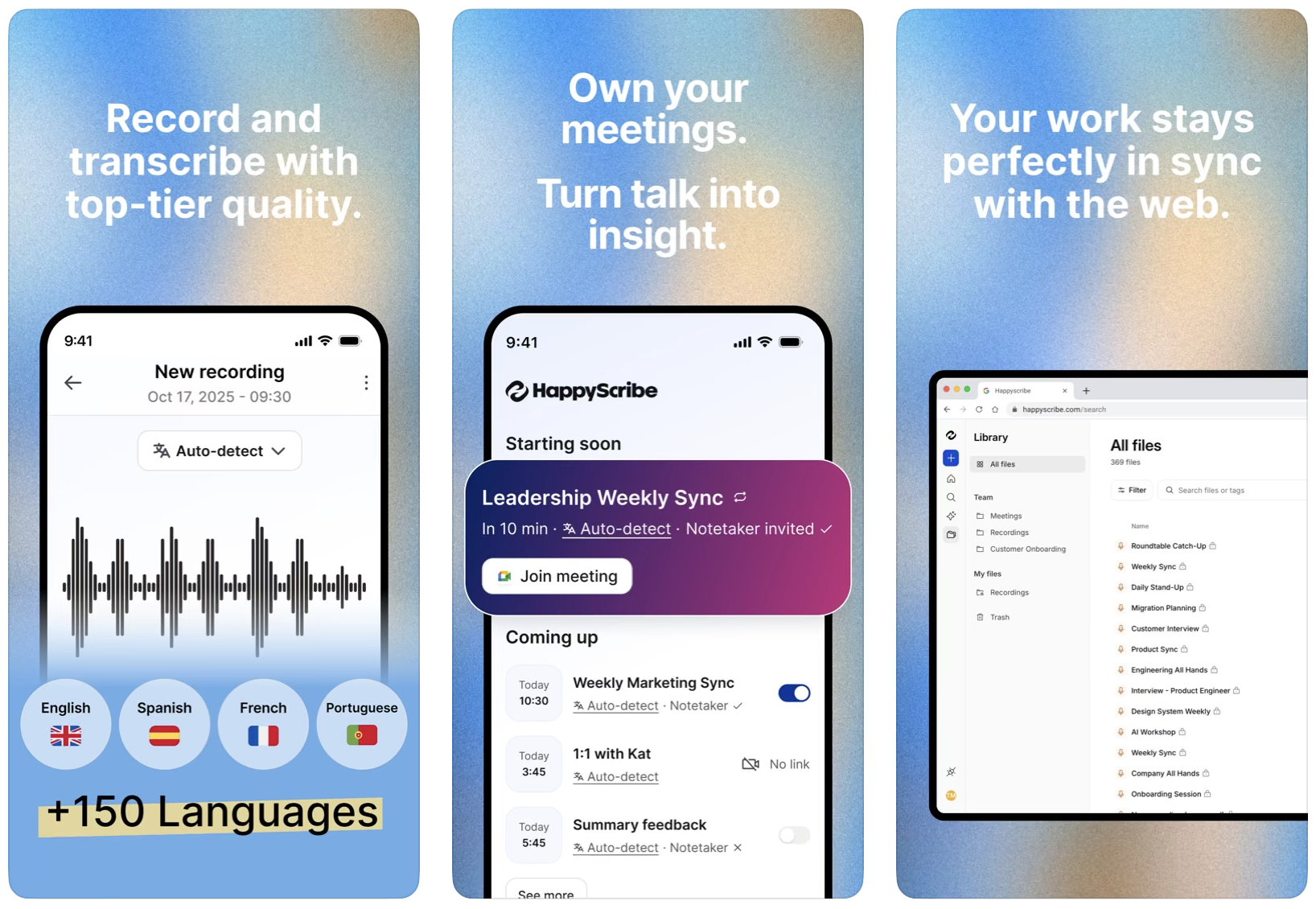
HappyScribe is a powerful AI note-taker app that captures meetings, lectures, and interviews on your iPhone. Built in Europe, it records audio, transcribes it in 120+ languages with over 95% accuracy, and turns the conversation into structured summaries and action items minutes after you stop recording.
The app also identifies speakers, so you know exactly who said what without having to relisten to the whole thing. It connects to your Google or Outlook calendar and can auto-join Zoom, Google Meet, and Microsoft Teams calls, which is great if you spend half your day in meetings.
Need to share your notes with a colleague or classmate? You can export them as PDF, DOCX, TXT, or SRT, and the whole thing is GDPR and SOC 2 Type II compliant if you handle sensitive conversations.
You can download the HappyScribe app from the App Store for free. Paid plans start at $8.50 per month.
AI Note Taking – TLDL
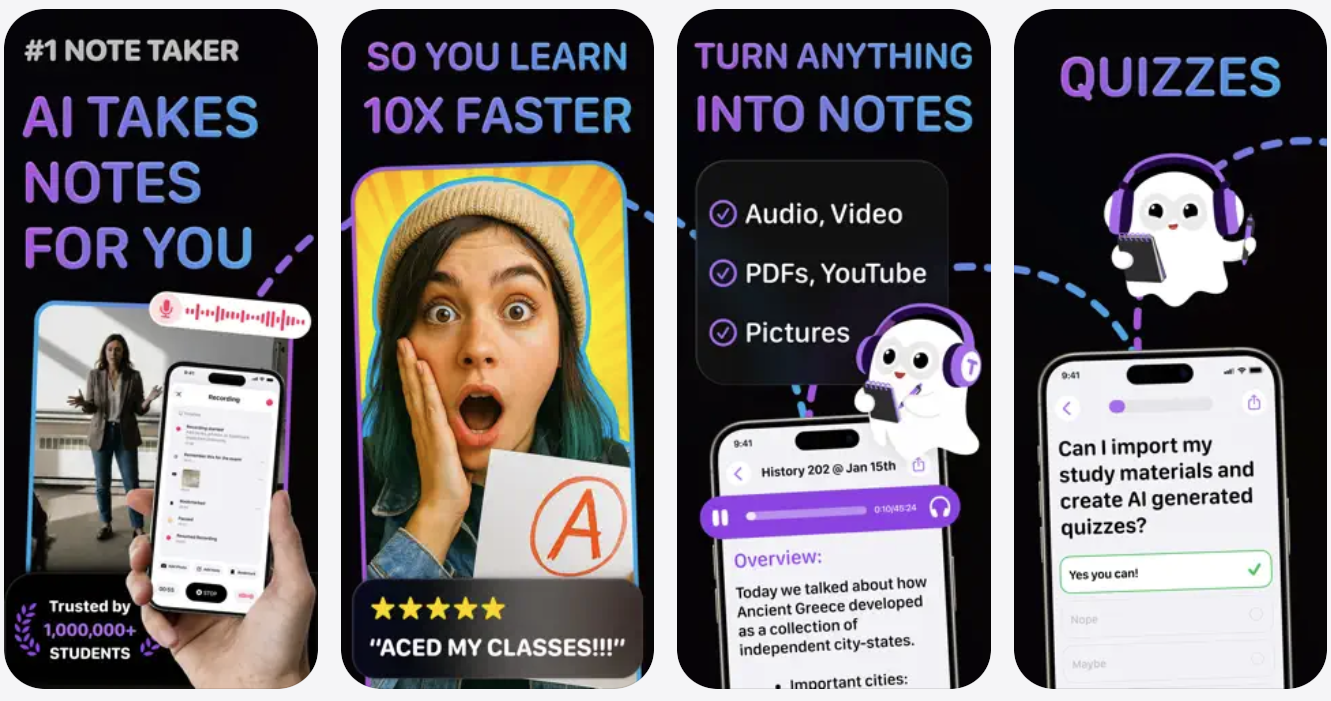
Let us start this list of best AI note-taking apps with AI Note Taking – TLDL. This app has been designed with students in mind. With TLDL, you can not only take notes more effectively during classes, but you can also use its AI capabilities to highlight key points, create flashcards, and summarize with just a tap.
With this app in your study arsenal, you can focus on the lectures and participate in the class, while AI helps you take notes for later study.
Want to listen to the lecture again and go over key moments? The app has a replay and review feature that will let you do exactly that.
You can install this app from the App Store for free. The pro version of the app costs $9.99 per week.
Minutes: AI Meeting Note Taker
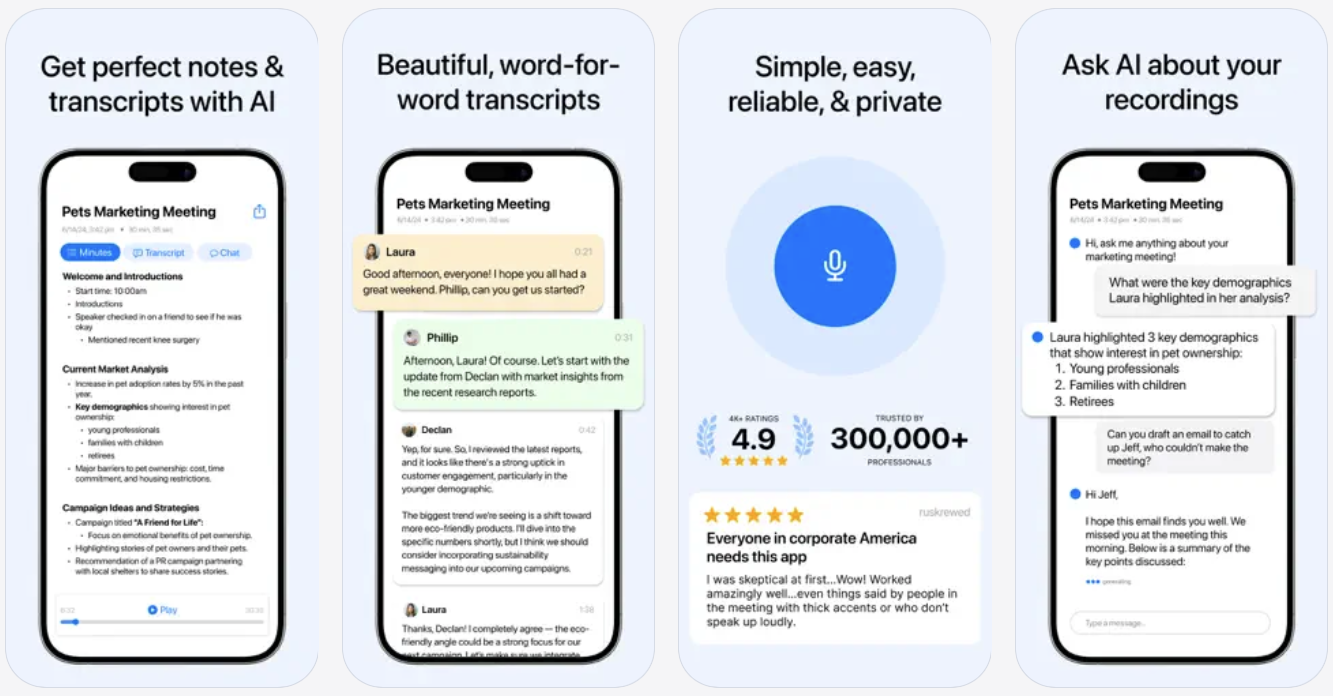
While the TLDL app focused on students, the Minutes AI app focuses on professionals. This app helps you take meeting notes with the help of AI. It records audio from your meetings and automatically turns them into transcriptions. The app also adds speaker labels to the transcriptions, so you know who said what during the meeting.
Once the transcriptions are created, the app also gives you summaries and formatted notes and even allows you to ask questions about the meeting. The audio search feature is particularly useful, as it lets you search for specific words from the audio.
With easy-to-use sharing features, you can share the meeting notes with co-workers.
You can download the Minutes: AI Meeting Note Taker app from the App Store for free. The full version of the app with unlimited access costs $14.99 per month.
Wave AI Note Taker
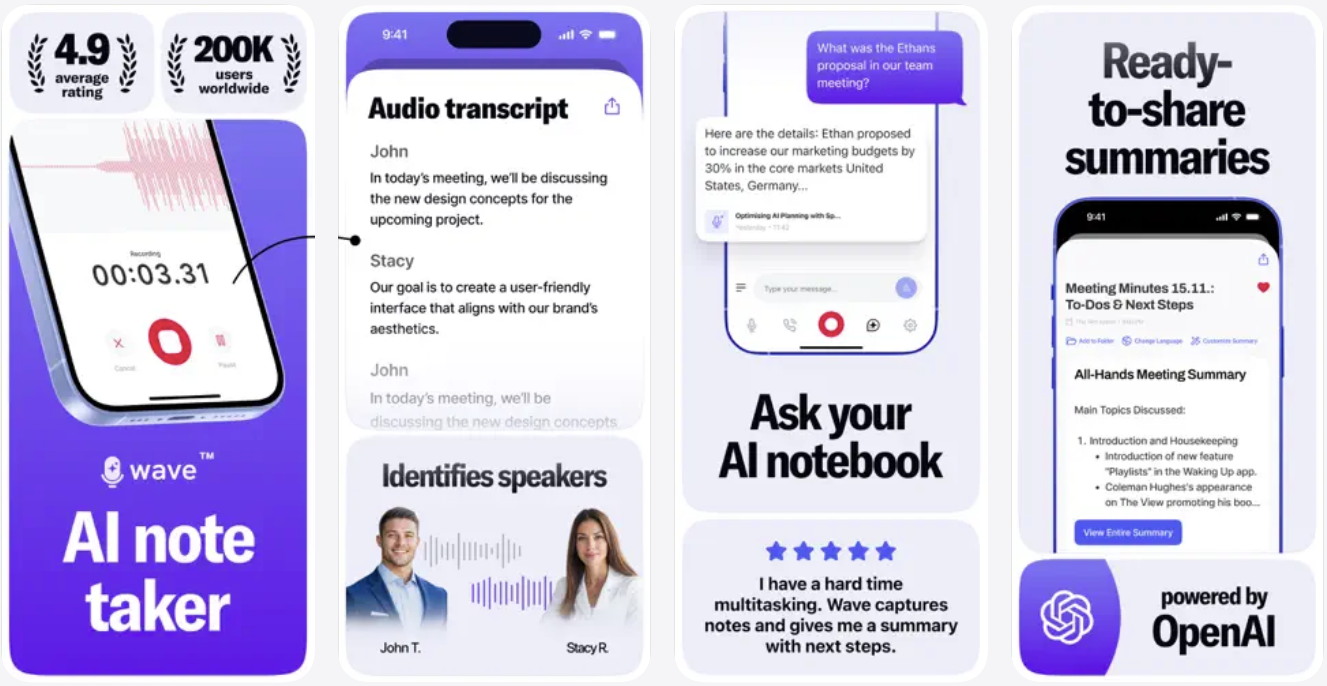
Wave AI Note Taker is another awesome AI note taker app that can revolutionize the way you take notes during meetings. This app, which works great no matter if you are in a meeting, classroom or a call, can record audio and turn it into an AI-powered transcription. It can also create intelligent summaries of your meetings so you can go over them at a later time.
Wave AI Note Taker lets you enter the names of the speakers and intelligently puts down the person’s name along with what they said. The app has an easy-to-use interface. It lets you share your notes with colleagues or classmates via URL, PDF, iMessage, and more.
This app is great for saving, sharing, and organizing meeting notes and boosting productivity.
You can download the Wave AI Note Taker app from the App Store for free. The premium version of the app starts at $3.99 per month.
Noted: Record & AI Transcribe
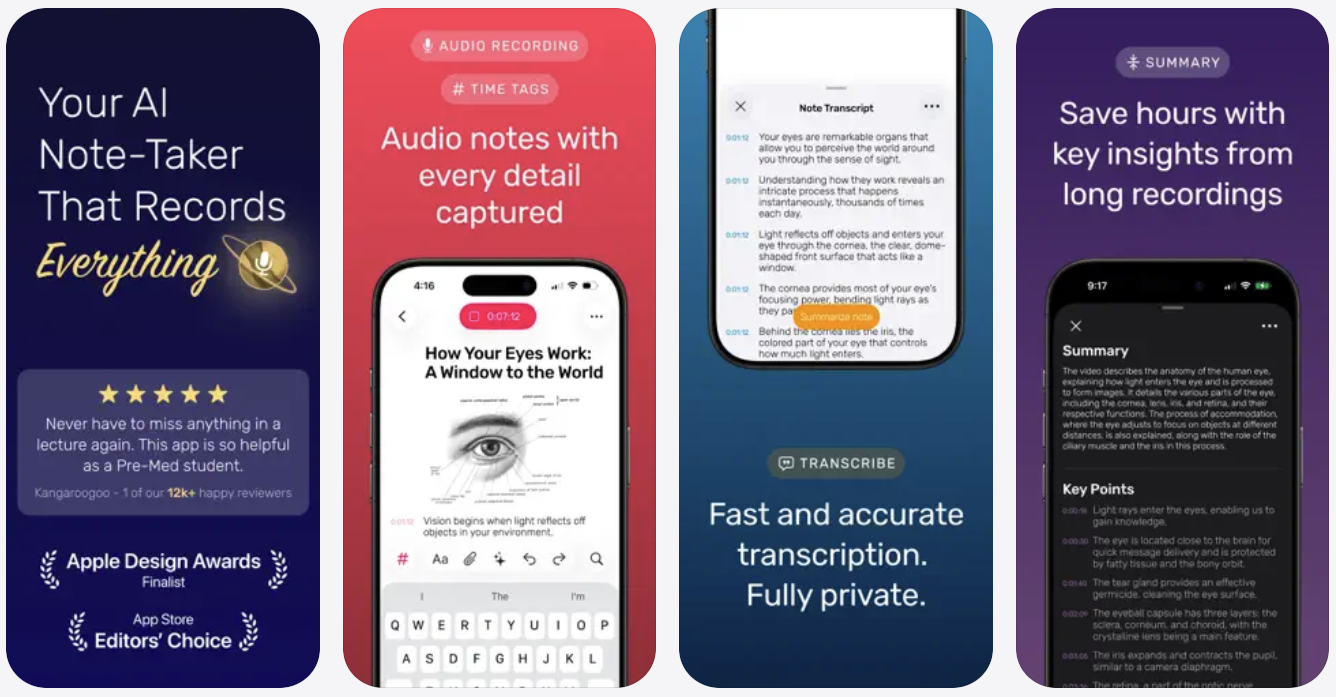
Noted is a powerful AI-powered note-taking app that lets you convert audio and video files into text. The app offers features like intelligent playbacks, which let you listen to your recorded notes without unwanted noise and silences.
Need to quickly note down ideas? You can use the voice typing feature that lets you dictate your notes and automatically turn them into text. The app comes with background noise reduction features, so you can take voice notes even in loud places without worrying about distortions or loud noises. The app lets you easily share your notes with colleagues via PDF, web links, and more.
In addition to iPhone and iPad, the Noted app is also available on the Apple Watch, letting you take notes even without the iPhone.
You can download the Noted app from the App Store for free. The app costs $4.49 per month.
Coconote – AI Note Taker
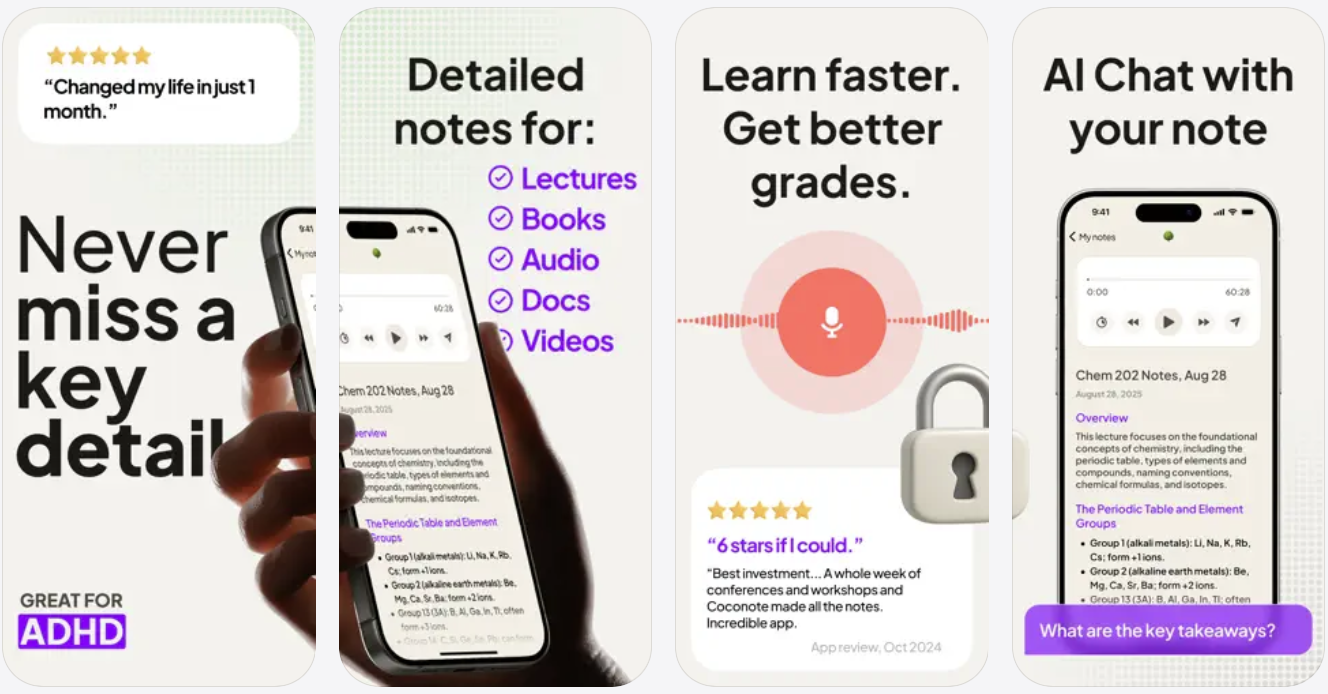
Coconote is an AI note-taker app that does it all for you. It can record your lectures and then automatically create study guides, quizzes, and flash cards from them. The app gives you live transcriptions of the text and instantly converts notes into meaningful summaries. Need to narrow down an hour-long lecture into key points? Just press a button, and this app will create key concepts for you in no time.
Need to share your notes with classmates? Just use the PDF sharing features to instantly send them over. The app supports note-taking and voice-to-text conversion in over 100 languages.
You can download the Coconote – AI Note Taker app from the App Store, where it is available for free. The pro version of the app starts at $9.99.
Conclusion
These are the AI-powered note-taking apps that can help you with note-taking on your iPhone or iPad. Whether you are a student, a professional, or someone who likes to write down ideas, these apps can improve your experience with automated summaries, smart organization, and easy sharing. Try out a few from this list and see which one turns your iPhone into the ultimate productivity companion.


