


AI-powered video editing apps for iPhone and iPad have changed the game. These powerful apps have given easy-to-use professional tools to amateurs, who can use them to create engaging videos with minimal effort.
These AI video editor apps offer features like the ability to perform automatic cuts, add AI effects, add AI-generated subtitles, and music syncing, allowing you to focus on creativity and cinematography.
Whether you are a social media manager, content creator, or someone who just wants to post fun videos on their YouTube channel, Instagram account, or TikTok, these apps are for you.
Filmora: AI Video Editor & Maker App
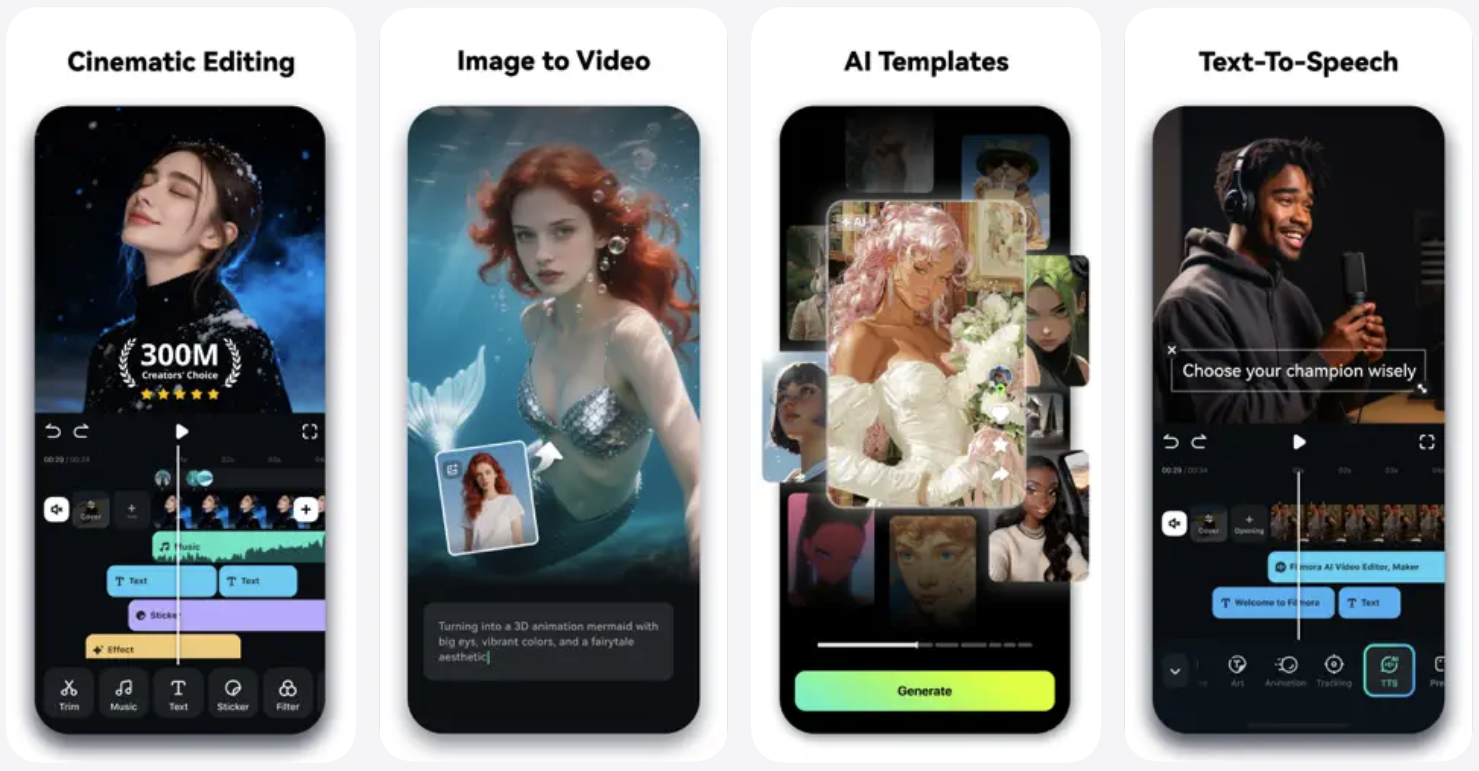
When it comes to mobile video editing, Filmora offers a complete package. This tool takes advantage of the AI Auto Cut feature, which is capable of recognizing the best moments in your videos and stitching them together to create a masterpiece.
In addition to auto cut, you get AI features like Dynamic Captions, which are auto-generated from your videos. This tool also has an AI Remover feature, which lets you quickly remove unwanted elements from the videos in just a few taps.
Need to generate an AI video for your reel? You can take advantage of the Text to Video features, which will generate videos with AI copywriting and subtitles. The tool can even generate AI voice-overs for your reels.
Other features of the Filmora tool include AI video effects, AI sound effects and music syncing, the ability to turn photos into animated videos, and more.
In addition to its AI features, you also get access to a full-fledged video editor that lets you perform tasks like trim, split, merge, crop, add music, and more.
You can download the Filmora tool from the App Store for free. The pro features of the app are available through in-app purchases starting at $12.99.
LightCut – AI Video Editor
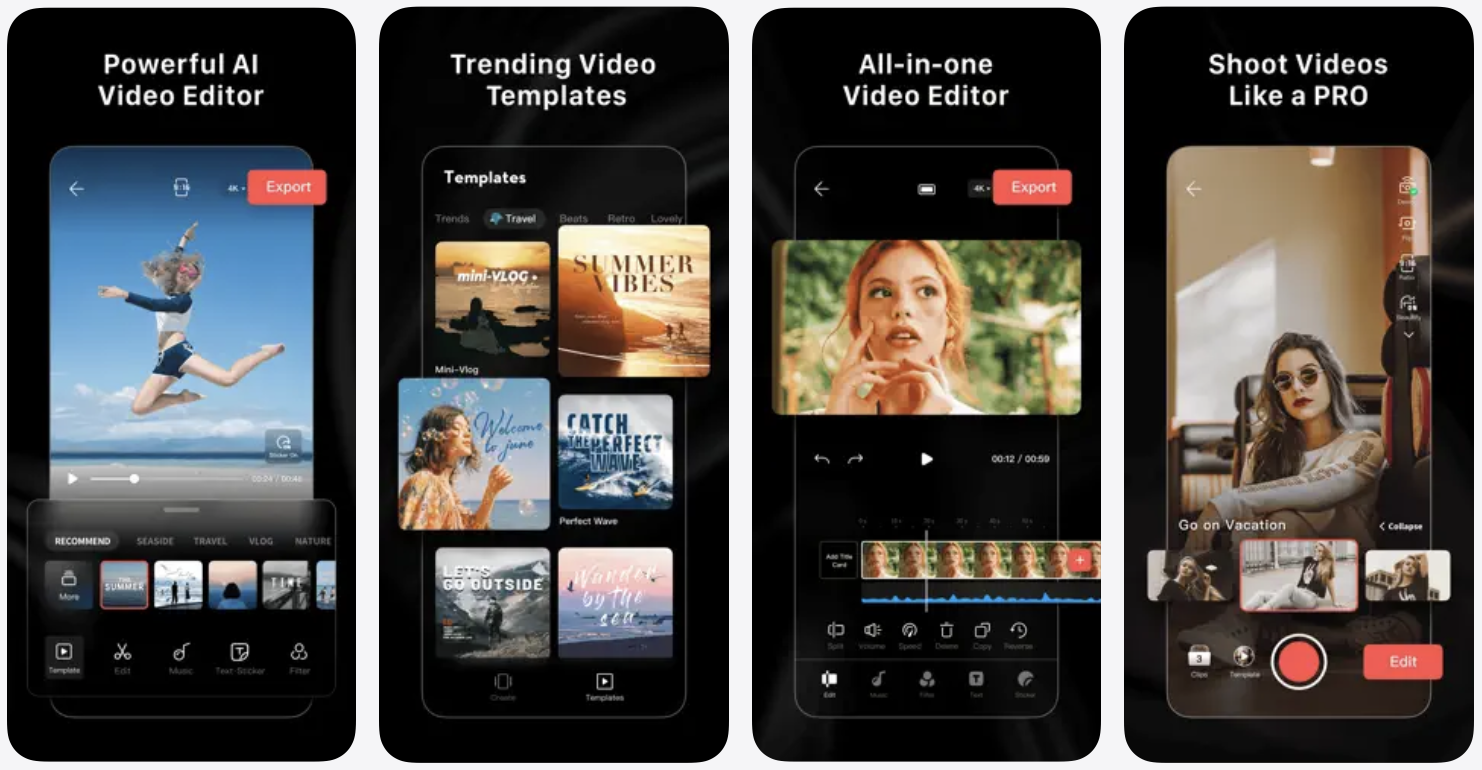
Need to edit your latest vlog or create the best Instagram reel ever? Then LightCut – AI Video Editor app is your friend. This app gives you access to templates, effects, and powerful video editing tools that can turn your videos into masterworks.
Creating stunning videos with LightCut is as simple as selecting a bunch of video clips and photos and then having them turned into publishable content in a few seconds. The tool is capable of analyzing your videos for moments and uses AI features to turn them into engaging social media content.
The app also comes with some really cool templates, and can automatically edit your videos to make them suitable for them. The app offers multiple genres of templates, including travel, nature, fashion, lifestyle vlogs, and more.
The best thing about this video editor is that it does not limit you to its own creations and gives you full creative control over the edited videos.
You can download the LightCut – AI Video Editor from the App Store, where it can be installed for free.
Videoleap – AI Video Editor
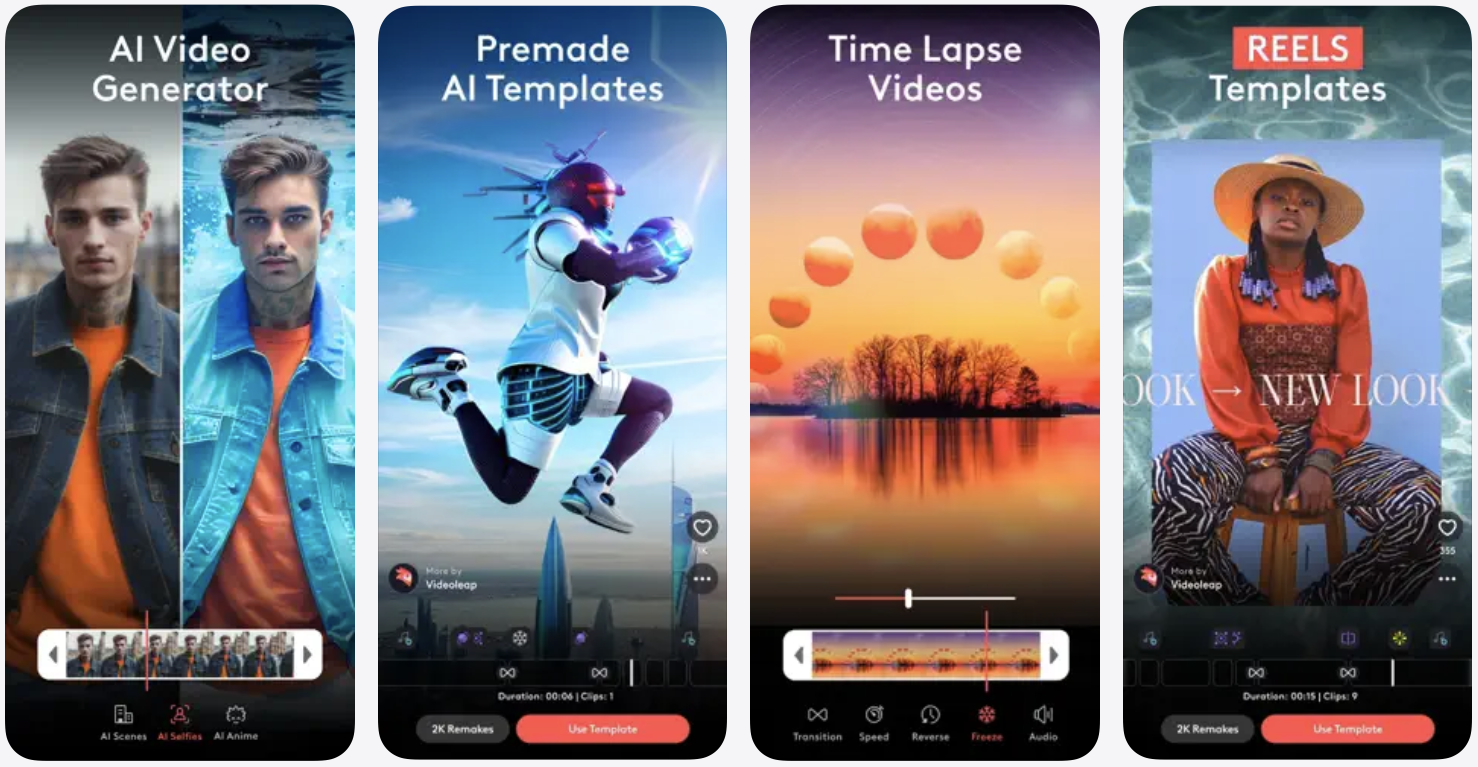
Videoleap can be a go-to video editor for anyone who is looking for an easy-to-use AI video editor with professional tools. This tool can help boost your creativity with its templates, effects, audio effects, green screen features, and more.
It gives you access to ready-to-use templates that are designed specifically for short-form content, so no matter if you want to work on a TikTok, Instagram Reel, or YouTube Short, this tool has your back.
The tool features AI presets that you can apply to your videos and photos, and get your desired results in just a few taps, without having any experience with video editing or color grading. You can use 100s of AI templates to work on your content. Need to remove unwanted objects from videos? Videoleap can help you with that as well.
Other features of this tool include keyframe animation, undo and redo features, video speed controller, video special effects, video editing features, over 100 sound effects, and more.
You can download the Videoleap app from the App Store, where you can download it for free. The premium version of the app costs $9.99 through in-app purchases.
Capcut: Photo & Video Editor
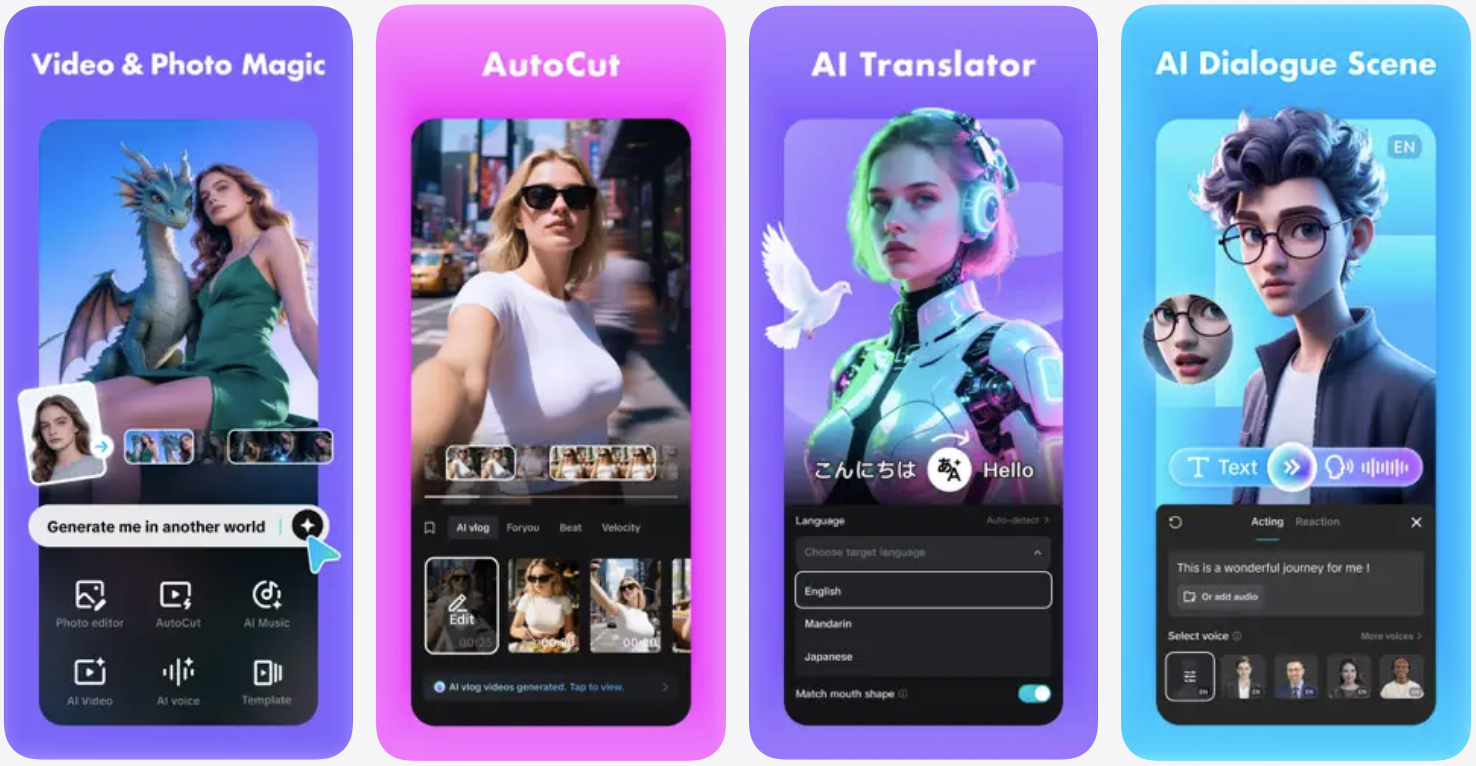
Capcut is a full-fledged video editing tool that is packed with AI features to enhance your video editing experience. While you get access to basic video editing features like trip, speed adjustment, transitions, and more, the Capcut app goes above and beyond to give you some amazing AI features.
This includes Auto Captions, which not only generate accurate captions for your videos but also allow you to choose from a variety of fonts and styles for the text. You can also use this app to generate voiceovers for your content, thanks to its text-to-speech capabilities.
Need to remove the background from your video? Use its background removal feature.
Other features of the Capcut app include keyframe video animation, the ability to remove certain colors from a video clip, music and sound effects, text, stickers, effects, and more.
You can download the Capcut app from the App Store, where it is available for free.
Mojo: AI Video & Reels Editor
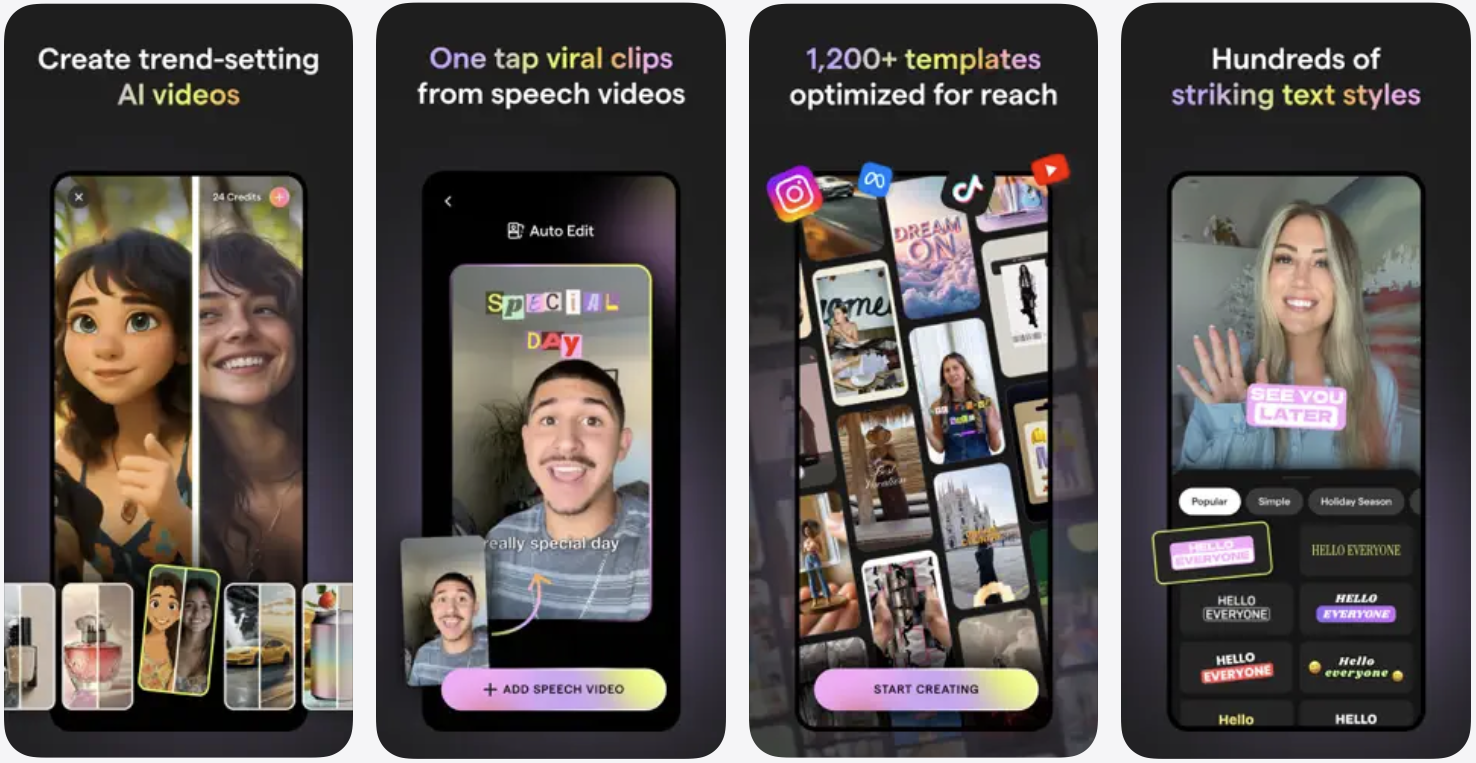
If there’s one app that specializes in Reels and Stories creation, then it’s Mojo. The app is suitable for all kinds of creators, including professional social media teams, budding content creators, or someone who just wants to make their profile look nice. The app is used by over 40 million worldwide. It comes with over 1200 templates that help you create the best content.
Using Mojo to create reels is fast and simple. Just select your desired template and then edit it to make it your own. The app has all the essentials for creating the best reels, including auto caption, text effects, filters, and more.
Other features of the Mojo app include background removal, access to royalty-free music, transitions, animations, and more.
You can download Mojo: AI Video & Reels Editor for free. The pro version of the app costs $17.99 with a monthly subscription.
Conclusion
All of the AI video editor apps featured in this article revolutionize the way you edit videos in 2026. With the arrival of professional tools on the iPhone, you can create eye-catching content with AI, without diving into manual editing. So whether you are making an Instagram Reel or a YouTube video, you can use these tools to edit it right on your iPhone.


