


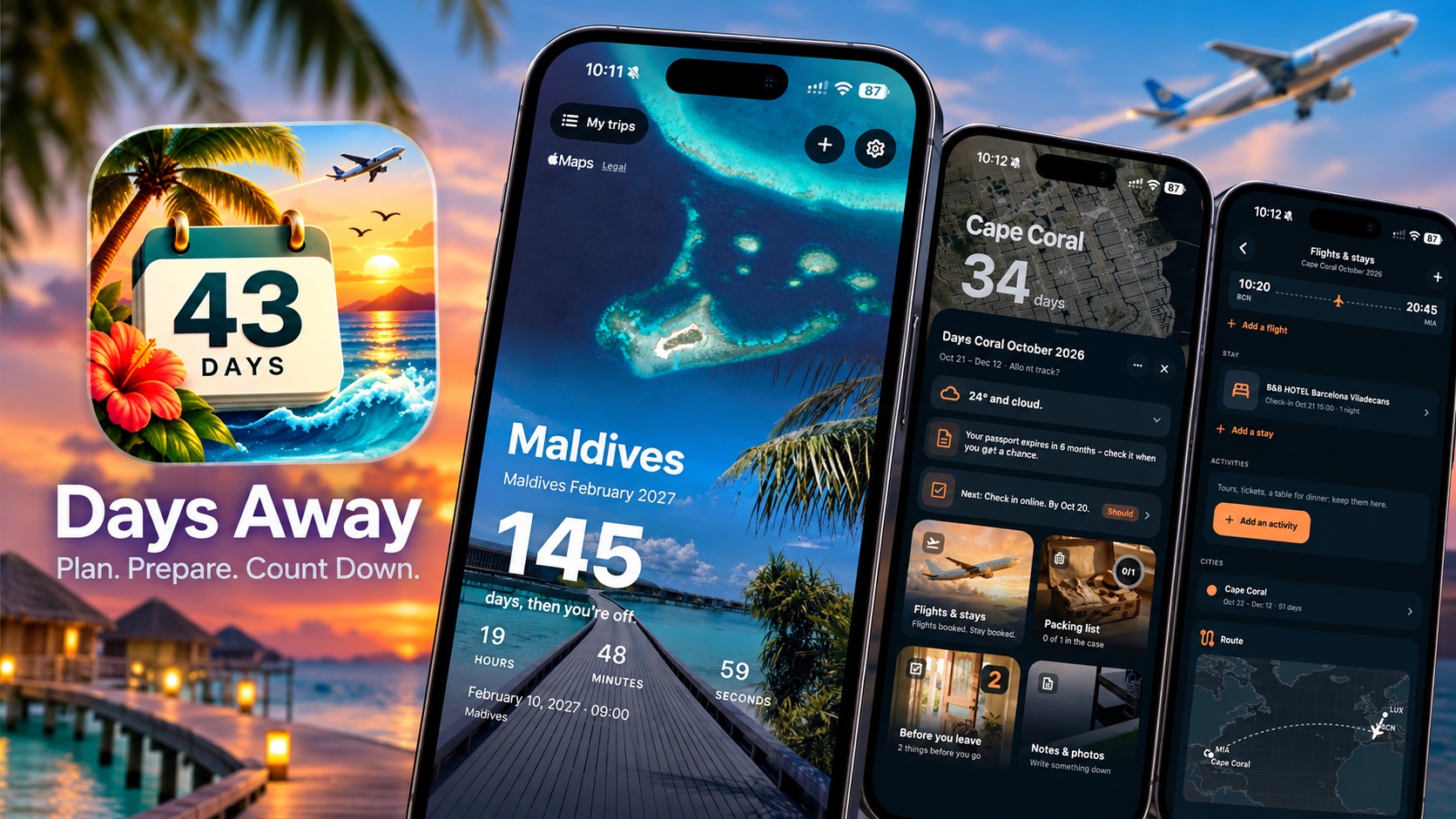
Planning a trip can be overwhelming. You have to deal with a lot of small details such as flight confirmations, hotel bookings, packing lists, and important reminders of things to do before you leave.
Days Away takes a more personal approach to travel planning. This is not an ordinary countdown app that just shows you how many days are left in your trip. Instead, it becomes your all-in-one travel hub and puts your upcoming trip at the center of the experience.
The app puts one idea at the center: Counting down the days until you leave. It combines this simple idea with travel-related activities and tasks that make planning and executing super easy.
I have been testing the Days Away app for a few days, and I am happy to share my experience with this app.
Days Away: The Countdown App
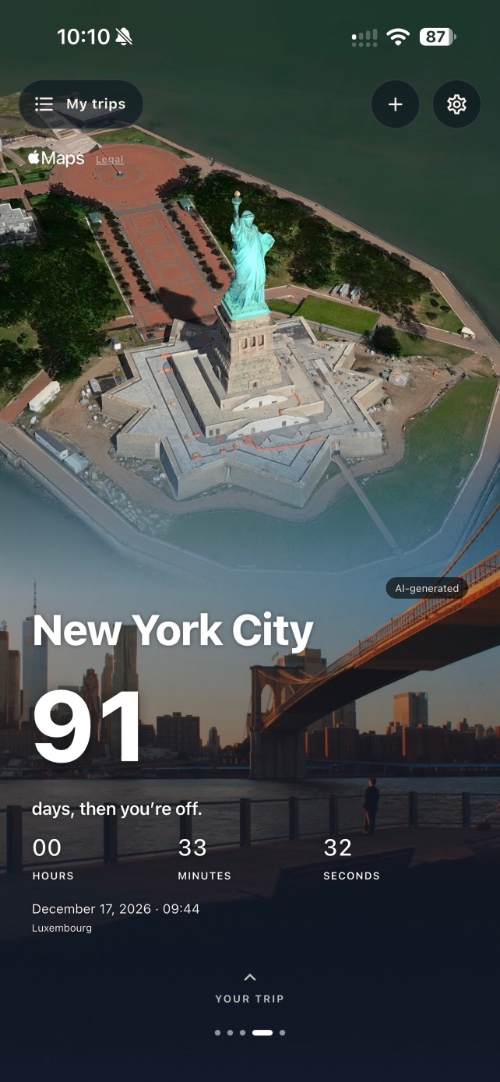
The first thing you will notice when you create a trip is Days Away’s large visual countdown that shows you the name of your destination along with how many days are remaining in your trip. You get the exact number of days, hours, minutes, and seconds remaining until departure.
Your destination takes center stage, complete with an AI image of the place you’re visiting. If you wish, you can also upload your own image of the destination to give your listing a personal touch.
You also get home screen and lock screen widgets, making the whole countdown aspect of the app even more exciting.
Going beyond the Countdown
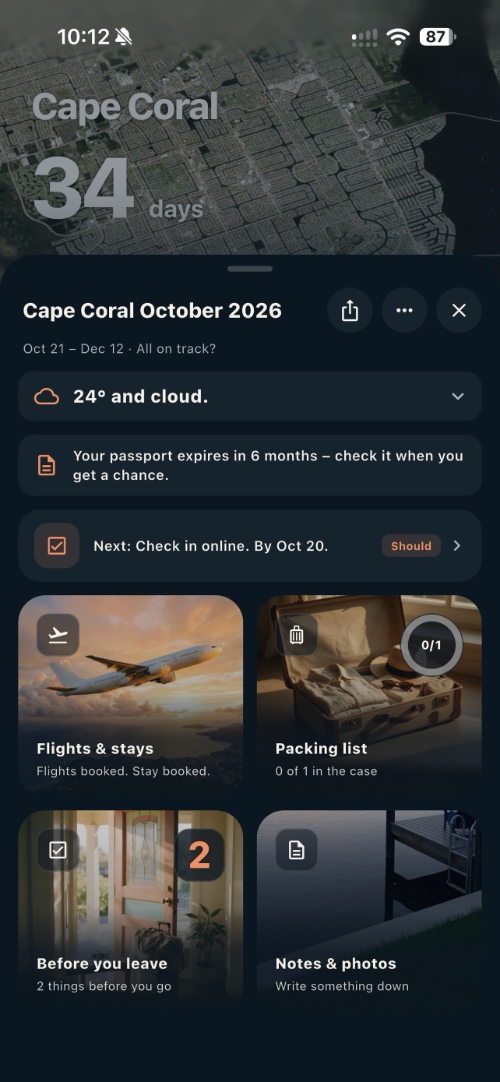
To-do and Packing List
Once you get past the countdown, you get a surprisingly useful trip organizer that lets you keep your flights, accommodation, day-by-day plans, notes, photos, and preparation reminders together inside the trip.
Before the start of your trip, you can use Days Away to prepare for your journey. You get all the important information about the trip in one place. Instead of managing your to-do list and packing list in different apps, you can create them within Days Away and mark them complete as you go along.
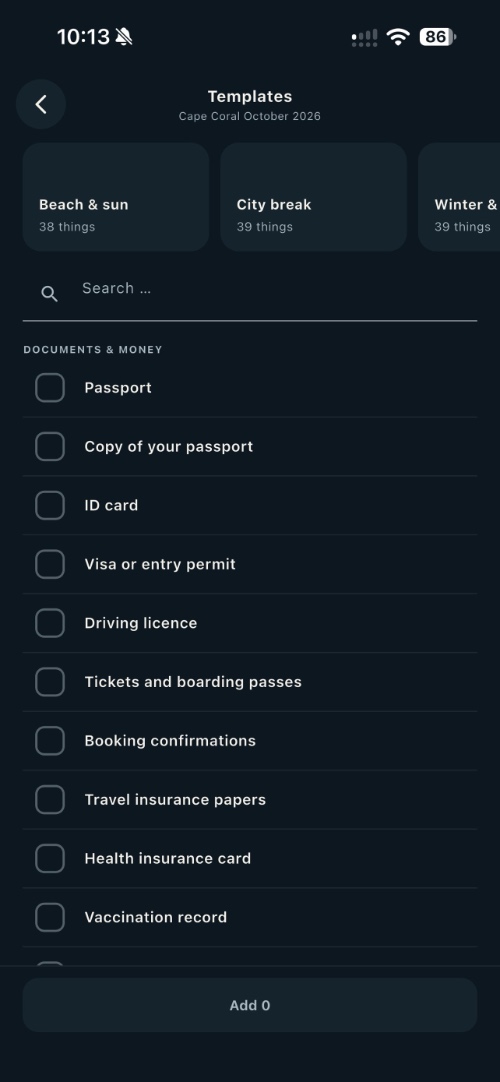
I really like the fact that you can create a complete packing list and then, with the tap of a button tap go from packing to unpacking. This is a thoughtfully designed feature that helps you in both phases of your trip.
Then there is the ‘Before you leave’ section, which lets you add tasks that you have to complete before your journey begins and mark them complete. The app offers a handy ‘At Home’ template that includes all the tasks that users typically have to perform before they leave their homes.
You can also add the people traveling with you and keep their travel documents in the app, so you can quickly access everything you need without having to search through different apps or files.
Flight and Hotel Details
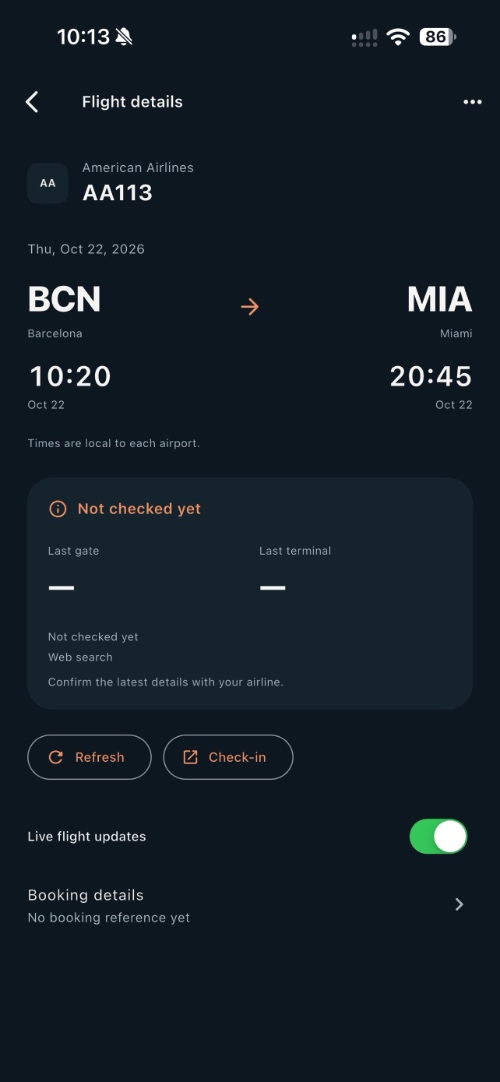
The Flights & Stays section is where the Days Away starts to feel like a traditional travel planner. You can add your flights and accommodation information and keep the details together in one place, rather than searching through emails whenever you need to check in.
If you get Days Away Plus, then you get access to a powerful feature that can extract your confirmation information from a text, PDF, or a photo and add it to your app. This can save you a lot of time, especially if you are dealing with multiple bookings.
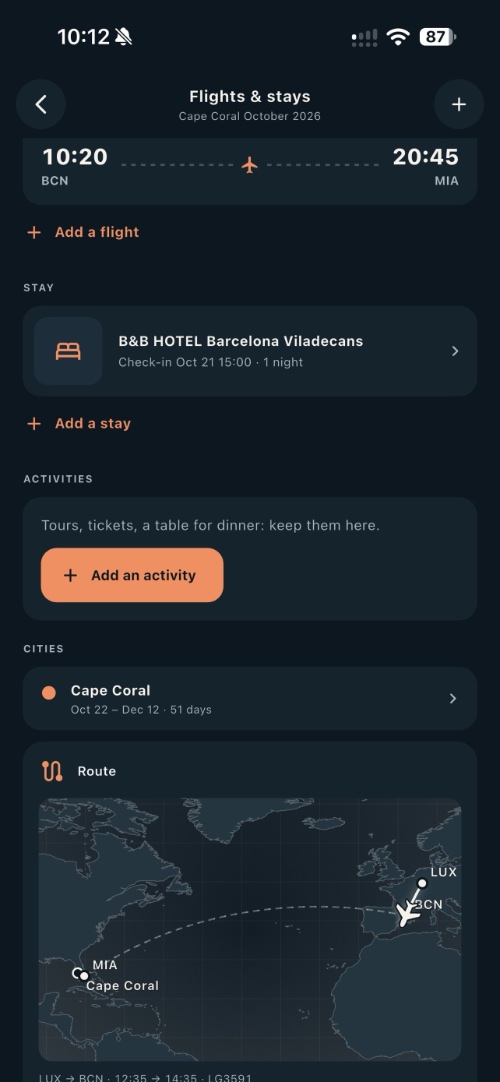
Another cool feature of the Plus version is unlimited timetable searches and live flight status. With this, you can see your flight time, gate, and terminal, and it adds this information to your Live Activity for flights on the Lock Screen and in the Dynamic Island.
Privacy is a big part of the experience too
One thing I particularly admire about the Days Away app is its focus on privacy. The app does not require you to create an account and stores all of the information about your trip on your iPhone.
If you don’t mind sharing data, then you can choose to take advantage of iCloud Backup and other features like flight searches, booking extraction, etc.
Days Away Free vs. Plus
Days Away is free to download, and the free version includes one trip.
In the free version, you get:
- One trip
- Countdown
- Home Screen and Lock Screen widgets
- Plans
- Packing lists
- Built-in or custom trip photos
- Manually entered trip information
- One searched journey per trip
For more advanced features, there’s Days Away Plus for $11.99 or €12.99 as a one-time purchase.
Plus includes:
- Unlimited trips
- Unlimited timetable searches
- AI-generated destination images
- Live flight status
- Flight Live Activities
- Booking import
- Family Sharing
There’s no subscription, which is refreshing for an app in this category. You pay once and unlock the additional features.
You can download the Days Away app from the App Store where it can be downloaded for free.
Android users can get the Days Away app for their device from the Google Play Store here.


