


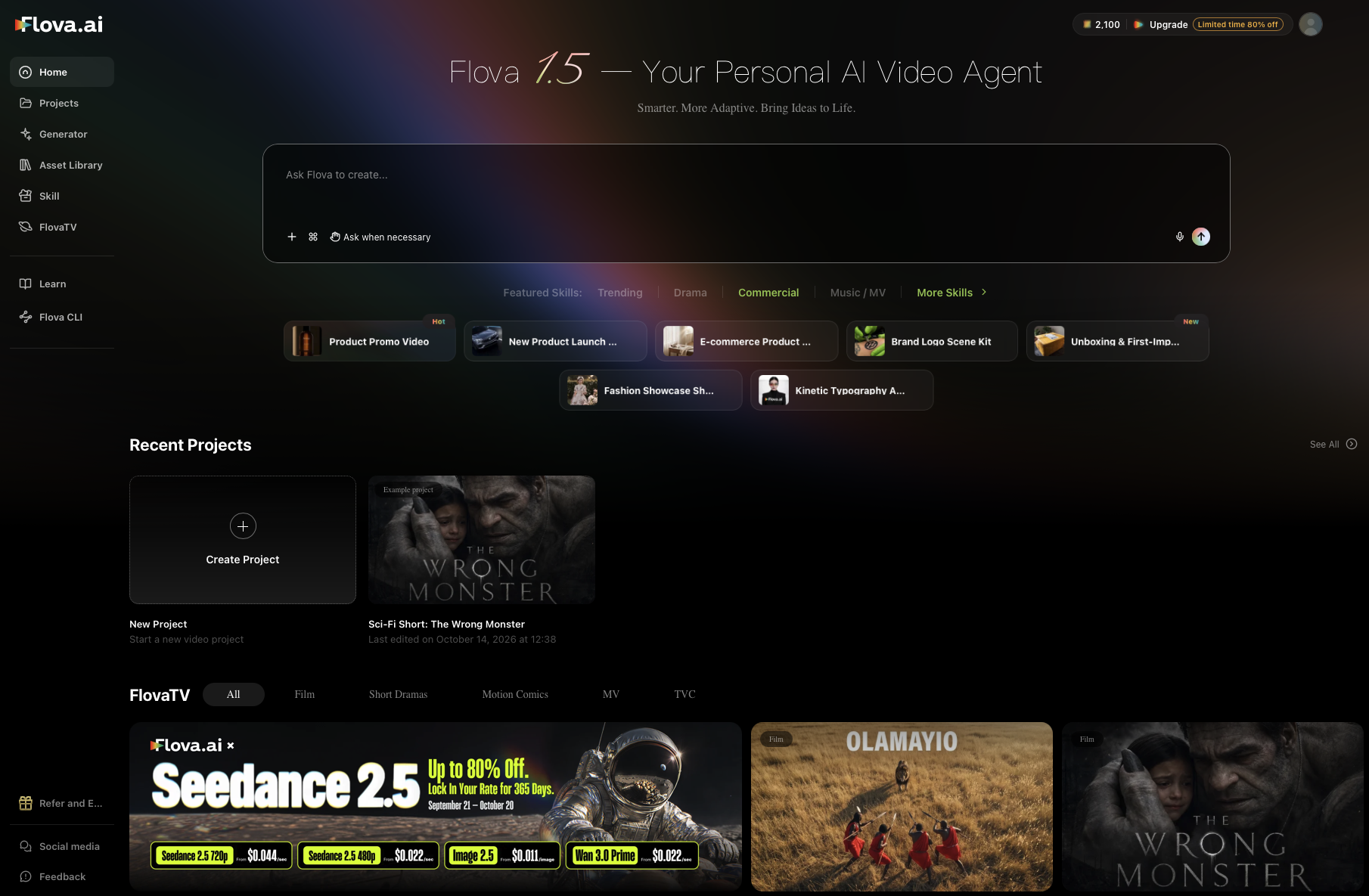
There’s no shortage of AI video generation tools that let you churn out what many refer to as AI slop. What makes AI video creation tools distinctive is their ability to create professional-quality AI content with a script, visual direction, usable assets, revisions, and multiple deliverables.
That’s where Flova positions itself. It’s not a single prompt AI tool for creating short AI clips, instead it focuses on video creation as a project and allows the creator to work with the agent and create a polished finished video.
This AI video creation tool is suitable for all types of creators. Whether you are an individual creator looking to learn and explore AI videos, independent creator looking to make AI shorts for social media, a brand creating campaign videos, campaign teasers or ads, or a production team working on short-form drama, film or a team making AI commercial.
What Flova is trying to solve
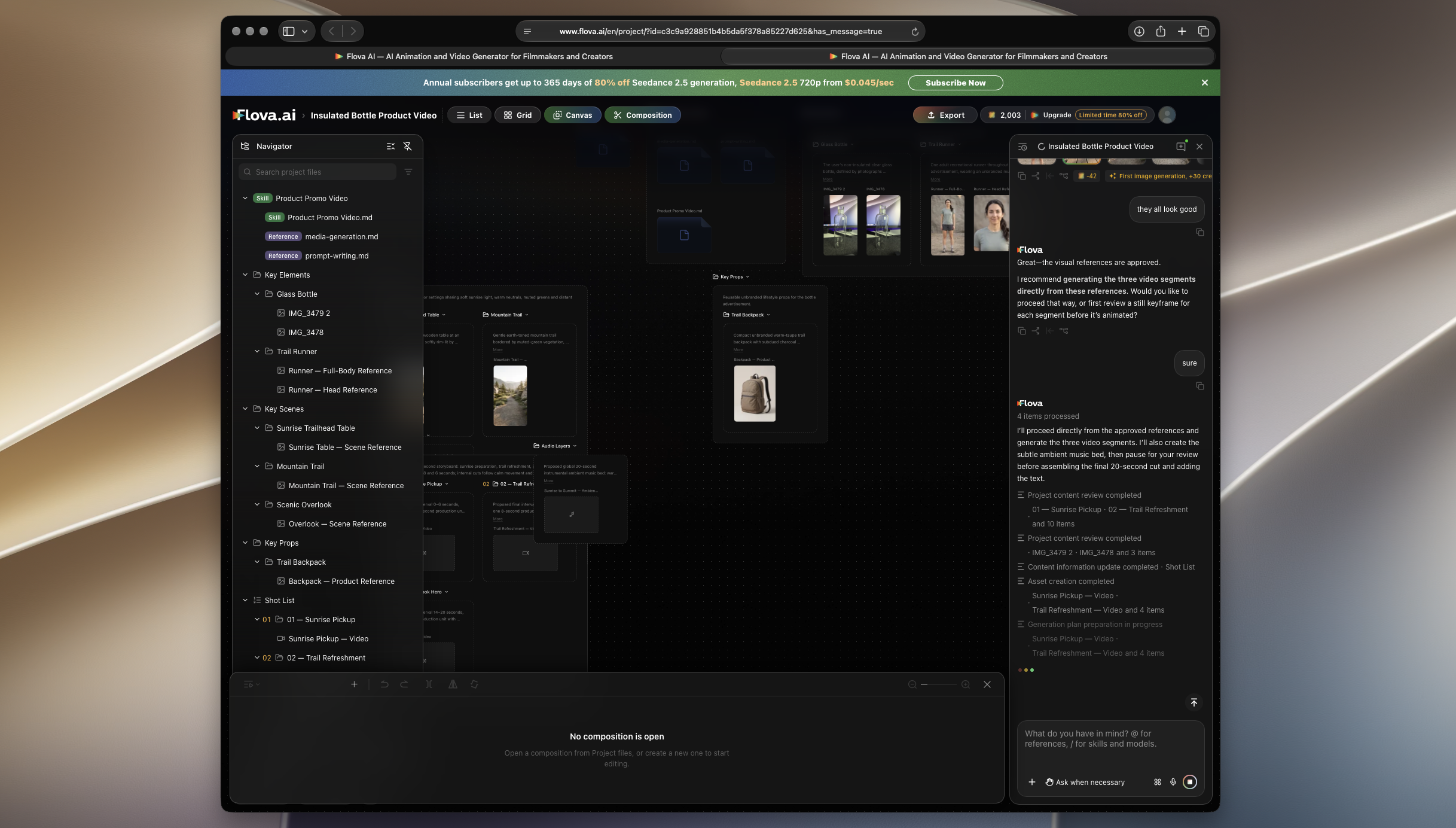
Flova is an AI-native video creation platform that lets you describe your video project in native language and upload relevant scripts, storyboards, images, videos, and audio as references. The Agent uses the reference material to shape a script, generate media, and assemble a timeline. It even creates storyboards and plan shots.
All of the progress and provided assets live inside a particular project and are remembered by the agent. When you make a change or continue the conversation with the Agent it acts on the current content and previously defined direction, eliminating the need to restate the directions each time.
This is an important distinction that makes Flova truly a professional tool. Structure matters because video decisions compound, especially in a sizable project. An approved character design should influence the next short. A campaign’s product image and brand direction should carry into its vertical cutdown. Flova preserves those choices as project content, and lets the Agent work from the material that has already been approved instead of asking the user to restate the brief at every turn.
You can also turn a video’s process, quality standards, and style requirements into a Skill that can be used in later projects. This saves a lot of time and effort, as you don’t have to define your unique style to the Agent every single time and instead can focus on being creative.
A practical workflow from brief to export
A typical Flova project can begin with a rough idea, a finished script, or a set of reference assets. If you are creating a video for a product, that could mean product imagery, a short creative brief and desired format. If you are working on a narrative short, you can define the story premise, character notes, and a mood reference. The Agent’s role is to turn that starting point into a worktable sequence of tasks.
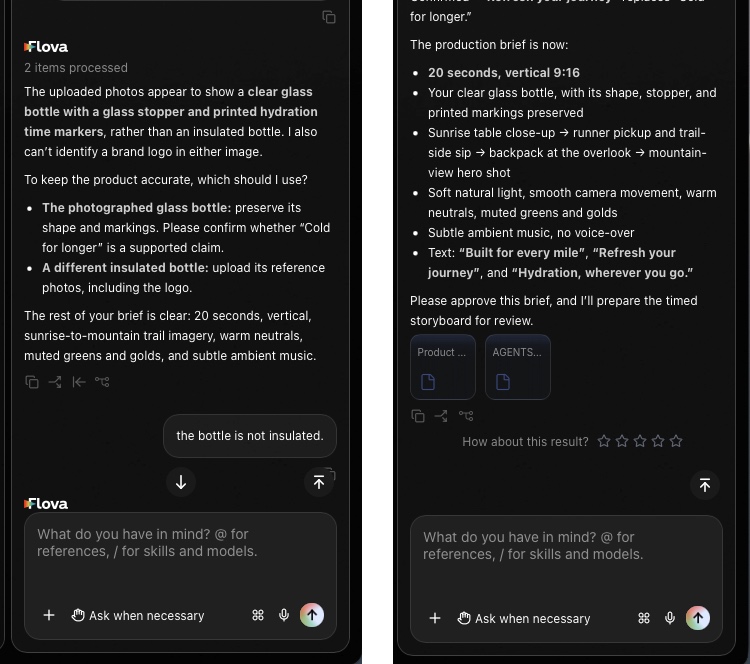
The next stage consists of planning. At this point the Agent develops scripts, short ideas, storyboards, and dependencies between them. If it’s a narrative project, this also involves character relationships and visual references.
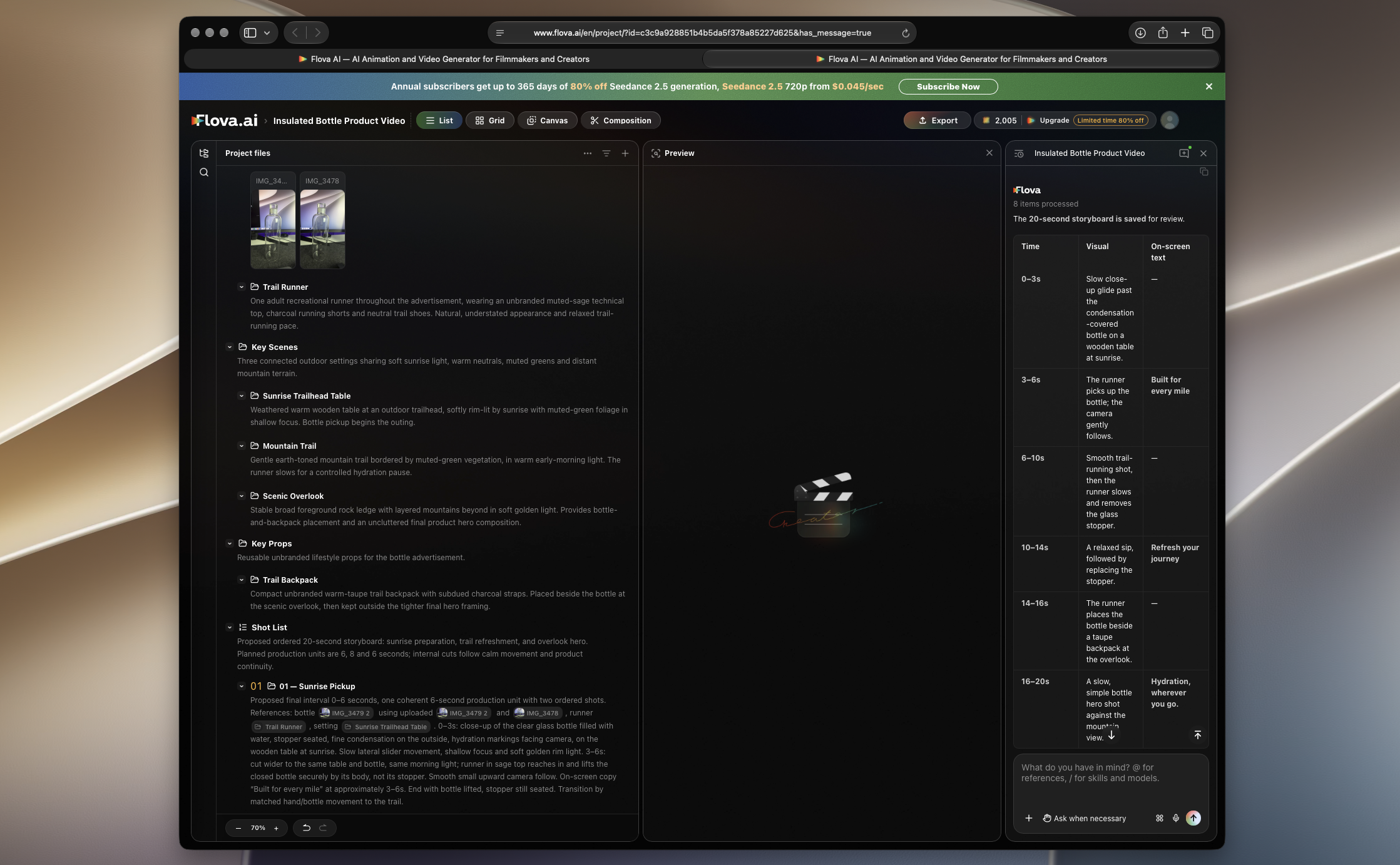
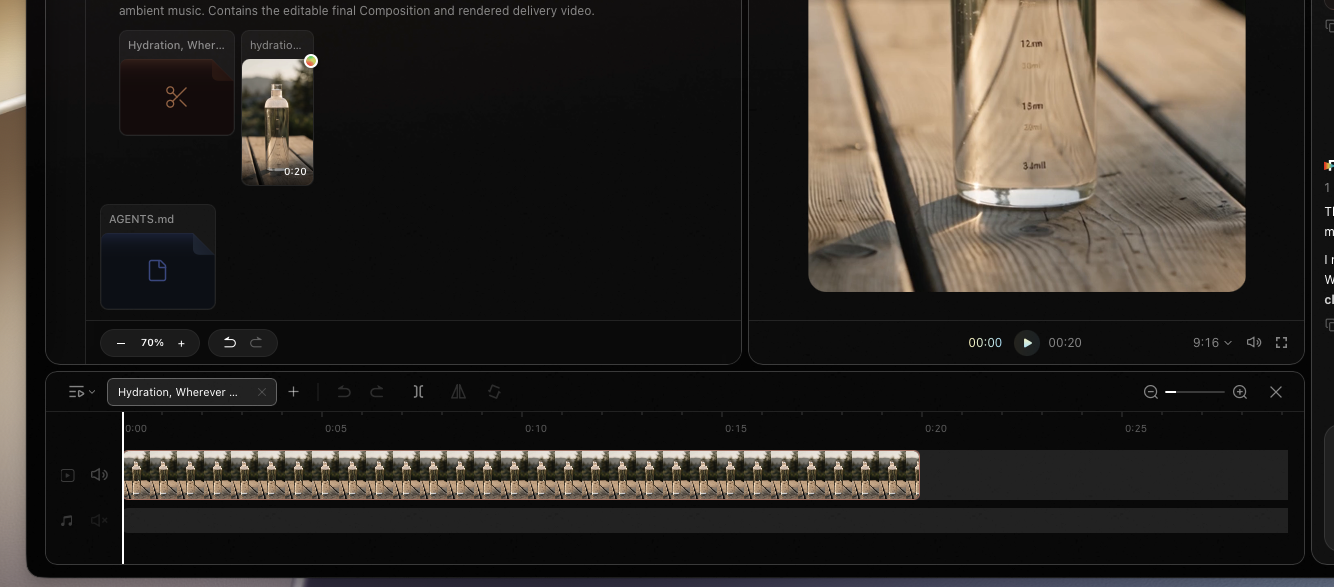
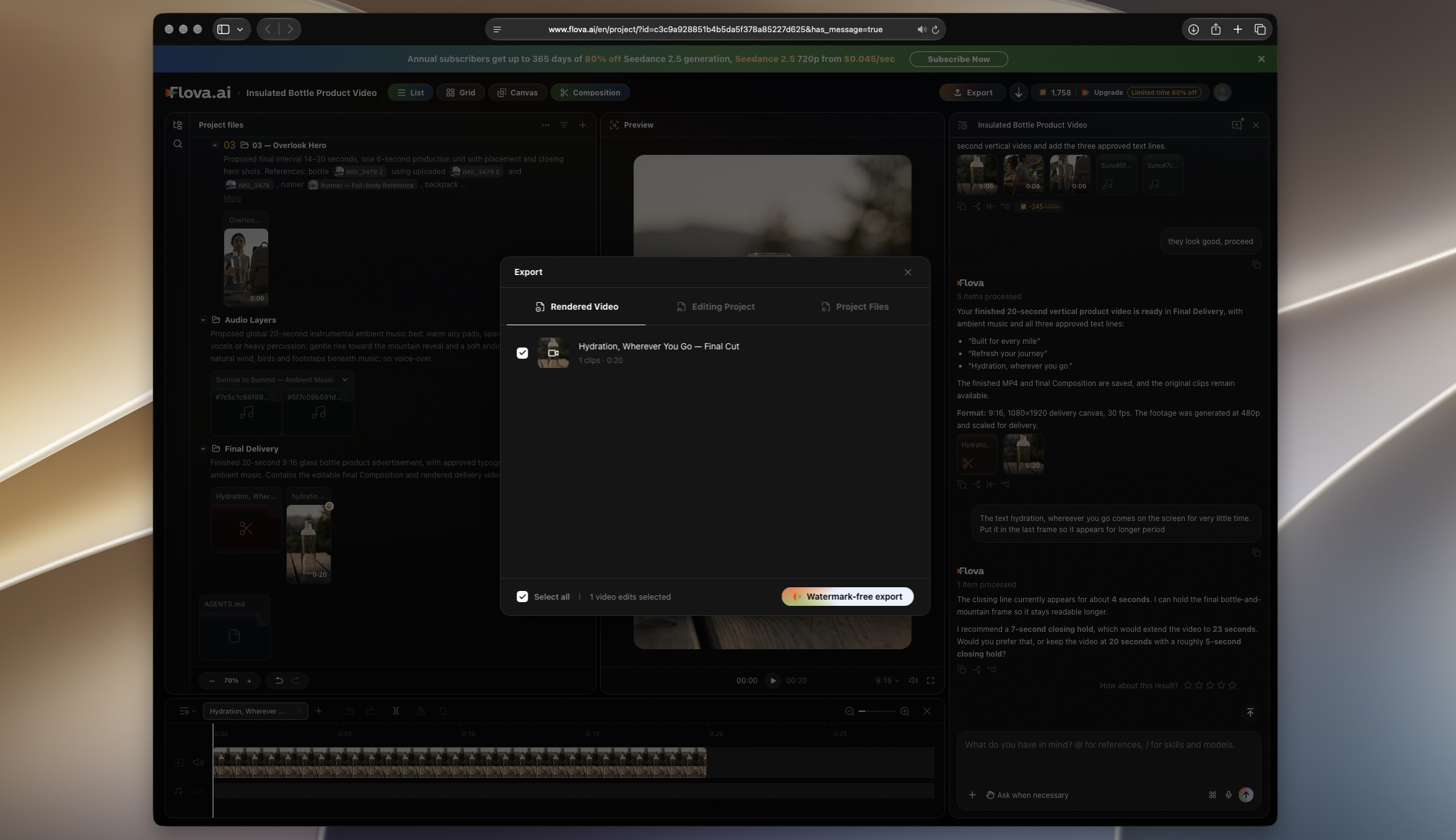
After the direction has been defined, users can generate or upload images, videos, music and voiceovers. When the Agent starts working on the project you get a user-friendly layout that keeps you up to date on what is being worked on right now. On one side you see the project files and agent-generated assets. Next to it is the Preview pane where you can see the previews of the generated assets. And finally on the right pane you see the chat box where you can see messages from the Agent and interact with it using text or voice. You can also add more assets to the project or suggest changes.
At the bottom of the page there’s a timeline with editing tools, which let you manually edit the generated video. Here, you can adjust the clip order, duration, playback speed, and volume.
The Features That Stand Out
| Feature | Why it matters |
| Flova Agent | An ongoing conversational layer designed to work from the project’s script, references, selected assets, and previous decisions. |
| Reusable Skills | A way to preserve repeatable methods, style requirements, and quality checks so recurring formats do not start from a blank brief. |
| Shared project views | List, Grid, and Canvas views support different tasks: organizing, comparing visual versions, and exploring a direction spatially. |
| Multiple timelines | One project can hold a main cut alongside different aspect ratios, teasers, episodes, or alternative edits using shared assets. |
| Focused Agent chats | Separate chats can be used for episodes or distinct tasks, which could make long-running creative work easier to revisit. |
Who is Flova For
Flova is designed for creators who need a guided route through a multi-stage project. A beginner can use the Flova Agent to move an idea into scripts, shots, and an initial edit without getting into the nitty-gritty of every production step at the outset. For independent creators, making content for social media, the ability to generate multiple types of content such as music, photos, and videos into a single workspace is invaluable rather than isolated generation tools.
Flova also works great for commercial work. A small brand or a marketing team can use it to bring product images and a campaign brief in the same project, and explore different showcases or vertical ads. The skills feature let users transfer settings from one project to another.
Production teams are going to find the organizational layer most valuable. It helps teams produce long-form short dramas without losing control of a complex, multi-episode story. Users can upload complete scripts and give the Agent context on characters, relationships, timelines, and story arcs while directing it to work on one episode or task at a time.
Teams can also make episode-wise decisions, comment generation for local changes, and take advantage of skills and project rules to keep character, scene, and production standards consistent as the series grows.
Realistic considerations before you commit
An Agent-led workflow still needs creative direction. The outcome that will be produced by Flova heavily depends on the clarity of your project brief, provided references, and your willingness to review assets, storyboards, and timelines decisions.
That is also the strength of Flova’s approach, as it works with the creators to improve and iron out any issues in the project. User can use natural language to give modification commands to the Agent, which then generates updated content by editing it in real-time and shows the changes within the timelines as soon as they are ready.
The fact that it makes it easy to export assets for use in other tools, and gives users access to generated assets means you can take a hybrid approach and leverage other tools and editing software to further improve and polish your projects.
Pricing and availability
Flova is primarily a web-based tool that can be accessed from any web browser. This is great, as you are not limited to a single platform and can access its powerful AI video generation capabilities on a Mac, Windows, Android, or iOS device. That versatility also makes it easier for large production teams to collaborate on projects.
Flova offers multiple subscription options to the users. The Starter subscription costs $20 per month and comes with 2000 credits per month. The Basic subscription costs $50 per month with 5000 credits + 500 bonus credits.
Plus subscription costs $100 with 10000 + 3000 bonus credits while the Pro subscription gives you 20000 + 10000 bonus credits.
The bottom line
Flova’s most interesting proposition is not that it can generate a video asset. It is that it aims to make the surrounding creative work, which involves briefing, planning, organizing, comparing, revising, and assembling part of the same AI-assisted project.
If you are a creator who is working from a loose idea, that can provide welcome structure. For professionals who want to use it for more serious work, it lets them preserve context as one project branches into several assets and edits.
This platform makes the most sense for people who see AI video as a production workflow rather than those looking for a one-prompt novelty, which is common in today’s AI video generation tools. Flova’s Agent, reusable skills, flexible views, and multi-timeline setup could make it a compelling workspace for developing video from first content through export while leaving room for creators to take decisions that matter to them the most.
