


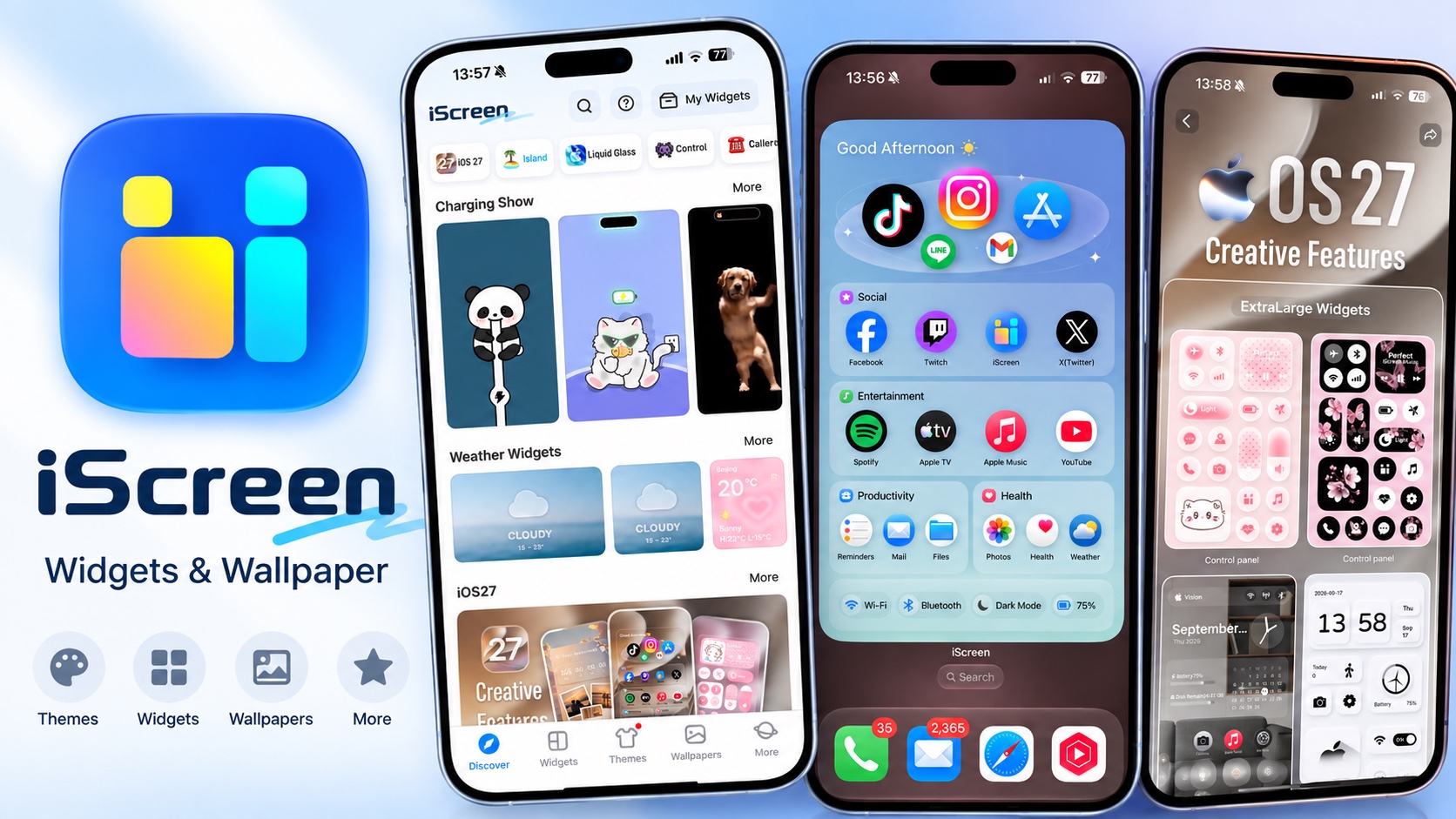
iScreen is a powerful iPhone customization app that lets you completely transform your home screen with fully customizable widgets, wallpapers, and themes. This app offers standout features that let you take full control of the home screen’s appearance and add new features that go beyond what iOS offers by default.
With the latest iOS 27 update, iScreen brings even more powerful including support for the Extra Large widgets. In this review, we will take a deep look at what iScreen has to offer and how you can use it to personalize your iPhone’s home screen.
Customizable Widgets, Wallpapers, and Themes

With this app, you get access to tons of Liquid Glass-style widgets that not only make your home screen appear more beautiful but also make it more functional. The widgets offer real-time information such as weather reports, battery status, and available free storage, and give you quick shortcuts to access system settings like Wi-Fi, Bluetooth, etc.
Wallpapers and Live Wallpapers
For Space fans, iScreen comes with an extensive library of space wallpaper templates. In addition to that, you also get anime, futuristic tech space, naked-eye 3D Photo, and viral clip-jumping wallpapers right inside the app. It takes advantage of Live Wallpapers and offers creative animated wallpapers that give a new life to the lock screen.
You can also create static or dynamic wallpapers with a variety of rich templates including Polaroid, Flip Card, Animated Marquee Lights, and more.
Hundreds of Customizable Widgets
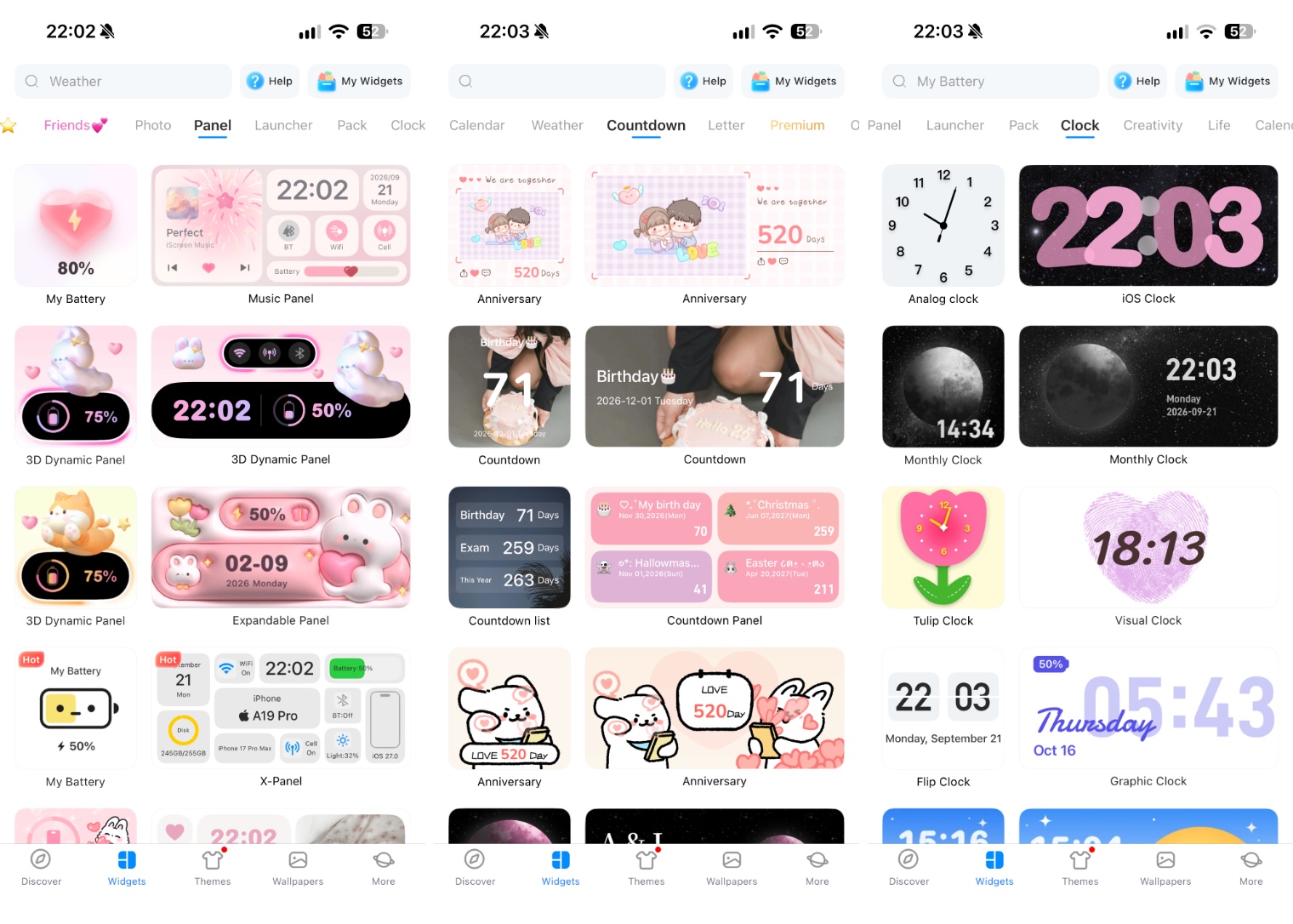
My favorite feature of this app is its widgets section. You get access to hundreds of customization and functional widgets that you can add to your home screen. The widgets come in all sizes and are personalizable to the full extent. You can change the way a widget looks by changing its style, content, text color, animation, dynamic effect, background, opacity, and more.
Some of the widgets you get with this app include quick launcher, clock, GIF, weather, calendar, device panel, photo, gaming, lyrics, and much more.
iOS 27 upgrades

iScreen received a massive upgrade for iOS 27. The new update adds full support for iOS 27’s new 4×6 Extra Large Widgets. This means you can get full-screen widgets and turn whole pages into a widget.
This opens up an entirely new genre of iOS home screen customization where a widget is your home screen. And these are quite powerful widgets that offer unique layouts and useful features such as quick access to your favorite apps and convenient access to system controls.
Quick Launcher Folder Widget
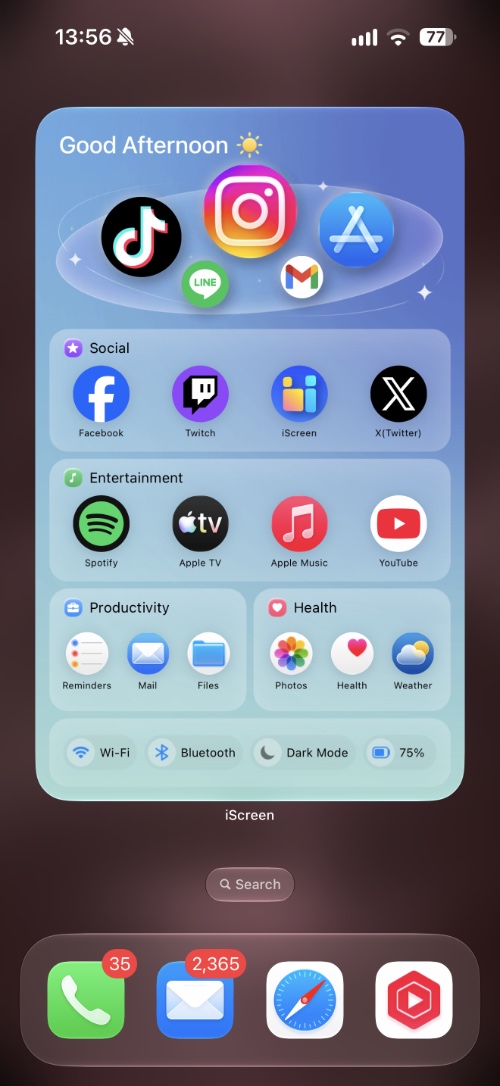
One such widget is Quick Launch Folder. You can add up to 19 app icons to this widget and categorize them according to their type. The widget folders, icons, fonts, and colors are completely customizable so you can give it any look you prefer, be it colorful or minimalistic.
Control Panel Widget
The Control Panel widget brings the whole control panel to your home screen. It features a music widget, system controls, brightness slider, app shortcuts, and more. Just like other widgets, it is also customizable. You can use the provided templates or create a unique look by changing colors, icons, and using your own pictures.
Device Panel Widget
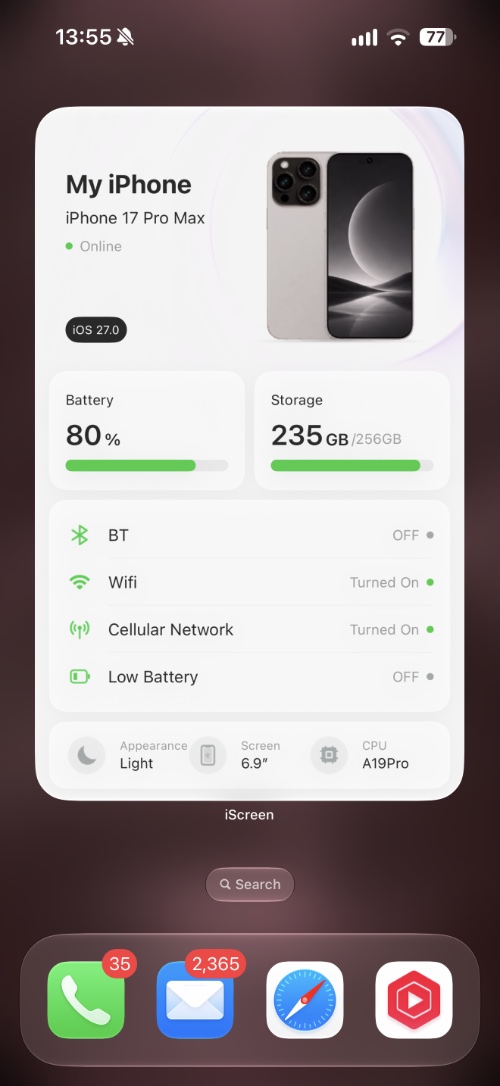
My favorite is the device panel widget, which shows your device’s name, iOS version, battery, storage, Bluetooth, Wi-Fi, and other statuses right on the home screen. Tap it to reveal the Panel Details page, which dives deeper and shows you complete information about the device, including Memory, battery capacity, and much more.
How to install a widget
Using the iScreen to customize and add widgets to the home screen is very easy. You have to perform the following steps.
- Open the iScreen app.
- Find a widget you like on the Discover page or go to the Widgets section and tap on it.
- On the next page, customize the widget just the way you like. Depending on the widget, you can change its style, font, color, background, and other details.
- After customization is complete, tap on Save to My Widgets.
- Now go to the home screen and long-press anywhere on the screen.
- Tap the brush button in the top-left corner, and then tap on Add Widget.
- On the widget menu, find and tap on iScreen.
- Select the widget size from Small, Medium, Large, or Extra Large and tap on Add Widget.
- Next, tap on the widget and then on the Choose option next to Current Widget.
- Finally, select the widget from the My Widgets section.
Your widget should now appear on the home screen.
Download and availability
iScreen app is available in the App Store as a free download. The app offers many free widgets and lets users unlock more by watching ads. You can unlock the complete app and gain ad-free access by purchasing the $7.99 monthly subscription or the discounted $19.99 yearly package.
You can download the iScreen – Widgets & Wallpaper app from the App Store for free here.


