


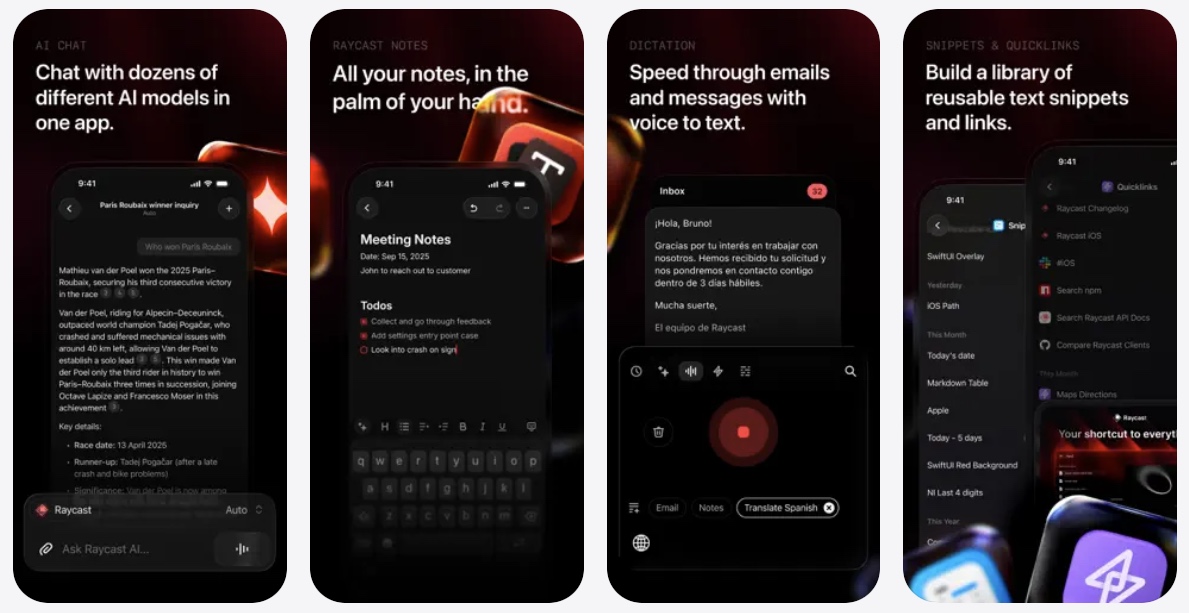
Raycast is a powerful multi-purpose tool for iPhone and iPad users that brings AI and handy utilities to your fingertips. The app is designed to improve your productivity and let you have Mac -like control on your iOS device.
With Raycast, you get access to AI chat functionality that gives you instant access to dozens of AI models in one place. This includes OpenAI, DeepSeek, Gemini, Meta, and more.
The Notes feature of the app lets you quickly jot down your brightest ideas and have them synced across all your devices for easier access.
Raycast for iOS also has a Quicklinks feature, which lets you save useful resources and open them in just a few taps.
For coders, the app has a useful Snippets feature, which lets you store your code snippets and use them whenever you want. This helps you save time and, with the portability of iOS devices, lets you access the snippets no matter where you are. It also supports Apple’s Shortcuts app and lets you perform various actions with it.
The Raycast app for iOS is available on the App Store as a free download.
Raycast For Mac

While Raycast for iOS is an impressive app and a must-have for anyone who is looking for AI chat access through multiple AI models right on their iPhone, the Raycast app for Mac is the app where the real fun happens.
On the Mac, Raycast acts as a launcher that can be extended with the use of extensions. The core features of the Raycast app include AI chat access with multiple models, a clipboard history tool, notes, a powerful calculator, and window management.
The app also lets you use your favorite tools through Raycast without even opening them. You get extensions for different productivity, engineering, design, and writing apps. This includes apps like Linear, 1Password, Spotify, Slack, and many more.
You can take advantage of the Hotkeys and Aliases feature, which lets you speed up your workflow by assigning them to your commonly used commands and apps.
You can download the Raycast app for Mac from the official website here.


