


There are various video creation and editing tools out there, with both free and paid versions. As a content creator, business owner, or digital marketer, using the right video editing tool is important.
Additionally, having a reliable video editor can significantly streamline your workflow and improve efficiency. Regardless of your specific requirements, finding a tool that aligns with your preferences and objectives is both achievable and worthwhile.
Below is a review of Vmake AI, a comprehensive video editing solution, and its benefits. This article provides a detailed guide for those just starting with AI tools or who need an alternative to their default editor.
What’s the Vmake AI?
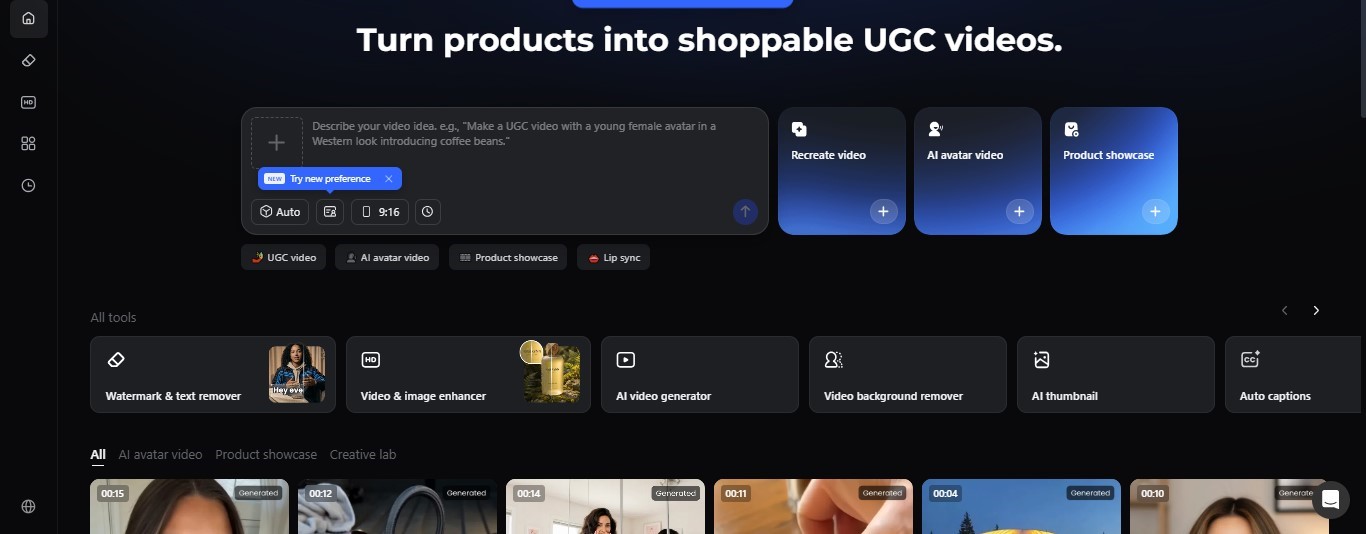
Vmake is a video-editing solution, built for talking videos and creators looking to transform their content. If you are a marketer or business owner, this tool comes in handy. You can create quality videos in minutes with the all-in-one tool and save the cost of hiring paid editors.
Powered by AI, the AI provides a workspace for users to explore various tools. The Vmake video enhancer enables users to improve video quality to 2K and 4K resolutions. Other tools, such as the background remover and video generator, let you create standout videos more quickly.
While some video editing software may be tasky to navigate, the V-make offers an intuitive interface. That is, users can create, edit, and export studio-quality content without design experience.
The Vmake AI Workspace Features
The Vmake AI features a workspace for editing videos in the most basic form and preferred outputs. This extends to tools that allow users to modify images and remove unwanted elements.
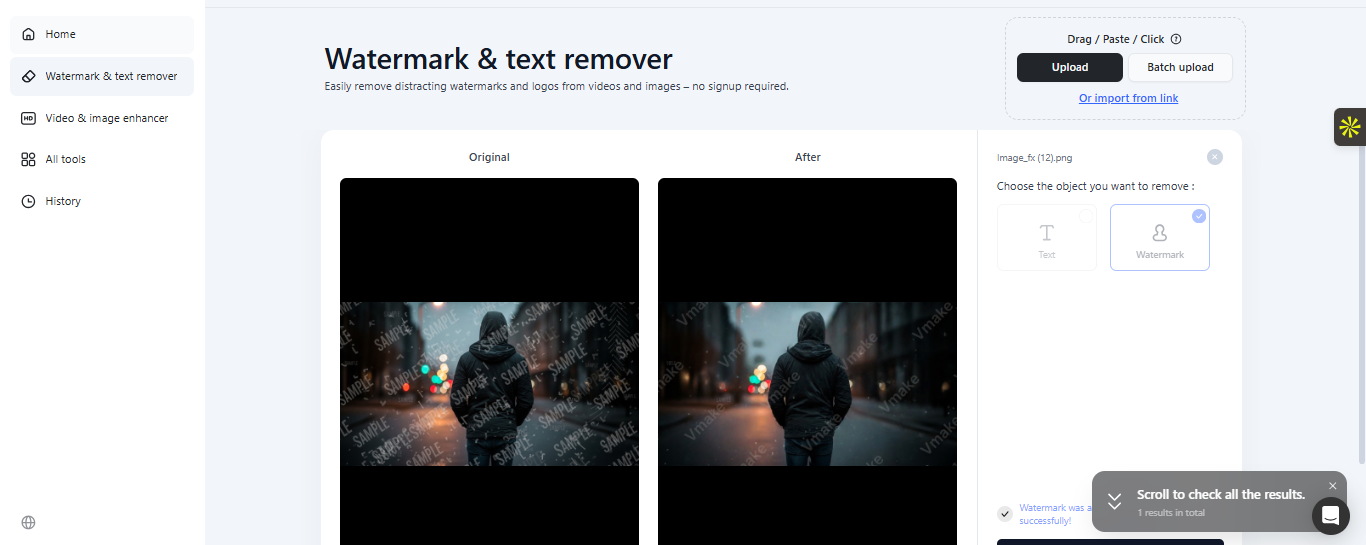
Watermark & Text Remover
With the Vmake AI, you can remove watermarks and unwanted elements in videos or images. This feature supports both simple and batch uploads and automatically clears every layer. With all-around brushing, you can process your videos for a natural, distraction-free feel.
Video & Image Enhancer
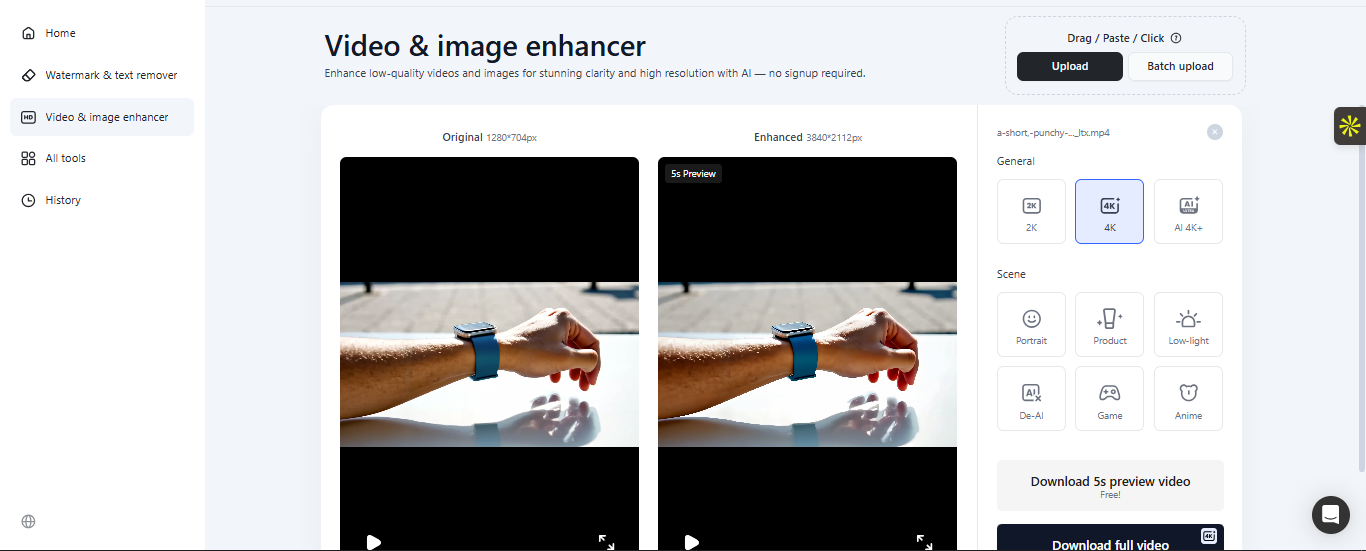
The video and image enhancer is a plus that upscales low-resolution videos to higher quality. As a content creator, you can enhance your product videos up to 2K and 4K resolution. The AI also supports higher-resolution images.
AI Video Generator
Generate a video with a text description or an uploaded image. The Vmake AI features a video generator that lets users describe and create their preferred videos. If you want to use a specific image to create short videos or resample a video on your device into a new version, the AI supports these edits to create a catchy video.
AI Background Remover
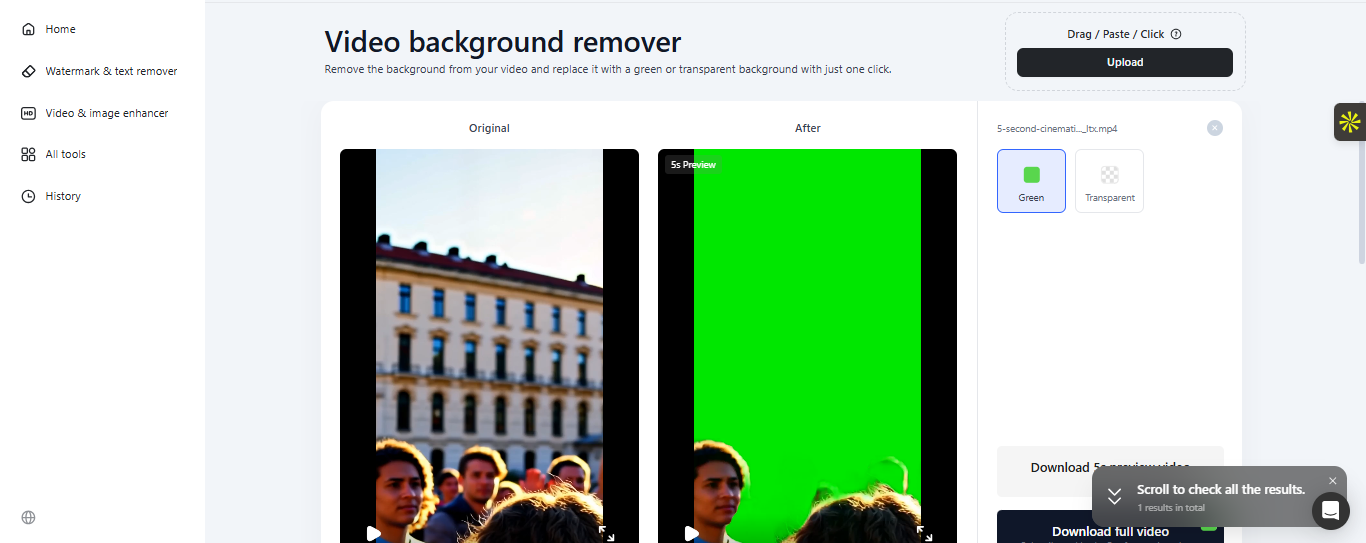
Do you have a background with a tint or a rough look? The AI background remover clears the video background for a clean layout. If you capture videos in motion with a not-so-nice background, this feature lets you replace the default background with a new one.
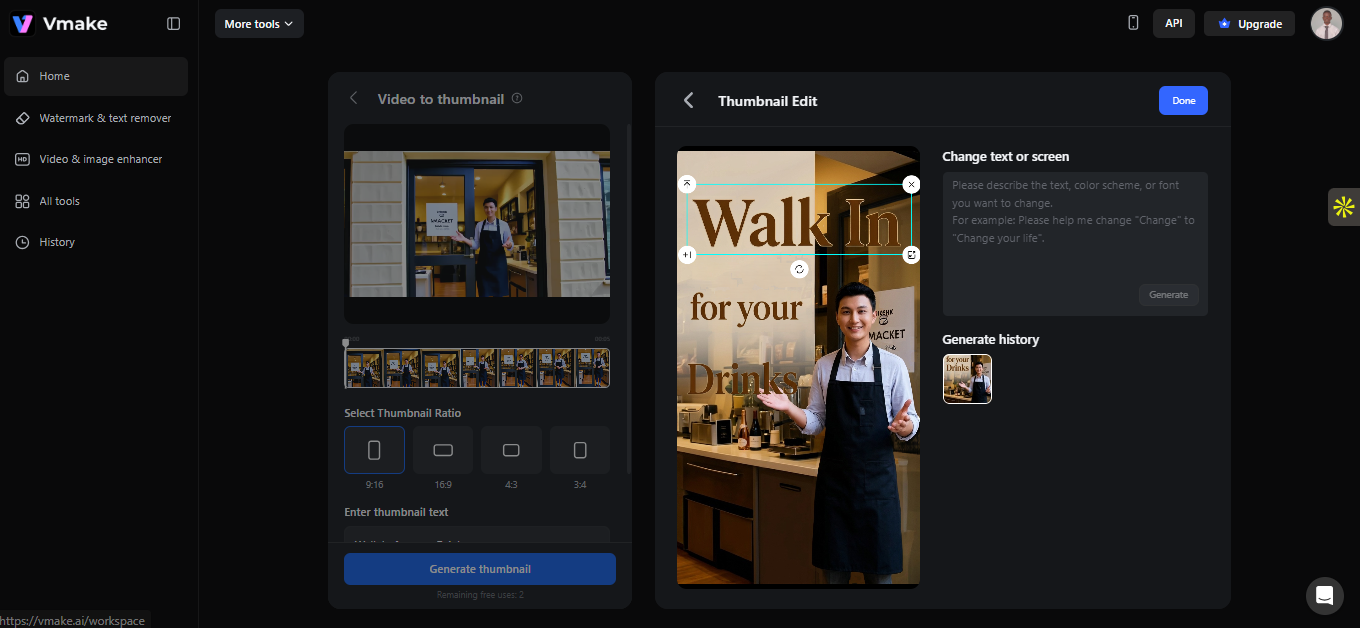
AI Thumbnail
The AI thumbnail is one of the tools for generating an appealing visual for content. Thumbnails provide quick previews of product videos. The Vmake AI allows users to describe and generate a thumbnail that matches their intention.
AI Noise Reducer
The AI Noise Reducer removes distracting noise from videos, leaving a clear audio background. With a simple upload, you can generate noise-free video content with audible sounds.
Pricing: How Much Does it Cost?
The Vmake AI offers different pricing and subscription categories. You can access and enjoy limited features of the video editor in the free mode. Despite the pros and cons, the AI offers much more.
- Free: The free version offers twenty credits daily and limited features to test the tool.
- Plus: This plan starts at $9.99/month with 1000 credits/month and extended file limits.
- Pro: Starting at $29.99/month with up to 4500 credits/month.
How does the Vmake AI Work?
Using the Vmake AI workspace requires a few steps and prompts. With an easy-to-use interface, here is how to use the editing tools on the page.
Select the Tool
Open the Vmake AI workspace and select the editing tool. With different editors for videos and images, your selection provides the lead on what to do for each.
Upload Your Media
The Vmake AI supports uploading images and videos. You can easily upload media files from your device with a single click. It also supports batch upload. That is, you can upload multiple files at once for processing.
Describe Your Text
Alternatively, you can input a text description in the prompt box to generate or modify videos. The text instructs the AI operations.
Wait for the AI Processing
After uploading your media file or text description, the AI analyses the prompt to generate results automatically. If you are looking to remove a background, generate a video, or add subtitles, the AI identifies and processes your prompt.
Review and Edit
Vmake editing tools results are customizable; users can make post-edit modifications. You can review your prompt result and make edits if necessary.
Export
Export the edited videos to download them on your device.
Benefits of Using the Vmake AI
- Professional Cost: Using the Vmake AI saves the extra cost of hiring a professional designer. With the free credits and basic features, you can easily edit videos without hassles. Even so, the AI features an intuitive, easy-to-use interface for individuals new to design.
- Time Saving: With batch upload, you can save time by creating and editing more content. In a few minutes, the AI automatically processes prompts and delivers results.
- High Quality: Vmake AI not only offers editing solutions, but it also supports professional videos ideal for promoting businesses. You can use the video enhancer to upgrade low-quality videos on your device.
- E-Commerce: The AI is built with e-commerce and content creators in mind, courtesy of the editing features. From ready templates to a broad workspace, Vmake is a flexible tool for small businesses and creators.
Conclusion
With AI technology, Vmake offers a comprehensive video editing experience. Whether you are looking to upscale your content resolution or promote products with watermark-free videos, having AI on hand is a plus. The one-click upload and intuitive interface make it easier to navigate through the page.


