


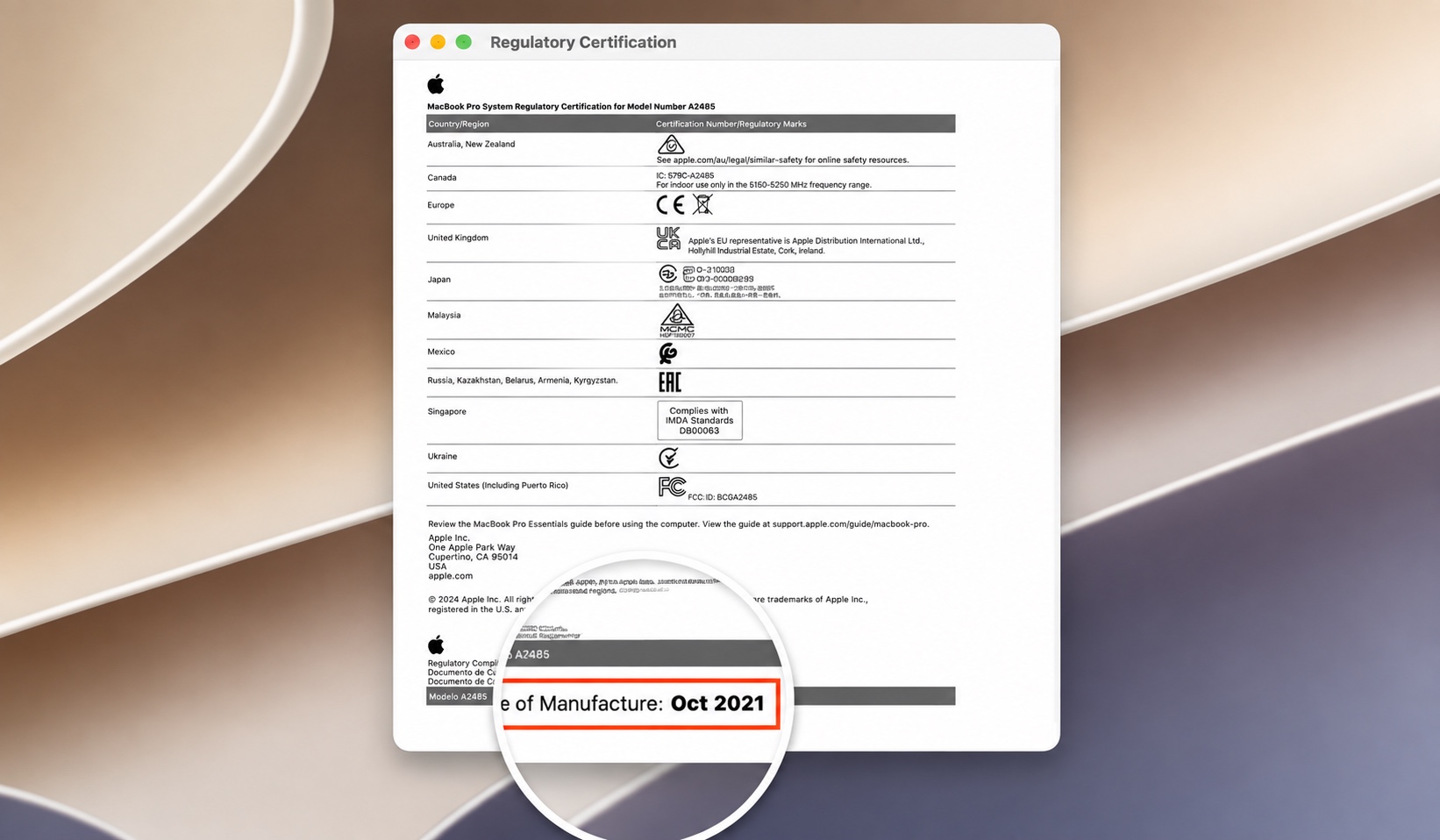
macOS 27 Golden Gate brings an interesting change to Macs that allows users to see when their Mac was manufactured right on their Mac.
Previously, it was not possible to check a Mac’s manufacture date, as Apple had removed this information from the devices back in 2021. Before the change, you could figure out when a Mac was made by looking at its serial number.
Now you have a much simpler way of finding this information. Just follow the steps below.
- On your Mac that is running macOS 27 or later, click on the Apple logo.
- From the drop-down menu, click on the About This Mac option.
- Next, click on the Regulatory Certification option (right below the More Info… button).
- A window will open. Look at the bottom of this window, and you will find the Date of Manufacture followed by the date.
As you can see in the image above, my M1 Pro MacBook Pro was manufactured in October 2021.
Note that the date shown on the Regulatory Certification page is tied to the device’s logic board. There have been reports that if the logic board has been replaced, the date displayed may correspond to when the replacement logic board was manufactured rather than the actual production date of the device.


