


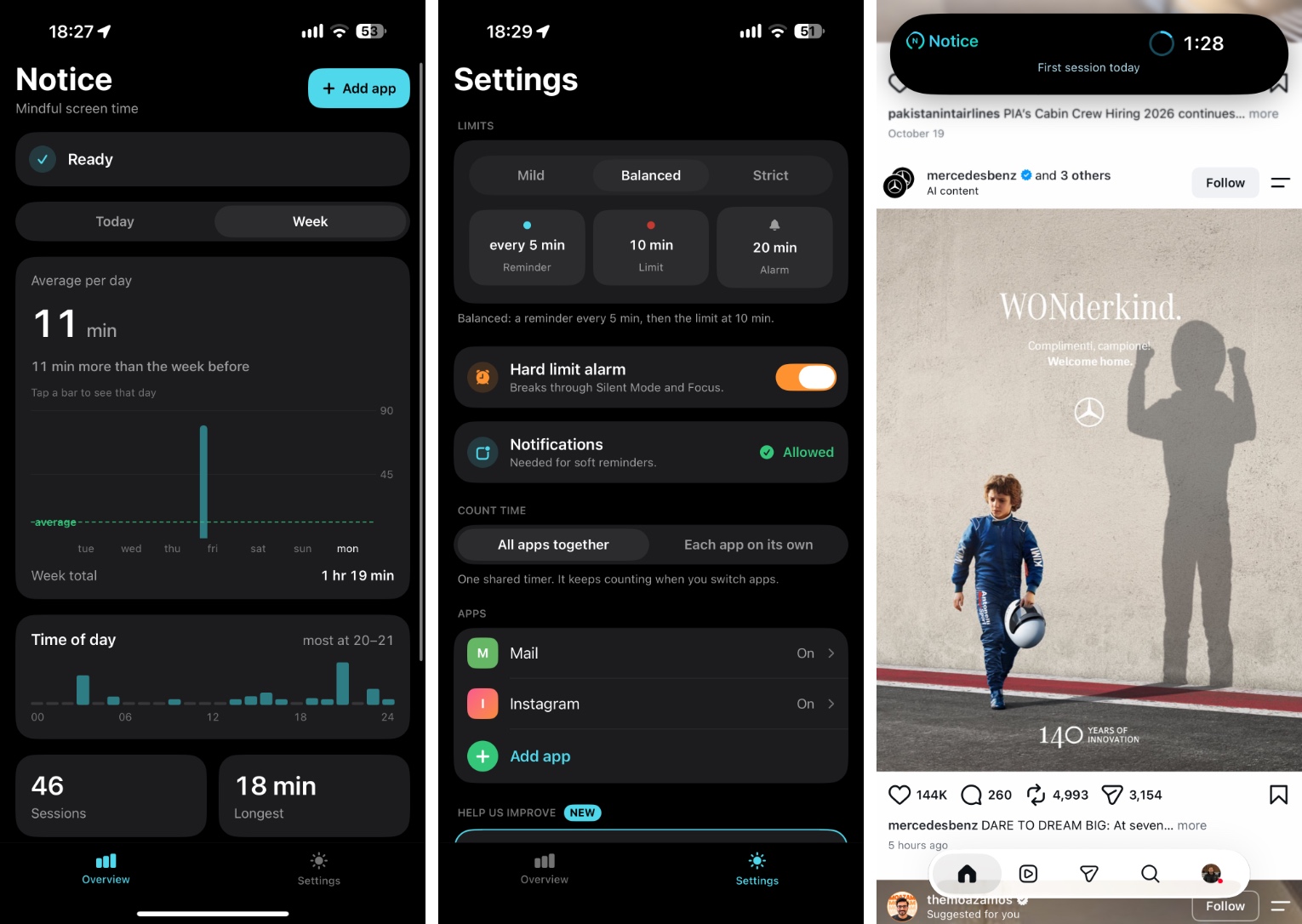
If you have been trying to cut down on social media or a particular app, the Notice – Mindful Screen Time app is for you. It adds a live timer inside the Dynamic Island that starts as soon as you launch the app.
The live timer tells you how long you have spent inside that app, making you mindful of the time being wasted using it. The live timer really helps you to decide if you should continue using the app or do something more productive.
Notice takes advantage of the Shortcuts automation feature. You can set it up for specific apps. The app guides you through the whole set-up process.
Once you have created the automation, every time you launch the connected app the timer starts counting automatically. The timer pauses as you leave the app.
The app comes with several customization options including the ability to choose how often you should be reminded about the limits, a hard limit that rings an alarm when you have used the app for a specific time, app usage stats for your chosen app and more.
A great thing about Notice is that it does not block access to the app after you have spent a particular amount of time using it. It just shows you the time spent in the app, and leaves it up to you if you want to continue using it or not.
You can download the Notice – Mindful Screen Time app for free from the App Store.
